top of page

Setting up Retail POS hardware

Wix Retail POS: Selecting a Card Reader

Important:

  • This article is about Wix Retail POS tablet for brick & mortar businesses.

  • For info on using POS on a mobile device, click here.

Using your card reader, you can accept payment by credit card, debit card, or by phone app.

There are a number of readers available. All readers support all magstripe and EMV payment functions and you can use them to accept new forms of payment, such as Apple Pay, Android Pay, Samsung Pay, VISA Paywave, MasterCard PayPass, AMEX ExpressPay and Discover D-PAS.

Check which model of card reader you have and click to learn how to connect it, update the software, and more.

Stripe Reader M2 (Available in the US)

This card reader, which come in white, is currently available for purchase for merchants located in the US. It connects to your tablet through Bluetooth.

An image of the Stripe Reader M2

Learn how to set up and use the Stripe Reader M2 card reader.

WisePad 3 (Available in Canada)

This card reader is available for purchase for merchants located in Canada. It connects to your tablet through Bluetooth.
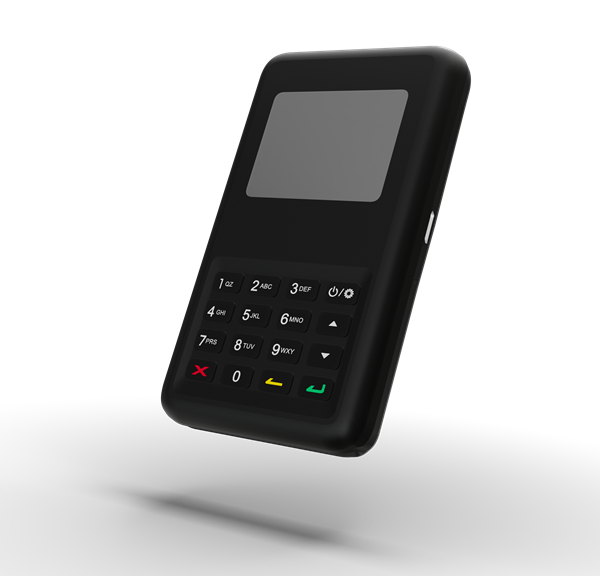
An image of the WisePad 3

Learn how to set up and use the WisePad 3 card reader.

BBPOS WisePOS E

This card reader is available for purchase for merchants both in the US and Canada. It is a network card reader which connects to your tablet through WiFi.
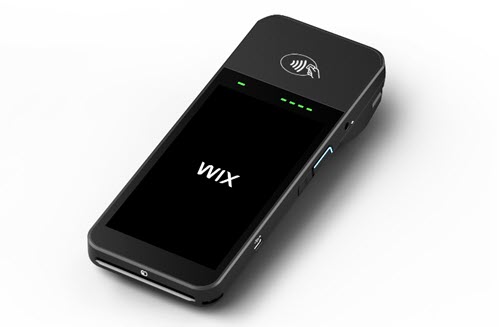
Screenshot of the card reader

Learn how to set up and use the WisePOS E card reader.

BBPOS Chipper 2X reader (previously available in the US)

If you purchased your card reader before July 2022, you may have the BBPOS Chipper 2X reader. You can identify it by its black color.
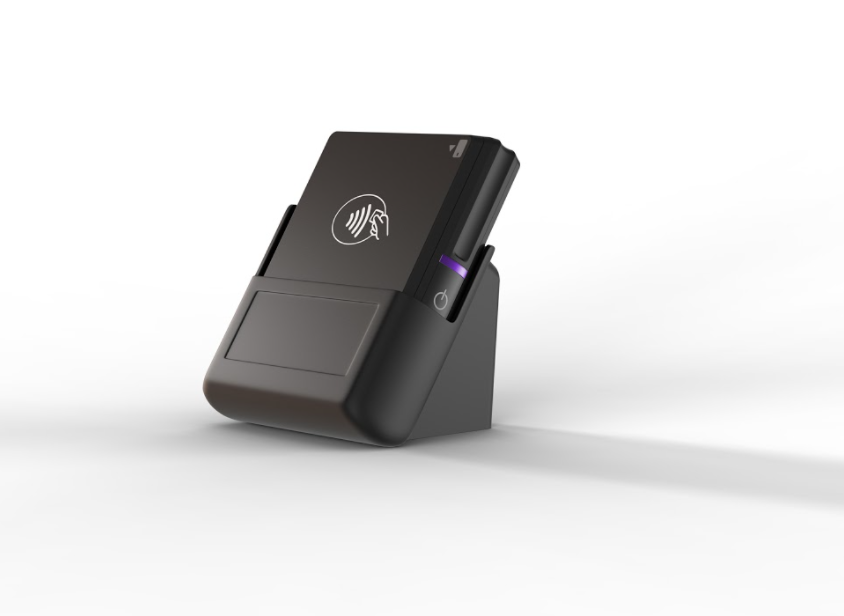
An image of the BBPOS Chipper 2X reader

Need A Professional Website?
Contact Us 
Today!

Wix Forms: Troubleshooting

Wix Forms: Removing a Form from Your Site

Wix Forms: Saving Your Form Data to Your Contacts

Wix Forms: Creating Automated Email Responses for Form Submissions

Wix Forms: Choosing Who Gets Notified About Form Submissions

Wix Forms: Viewing and Managing a Submissions Table

Wix Forms: Customizing the Success Message and Thank You Page of Site Forms

Wix Forms: Designing Your Site Forms

Wix Forms: Adding a Signature Field

Wix Forms: Protecting Your Site Forms from Spam

Wix Forms: Adding a Subscriber Opt-In Checkbox to a Site Form

Wix Forms: Adding a File Upload Field

Wix Forms: Managing Your Form Fields

Wix Forms: Managing Your Standalone Form Fields

Wix Forms: Translating Your Forms with Wix Multilingual

Wix Forms: Adding and Setting Up a Standalone Form

Wix Forms: Adding and Setting Up a Form on Your Site

Wix Forms: An Overview

Wix Functions: Creating a Custom Loyalty Program Reward

Wix Functions: Adding Custom Validations to Your Forms

Wix Functions: Adding Additional Fees at Checkout

Wix Functions: Creating a Function

Wix Automations: Understanding Conditions Operators

Wix Automations: Using the Run Velo Code Action

Wix Automations: Troubleshooting Wix Automations

Wix Automations: Creating a Multi-Action Automation

Wix Automations: Sending Data via Webhook

Using Zapier to Automate Connections with Third-Party Apps

Wix Automations: Sending Data to Google Sheets

Wix Automations: Managing Your Automations

wix experts
Graphic2Traffic web design
©
bottom of page