top of page

Wix Forms FAQ

Wix Forms: Designing Your Site Forms

Design your form to add a splash of individuality to your visitors' experience. Customize the background color, change button text or adjust shadows and borders to bring the form to life.

Note:

Designing your form is currently only available for site forms. For standalone forms, you can manage form fields but not update their design.
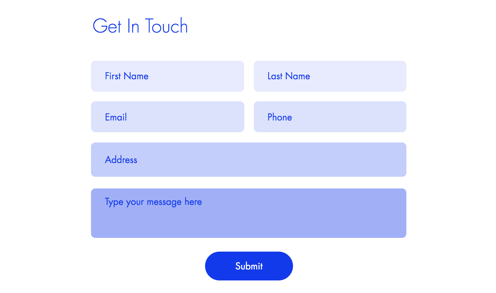
Screenshot of get in touch form with customized lilac fields.

How do I know if I'm using old Wix Forms or new Wix Forms?

This article will help you understand the differences between old and new Wix Forms.

To design your site forms:

New Forms

Old Forms

  1. Click the relevant form on your page.

  2. Click Settings.

  3. Click the Design tab.

  4. Customize the form design using the available options:Form Background: Choose the form background color, as well as the border color and width.
    Form Fields: Select a form field style and customize the opacity, font, font size, etc.
    Tip: You can design how fields appear in different states: Regular, Hover, and Error.
    Header and Paragraph: Choose a font and color for the form text.
    Buttons: Design the form buttons including how they appear on hover (e.g. submit button, back button, etc.)
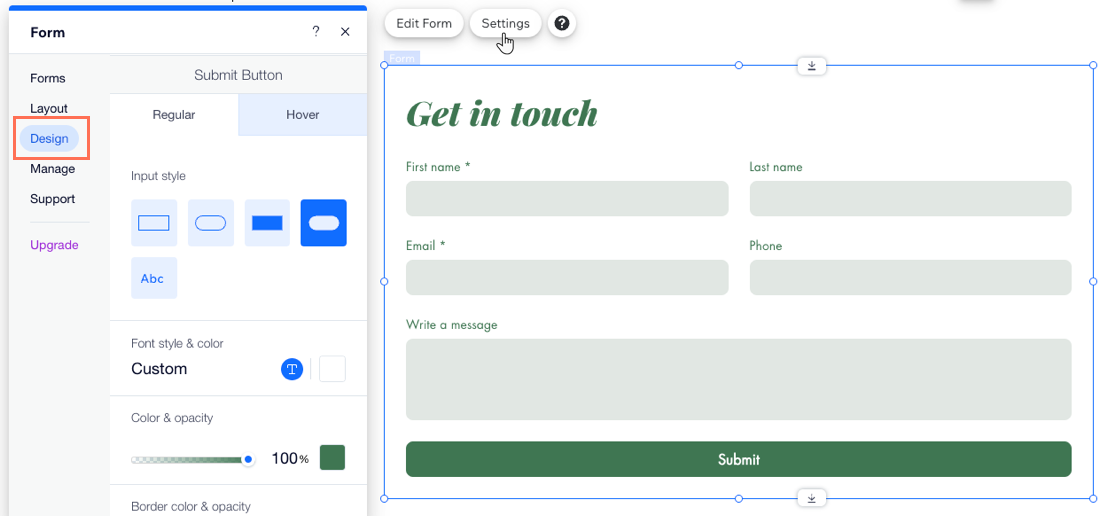
A screenshot of the Design tab of a form with button color options selected.

Need A Professional Website?
Contact Us 
Today!

Wix Chat: Automatically Sending Chat Messages or Responding to Chat Messages

Wix Chat: About Notifications

Wix Chat: Deleting Wix Chat

Wix Chat: Adding the WhatsApp Channel to Your Chatbox

Wix Chat: Viewing and Chatting with Live Site Visitors

Wix Chat: Customizing the Chat Icon on Your Mobile Site

Wix Chat: Translating Wix Chat

Wix Chat: Allowing Members to Chat with Each Other Using Members Chat

Wix Chat: Customizing Your Chat Settings

Wix Chat: Designing Your Chatbox

Wix Chat: Adding Wix Chat to Your Site

Wix Chat: An Overview

Your AI Site-Chat Conversations Quota

Designing and Customizing Wix AI Site-Chat

Training Your AI Site-Chat

Testing Your Wix AI Site-Chat

Adding and Setting Up Wix AI Site-Chat

About Wix AI Site-Chat

Wix Inbox: Sending a Broadcast Message to Your Contacts in the Wix App

Wix Inbox: Working with Site Collaborators

Wix Inbox: Connecting WhatsApp Business to Inbox

Wix Inbox: Connecting Your Facebook Page

Wix Inbox: Connecting Instagram to Inbox

Wix Inbox: About Wix Inbox Channels

Wix Inbox: Connecting Your Gmail Account

Wix Inbox: Managing Your Notification Settings

Wix Inbox: Managing Your Inbox

Wix Inbox: Setting Up Your Inbox Profile and Outgoing Emails

Wix Inbox: Sending Messages and Attaching Items

Wix Inbox: An Overview

wix experts
Graphic2Traffic web design
©
bottom of page