Creating your Wix Restaurants menu
Wix Restaurants: Archiving and Restoring Menus, Sections, and Dishes
Important:
This article is about the original Wix Restaurants Menus App. Try out our new, improved menu app. Learn how to add and set up Wix Restaurants Menus (New) app.
If you no longer wish to use a menu, section or dish, you can archive them and restore them later at anytime. You can also clear your archive to permanently delete all of your archived menu items.
In this article, learn how to:
Archiving menus, sections and dishes
You can archive a menu, section or dish and remove them from Menus in your site's dashboard. Archiving does not permanently delete the menu, section or dish, and allows restoring them at any time.
Important:
You can't use archived dishes as options for other menu items. Once you archive dishes, any other menu item tied to the archived dish won't be available.
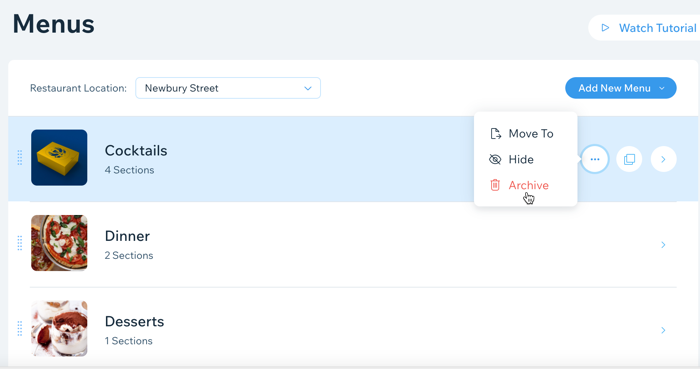
To archive a menu, section or dish:
Go to Menus in your site's dashboard.
Hover over the relevant menu, section or dish and click the Show More icon
 .
.Click Archive.
Restoring menus, sections and dishes
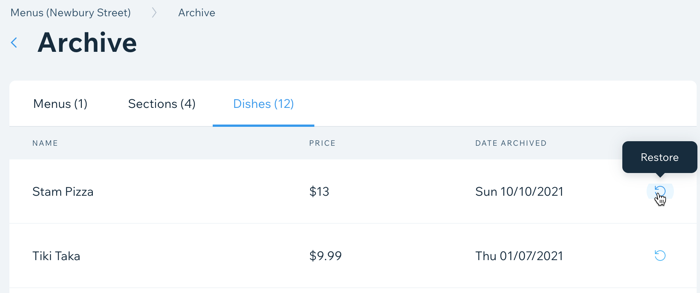
You can easily restore a menu, section and dish that you've previously archived. All of the menus, sections and dishes that you've previously archived are saved under Menus Archive in Menus.
To restore a menu, section and dish:
Go to Menus in your site's dashboard.
Scroll to the bottom and click Menus Archive.
Click the Menus, Sections or Dishes tab.
Hover over the relevant menu, section or dish and click the Restore icon.
Deleting your archived menu items
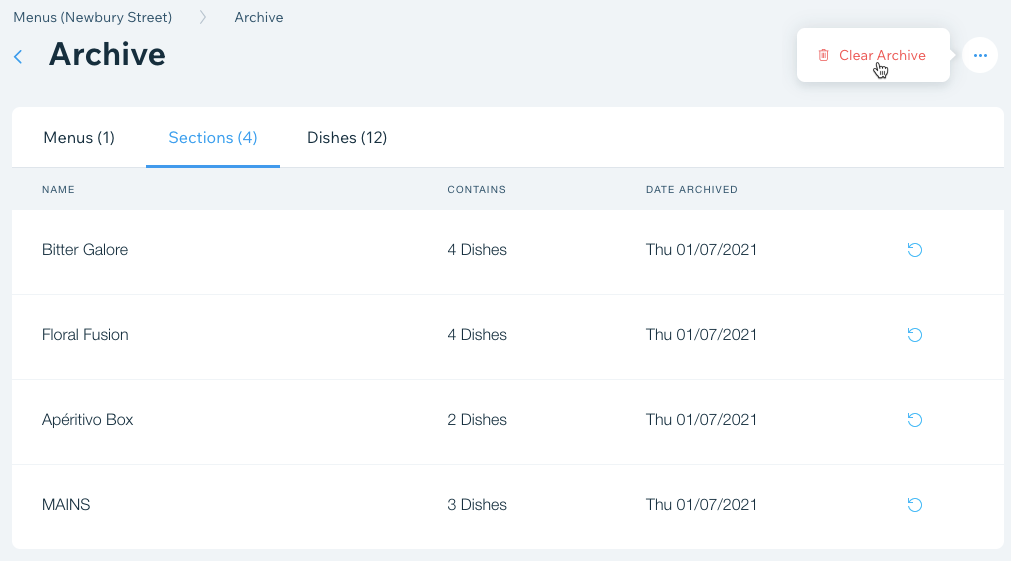
You can clear your archive to permanently delete all of your archived menu items. This action cannot be undone.
To permanently delete your archive:
Go to Menus in your site's dashboard.
Scroll to the bottom and click Menus Archive.
Click the More Actions icon
at the top left.Click Clear Archive.
Click Clear Archive again to confirm.