top of page

Getting started with Wix Music

Wix Music: Adding and Setting up Wix Music

Note:

Wix Music is not yet available in the Studio Editor. If this is something you'd like to see in the future, vote for that feature.

Wix Music lets you share and spread your music online, completely free of charge. Add the Wix Music player to your site and choose which track, playlist or album it displays. You can also control whether visitors can share or download your music.
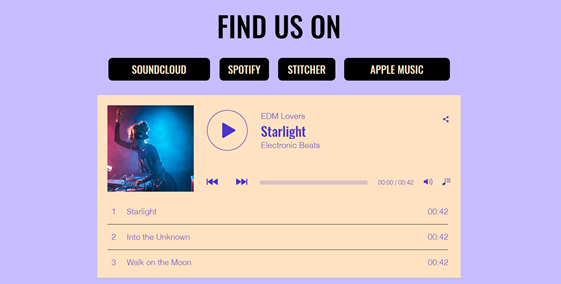
A screenshot of a Wix Music player on a live site.

Step 1 | Add Wix Music to your site

First, add the Wix Music player to your site in the Wix Editor. You can choose the design that best suits your site's style - compact or classic.

To add Wix Music:

  1. Go to your editor.

  2. Click Add Elements  on the left side of the editor.

  3. Click Video and Audio.

  4. Click Wix Music.

  5. Drag a Wix Music player onto your page.
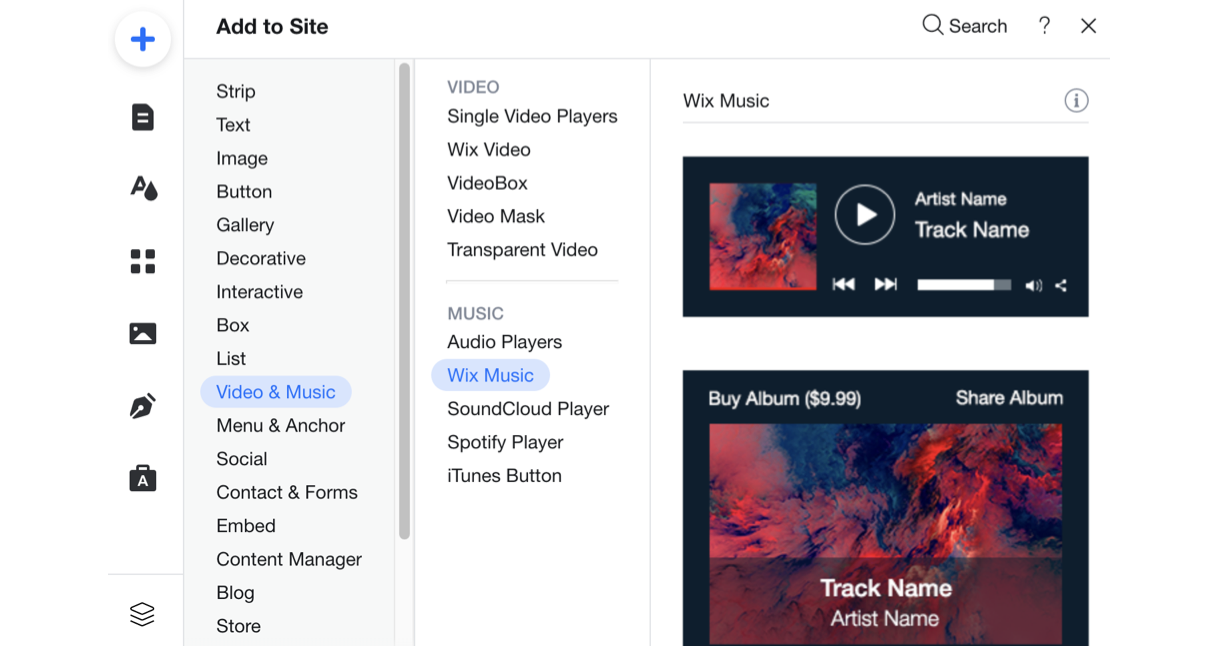
A screenshot of the player's available to add to your site in the Editor.

Step 2 | Choose music for your player

After adding the Wix Music player to your site, it's time to choose which music you want to display. You can choose from music you've already uploaded to your Music Library or add new music. Then choose whether to display an album, single, or playlist.

To choose music for your player:

  1. Click the Wix Music player in your editor.

  2. Click Settings.

  3. Click the My Music tab.

  4. Choose what music to add to the player:Existing music: Choose from music you've already uploaded to your Music Library.
    New music: Click + New Music to upload a single, album or playlist.
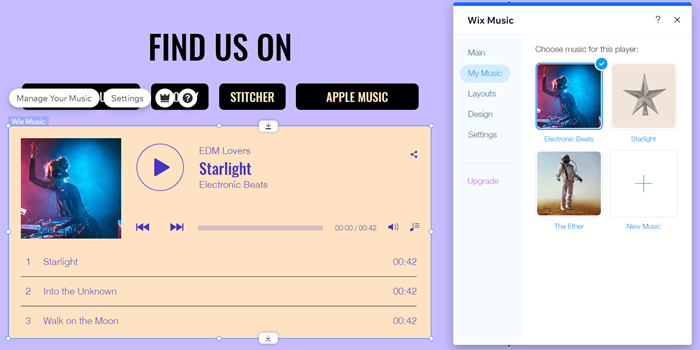
A screenshot of the My Music tab in the Editor.

Step 3 | Set up your player

Lastly, set up your player to work just how you want. Adjust your player's settings to allow your visitors to share your music and enable autoplay. Learn more about setting up your Wix Music player.
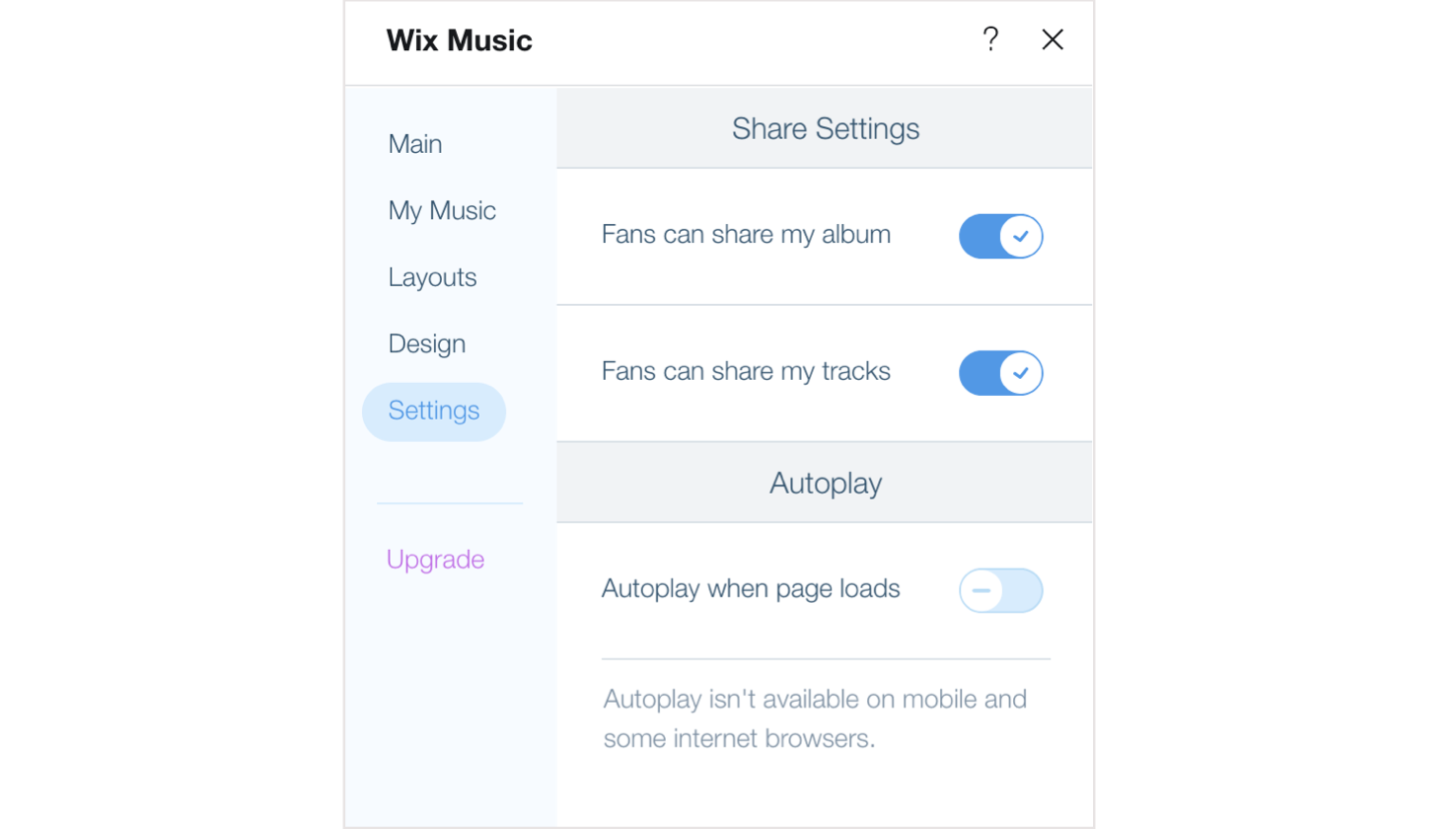
A screenshot of the Settings options available in the Wix Music player.

Need A Professional Website?
Contact Us 
Today!

Embedding a Yandex Map on Your Wix Site

Apps Made by Wix: Adding and Setting Up the Wix Weather App

Adding and Setting Up the Wix Hit Counter App

Embedding a VKontakte Community Widget on Your Site

Embedding Your Tumblr Blog and Posts

Wix Comments: An Overview

Adding Pinterest Content to Your Site

Wix Apps: Adding and Setting Up the PDF Viewer App

Adding and Setting Up the Open for Business App

Embedding an Odnoklassniki (OK) Like Button on Your Site

Adding and Setting Up the Site Badges App

Gift Card Payment Confirmation

Adding and Setting Up the Get Funding App

Adding and Setting Up the Get Files to Dropbox App

Apps Made by Wix: Adding and Setting Up the Dropbox Folder App

Adding and Setting Up the Countdown Clock App

Adding and Setting Up Wix Site Search

Understanding & Customizing Your Search Results Page

Customizing Your Site Search Bar

About Wix Site Search

Displaying a Different Variant (e.g. Color) of an Item in the Amazon App

Retrieving Your Amazon Credentials

Adding and Setting Up the Amazon App

Setting Permissions for Google Drive Files and Folders

Adding and Setting Up the Google Drive App

Displaying Events Using Your Site Colors or Google Colors in the Google Event Calendar App

Displaying Private Events in Your Google Event Calendar App

Managing Your Google Event Calendar App

Adding and Setting Up Google Event Calendar

Wix FAQ App: Using the Wix App to Display FAQs in Your Preferred Member Apps

wix experts
Graphic2Traffic web design
©
bottom of page