top of page

Setting up Retail POS hardware

Wix Retail POS: Selecting a Card Reader

Important:

  • This article is about Wix Retail POS tablet for brick & mortar businesses.

  • For info on using POS on a mobile device, click here.

Using your card reader, you can accept payment by credit card, debit card, or by phone app.

There are a number of readers available. All readers support all magstripe and EMV payment functions and you can use them to accept new forms of payment, such as Apple Pay, Android Pay, Samsung Pay, VISA Paywave, MasterCard PayPass, AMEX ExpressPay and Discover D-PAS.

Check which model of card reader you have and click to learn how to connect it, update the software, and more.

Stripe Reader M2 (Available in the US)

This card reader, which come in white, is currently available for purchase for merchants located in the US. It connects to your tablet through Bluetooth.

An image of the Stripe Reader M2

Learn how to set up and use the Stripe Reader M2 card reader.

WisePad 3 (Available in Canada)

This card reader is available for purchase for merchants located in Canada. It connects to your tablet through Bluetooth.
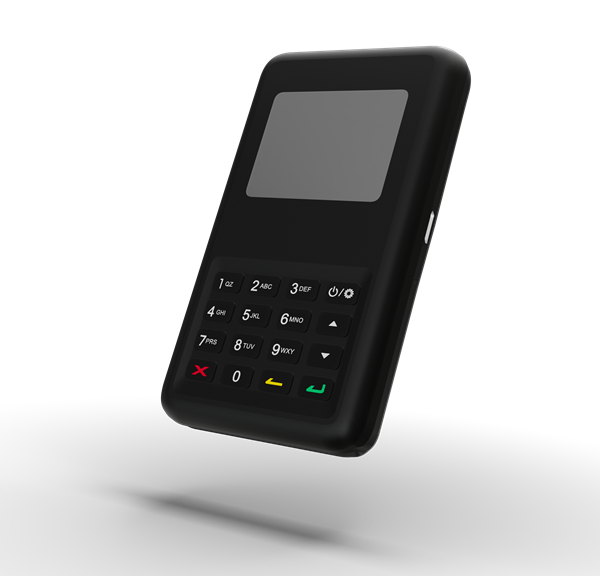
An image of the WisePad 3

Learn how to set up and use the WisePad 3 card reader.

BBPOS WisePOS E

This card reader is available for purchase for merchants both in the US and Canada. It is a network card reader which connects to your tablet through WiFi.
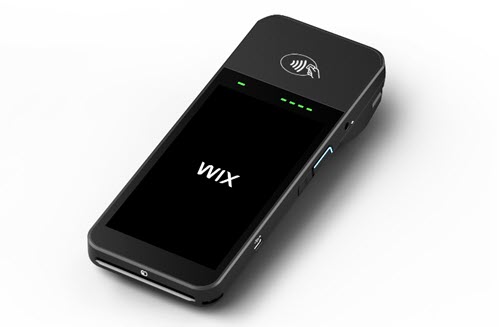
Screenshot of the card reader

Learn how to set up and use the WisePOS E card reader.

BBPOS Chipper 2X reader (previously available in the US)

If you purchased your card reader before July 2022, you may have the BBPOS Chipper 2X reader. You can identify it by its black color.
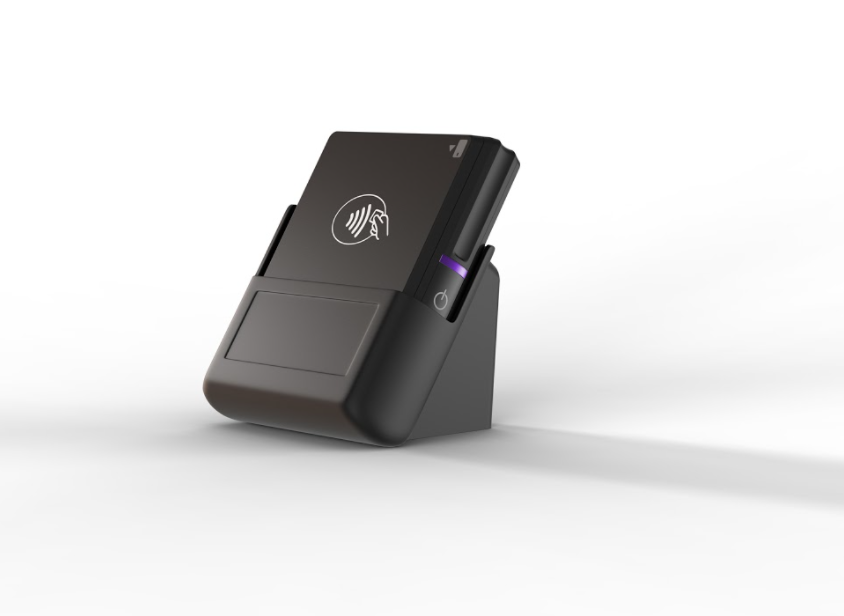
An image of the BBPOS Chipper 2X reader

Need A Professional Website?
Contact Us 
Today!

Wix Retail POS: Using the Stripe Reader M2 Card Reader

Wix Retail POS: Using the BBPOS WisePad 3 Card Reader

Wix Retail POS: Selecting a Card Reader

Wix Retail POS: About Your HP Tablet

Wix Retail POS: Connecting Your POS Hardware

Wix Retail POS: About Wix POS for Your Brick and Mortar Business

Wix Mobile POS: Setting Up a Point of Sale with SumUp

Wix Mobile POS: Setting Up a Point of Sale with Square

Wix Restaurants POS: Selling Restaurant Items at a Mobile Point of Sale

Wix Pricing Plans POS: Selling Plans at a Mobile Point of Sale

Wix Events POS: Selling Event Tickets at a Mobile Point of Sale

Wix Bookings POS: Booking Services and Accepting Payments with the Wix App

Wix Bookings POS: Accepting Payment for Booked Services at a Mobile Point of Sale

Wix Stores POS: Managing Inventory for Mobile POS Sales

Wix Stores POS: Setting up Tax Rules for a Mobile Point of Sale

Wix Stores POS: Selling Products at a Mobile Point of Sale

Wix Mobile POS: Customizing Receipts

Wix Mobile POS: Selling Physical Gift Cards at a Mobile POS

Wix Mobile POS: Redeeming Virtual Gift Cards at a Mobile POS

Wix Mobile POS: Setting Up Receipt Printing

Wix Mobile POS: Collecting Tips

Wix Mobile POS: Understanding Invoices for Mobile POS Transactions

Wix Mobile POS: Setting Up Tap to Pay

Wix Mobile POS: Letting Staff Members Accept Payments

Wix Mobile POS: Charging Clients at a Point of Sale

Wix Mobile POS: Setting Up a Point of Sale

Wix Mobile POS: An Overview

Collecting the Colorado Retail Delivery Fee

Accessing the Avalara Dashboard

Including Tax in the Product Price

wix experts
Graphic2Traffic web design
©
bottom of page