


Setting up Photo Albums
Wix Photo Albums: Uploading Photos from Lightroom Classic
Use the Wix Photo Albums plugin to upload photos from Lightroom Classic directly to your photo albums and galleries.
Important:
The Wix Photo Albums app has been removed from the Wix App Market. This plugin is only available if you have already previously installed the Wix Photo Albums app on your site, before April 2024.
Step 1 | Download the Wix Photo Albums plugin
First you need to download the plugin. You must download the plugin for the first time from your Wix dashboard. Once you have done that, you need to install the plugin in Lightroom. You can only make updates once the plugin is installed in Lightroom.
Show me how
Go to Photo Albums in your site’s dashboard.
Click Tools on the side bar menu.

Click Download Plug-in in the Lightroom Classic section.
Note: The Wix Photo Albums plugin is downloaded to your computer as a zip file, make sure to unzip it (double-click on the zip file in the folder).
Step 2 | Install the plugin in Lightroom Classic
Once you've downloaded the Wix Photo Albums plugin from your dashboard, you then need to install it in Lightroom Classic.
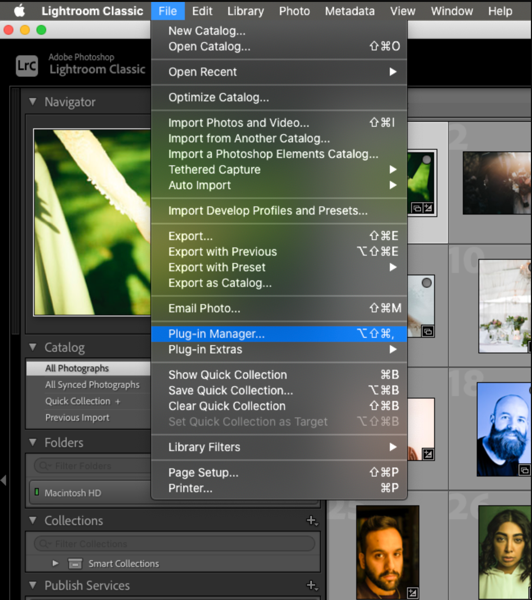
Show me how
Open Lightroom Classic on your computer.
Click File at the top left.
Click Plug-in manager.
Click Add.
Search for the unzipped plug-in file you previously downloaded and select it.
Click Add Plug-in.
Click Done.
Step 3 | Authorize and sync Wix Photo Albums with Lightroom Classic
The next thing to do is to authorize and sync the two together.
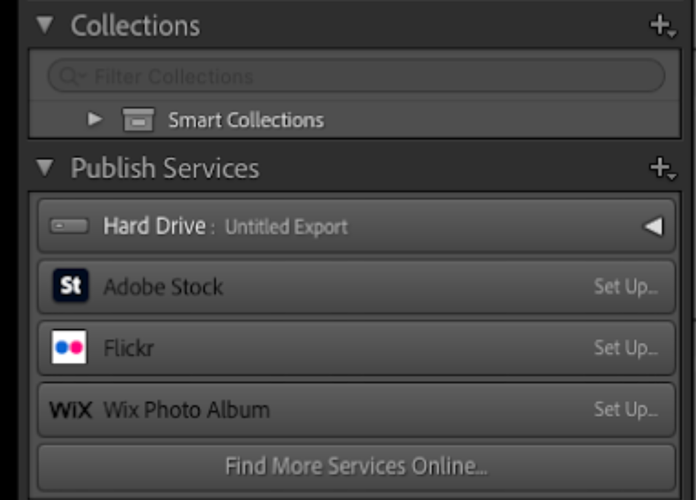
Show me how
Go to Publish Services in your Lightroom.
Click Set Up next to Wix Photo Album.
Click Authorize to continue using the plugin.
Note: This opens the Wix Login page.Log in to your Wix account.
Once you’re logged in, go back to Lightroom.
Go to your Library.
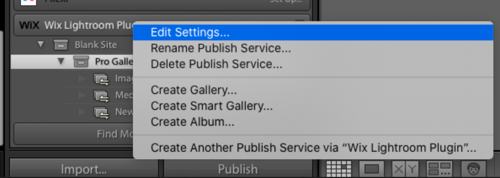
Right-click on the Wix Lightroom Plugin and click Edit Settings.
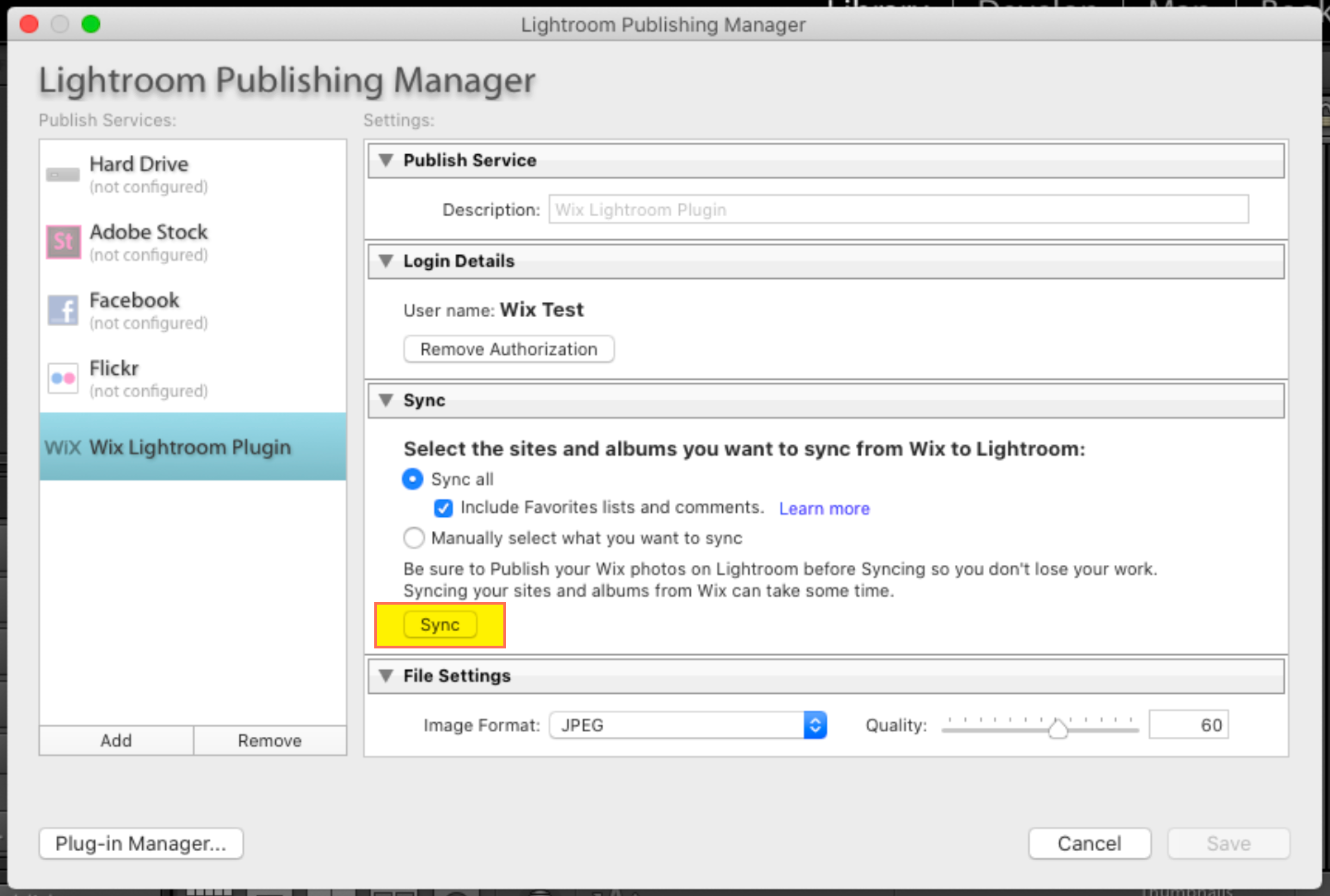
Click Sync in the Sync section. Click Cancel to close the window.
Note: This will automatically sync all of your Wix photo albums and galleries. You can access these in the Wix Photo Album section in Publish Services.
Once you've completed this sync, any new photo albums should appear in Lightroom for you to upload images to them.
Step 4 | Publish your photos from Lightroom to Wix Photo Albums
Once you have everything synced up you can start editing and publishing. You need to create the album or gallery on Wix before uploading the images from Lightroom. After you create your album (can be a draft) you need to sync it with Lightroom in order to see it.
Show me how
Go to your Photo Album in your Lightroom.
Drag the photos you want to upload to the relevant album or gallery.
Click Publish on Lightroom.
Note: Once you click ‘Publish’ on Lightroom, the changes you made (add, edit or remove photos and galleries) will be applied and updated on Wix Photo Albums.
FAQs
Click a question to find out more information.
What version of Lightroom do I need to install?
You need to have Lightroom Classic installed on your computer to upload photos to your Wix photo albums and galleries.
Note: As of April 2022, we have released a new version of Lightroom, version 3, that allows you to sync your favorites lists and comments. You can choose to upgrade to version 3 or remain on version 2 without these new functionalities.
I made changes from Lightroom to Wix, but I don't see them, what should I do?
If you want to upload or apply changes from Lightroom to Wix, you need to publish any edits made.
Do I need to save my work in Lightroom?
Yes, make sure to publish all changes made in the Wix Photo Albums plugin on Lightroom before you click sync again, so you don't lose your work.
What happens if I delete an album or site from Lightroom?
Deleting an album or a site from Lightroom only removes it from Lightroom. You will still need to delete it from your Wix Photo Album. However, photos and galleries can be deleted from Lightroom.
Having trouble syncing Photo Albums with Lightroom Classic?
Wix does not provide support for technical issues with syncing Photo Albums with Lightroom Classic. If you have an issue with syncing your images, please contact the Lightroom support team directly on their website or search their help center for additional information about the sync in Lightroom Classic.