top of page

Setting up Pricing Plans

Pricing Plans: Upgrading Your Site to Sell Plans Online

You can add and set up the Wix Pricing Plans app on your site for free. To sell your membership plans and packages online and remove Wix branding, you need to upgrade your site. You do not need to upgrade to add plans (sell them offline) or to sell free plans.

Important:

After submitting your purchase, your bank may require you to verify your identity. If you're experiencing any issues with the authentication process, contact your bank directly.

Want to sell your plans online?

Upgrade now

Grow your revenue by accepting online payments

Accept payments directly on your website, and offer your customers a seamless and secure experience.
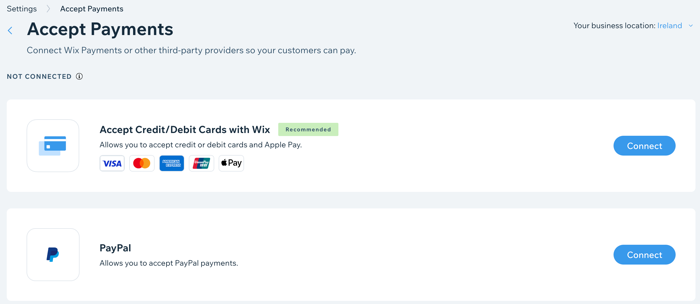
A screenshot showing how to add online payment providers to your site.

Improve your branding with a custom domain

Connect your own custom domain (e.g. www.mystunningwebsite.com), which improves your branding and gives your website a more professional look. When you upgrade to a Business and eCommerce plan, you also get your domain for free for the first year.
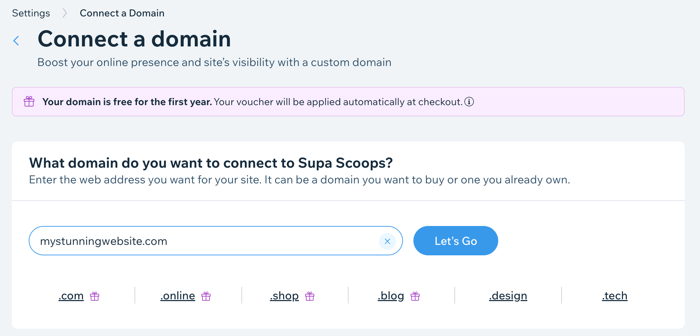
A screenshot showing how to register a domain when you upgrade your site.

Track your sales with advanced analytics

Track your subscriptions sold over time and compare different time periods. This is great for tracking the success of your marketing and the popularity of your subscriptions.
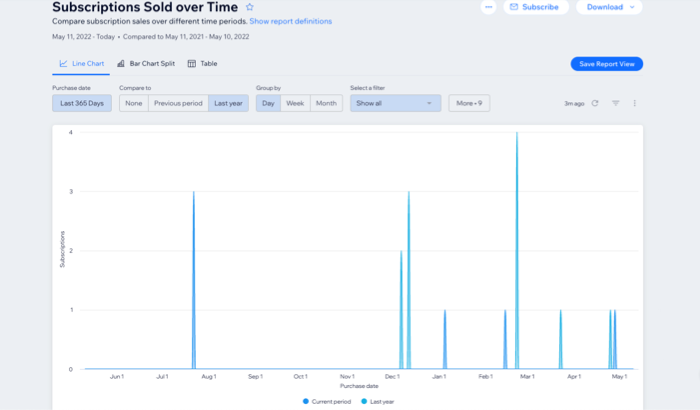
A screenshot showing Pricing Plans subscriptions analytics over time.

Need A Professional Website?
Contact Us 
Today!

Wix Retail POS: Using the Stripe Reader M2 Card Reader

Wix Retail POS: Using the BBPOS WisePad 3 Card Reader

Wix Retail POS: Selecting a Card Reader

Wix Retail POS: About Your HP Tablet

Wix Retail POS: Connecting Your POS Hardware

Wix Retail POS: About Wix POS for Your Brick and Mortar Business

Wix Mobile POS: Setting Up a Point of Sale with SumUp

Wix Mobile POS: Setting Up a Point of Sale with Square

Wix Restaurants POS: Selling Restaurant Items at a Mobile Point of Sale

Wix Pricing Plans POS: Selling Plans at a Mobile Point of Sale

Wix Events POS: Selling Event Tickets at a Mobile Point of Sale

Wix Bookings POS: Booking Services and Accepting Payments with the Wix App

Wix Bookings POS: Accepting Payment for Booked Services at a Mobile Point of Sale

Wix Stores POS: Managing Inventory for Mobile POS Sales

Wix Stores POS: Setting up Tax Rules for a Mobile Point of Sale

Wix Stores POS: Selling Products at a Mobile Point of Sale

Wix Mobile POS: Customizing Receipts

Wix Mobile POS: Selling Physical Gift Cards at a Mobile POS

Wix Mobile POS: Redeeming Virtual Gift Cards at a Mobile POS

Wix Mobile POS: Setting Up Receipt Printing

Wix Mobile POS: Collecting Tips

Wix Mobile POS: Understanding Invoices for Mobile POS Transactions

Wix Mobile POS: Setting Up Tap to Pay

Wix Mobile POS: Letting Staff Members Accept Payments

Wix Mobile POS: Charging Clients at a Point of Sale

Wix Mobile POS: Setting Up a Point of Sale

Wix Mobile POS: An Overview

Collecting the Colorado Retail Delivery Fee

Accessing the Avalara Dashboard

Including Tax in the Product Price

wix experts
Graphic2Traffic web design
©
bottom of page