top of page

Setting up payment and checkout

Wix Stores: Customer Checkout with Apple Pay or Google Pay

After you setup Apple Pay or Google Pay, you can offer customers the convenience of paying with their phones.

Additional payment buttons in the Product page

You can display an Apple Pay or Google Pay button to relevant customers in the Product page, along with the 'Add to Cart' button. This comes in place of the 'Buy Now' button. If you connected PayPal as well, 3 payment buttons are displayed.
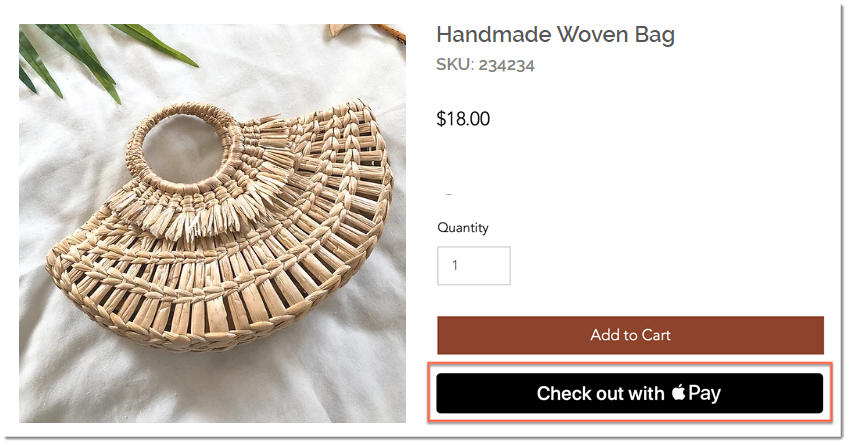
Screenshot of the Product Page in a Wix store with the Apple Pay checkout button outlined

To display additional payment buttons in the Product page:

  1. Select the Product page in the editor.

  2. Click Settings.

  3. Click the Settings tab.

  4. Under Buy Now, enable the Show button toggle.
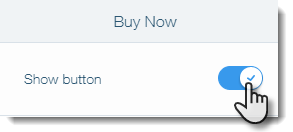
Screenshot of setting in the Product Page in Wix where you enable the Buy Now button

  1. Enable the Change automatically by payment method toggle.

Screenshot of setting in the Product Page in Wix where you enable additional payment options

Additional payment buttons in the Cart & Checkout pages

In the cart page, the Apple Pay or Google Pay button will appear along with PayPal (if connected) and a checkout button (if the manual payments, Square, Stripe or other payment provider is connected).
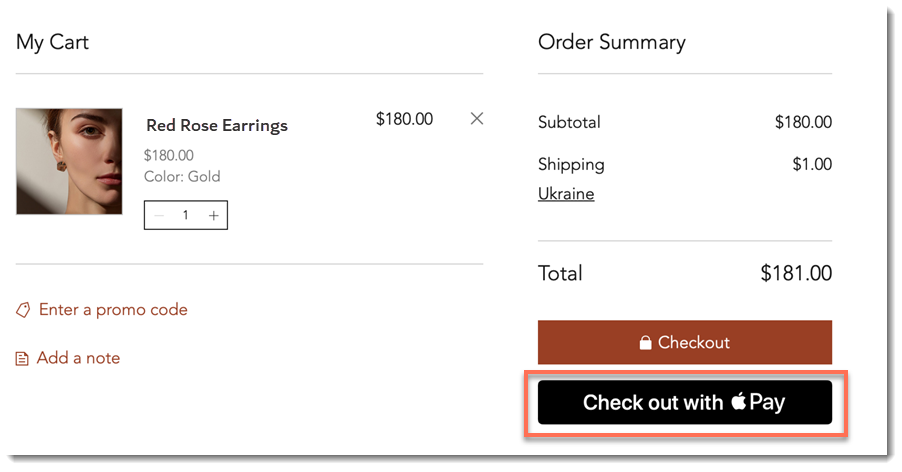
Screenshot of the Cart Page in a Wix site with the Apple Pay checkout button outlined

Additional payment buttons are also displayed at the top of the Checkout page. This means customers won't be required to enter their details on your site.
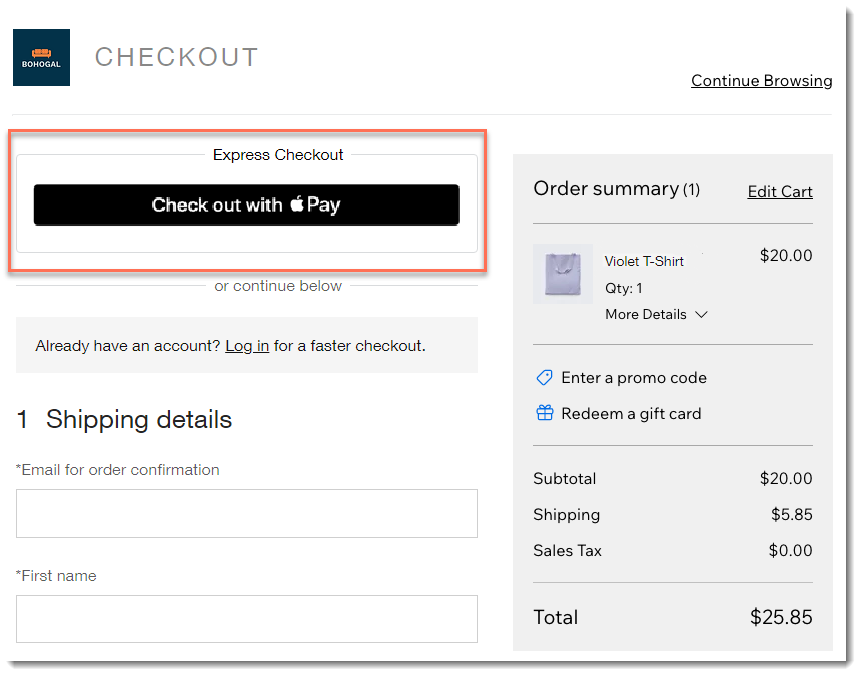
Screenshot of the checkout page in a Wix store with Apple Pay enabled

FAQs

Click a question below to learn more.

Which customers are exposed to the Apple Pay button?

The Apple Pay button is displayed to customers using Safari on iOS 11 or macOS Sierra or higher. Apple Pay is not currently available in the following mobile apps: Spaces by Wix, Fit by Wix, or your own mobile app.

Tip: Connect an additional payment method for customers who don't have Apple Pay.

Can I customize the button color?

The button color can be customized in the Product Page and Cart, but not in the Checkout Page.

How does authorization and capture affect the button display?

It's not currently possible to authorize and capture payments made through Apple Pay or Google Pay. Therefore, if you enable authorization and capture, your Apple Pay and Google Pay buttons are removed from your site.

Need A Professional Website?
Contact Us 
Today!

Wix Stores: Setting Up Affiliate Marketing with the Goaffpro App

Wix Contacts: About Your Contact Panel

Wix Contacts: Using Pinned Actions in Your Contact Panel

Wix Contacts: Creating a Test Contact

Wix Contacts: Changing a Contact's Subscription Status

Wix Contacts: Adding and Managing Custom Contact Fields

Wix Contacts: Creating and Using Contact Labels

Wix Contacts: Creating a Segment

Wix Contacts: About Segments

Wix Contacts: Exporting Your Contacts

Wix Contacts: Troubleshooting Contact Importing Issues

Wix Contacts: Importing Contacts by Uploading a CSV File

Wix Contacts: Importing Contacts from a Gmail Account

Wix Contacts: Managing Your Contact List

Wix Contacts: Manually Adding a Contact

Wix Contacts: An Overview

Wix Forms: Creating a Coupon

Wix Forms: Setting Up Tax on Your Form

Wix Forms: The Difference between the New and Old Wix Forms

Wix Forms: Viewing Form Submissions from Your Dynamic Pages

Wix Forms: Managing Your Forms from the Dashboard

Wix Forms: Choosing an Address Field

Wix Forms: Adding and Setting Up a Donation Form

Wix Forms: Adding Submission Limits to Your Forms

Wix Forms: Adding and Managing Rules

Wix Forms: Upgrading Wix Forms

Wix Forms: Adding and Setting Up a Multi-Step Form

Wix Forms: Adding Payments to a Site Form

Wix Forms: Enabling Double Opt-In for Subscribers

Wix Forms: Adding and Setting Up a Subscribe Form

wix experts
Graphic2Traffic web design
©
bottom of page