


Setting up your store
Wix Stores: An Overview of Store Features
Wix Stores is an eCommerce platform that offers you tons of exciting features to help you create a stunning and professional online store.
We are constantly improving the Wix Stores and adding new options. Take a look at some of the things you can do.
Sell your products
You can offer up to 50,000 products in your online store. Sell physical or digital products, increase revenue with product subscriptions, connect the right payment method for your business, and start taking secure payments online.

Sell dropshipping products
Choose what you want to sell from the millions of high-quality products offered by suppliers. When you sell dropshipping products, you skip the hassle of managing inventory, fulfillment, and shipping.

Check for other available dropshippers in the Wix App Market
Manage your store on your mobile device
Stay on top of your business no matter where you are - using the Wix app.

Manage orders
Handle and track orders as they come in. You can print and pay for shipping labels right from your Wix dashboard, and ship worldwide using a variety of shipping and fulfillment options.

Offer local customers hand delivery or store pickup from multiple locations
Choose from many shipping rules (flat rate, by weight, by price, and more)
Fulfill orders with an integrated 3PL service:Fulfill orders with Amazon Multi-Channel Fulfillment
Fulfill products with ShipBob
Fulfill orders with Bigblue
Fulfill orders with Printful fulfillment
Sell on multiple sales channels
Extend your commercial reach with multichannel sales. You can list and sell your products on different sales channels and manage everything from your Wix dashboard.

Promote your store
Wix offers a full range of promotion options, ranging from email marketing campaigns, Facebook ads, discount coupons, and free promotional videos you can create in minutes.

Customize your store
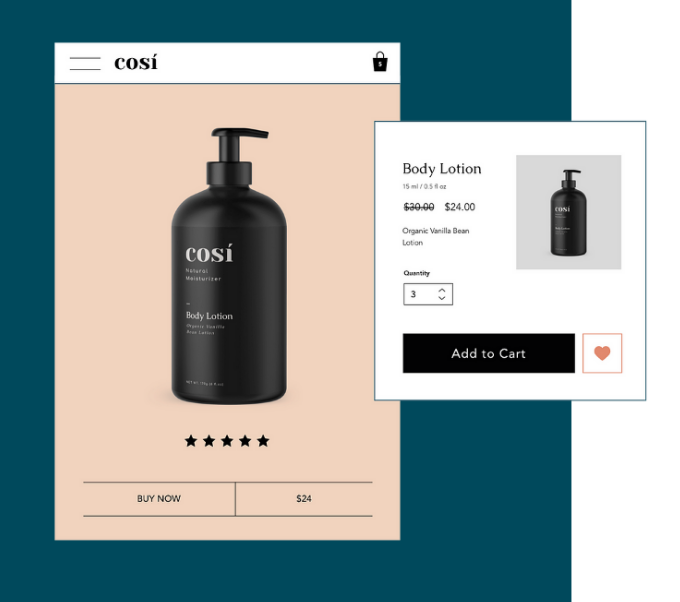
Offer customers the ultimate online shopping experience. Sell more by customizing store pages and adding features such as a "Buy Now" button, a related products gallery, and a currency converter to your storefront. Make sure you also optimize your store for mobile to allow customers to shop from anywhere.
Take care of your customers
Provide shoppers with the streamlined shopping experience they're looking for.

Track progress and optimize your store
Make informed decisions with detailed, built-in eCommerce analytics and insights.

Add functionality with third-party apps
Explore our eCommerce Apps, where you'll discover a wide range of apps which can provide additional features and improved functionality.

Power your store using Velo by Wix
Want more out of your eCommerce experience? Wix offers Velo, a full-stack development platform that empowers you to rapidly build, manage, and deploy professional web apps.
