top of page

Getting started with Wix Music

Wix Music: Adding and Setting up Wix Music

Note:

Wix Music is not yet available in the Studio Editor. If this is something you'd like to see in the future, vote for that feature.

Wix Music lets you share and spread your music online, completely free of charge. Add the Wix Music player to your site and choose which track, playlist or album it displays. You can also control whether visitors can share or download your music.
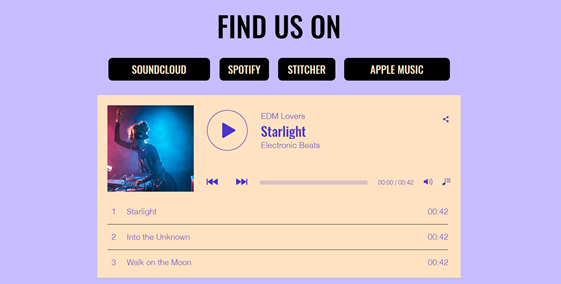
A screenshot of a Wix Music player on a live site.

Step 1 | Add Wix Music to your site

First, add the Wix Music player to your site in the Wix Editor. You can choose the design that best suits your site's style - compact or classic.

To add Wix Music:

  1. Go to your editor.

  2. Click Add Elements  on the left side of the editor.

  3. Click Video and Audio.

  4. Click Wix Music.

  5. Drag a Wix Music player onto your page.
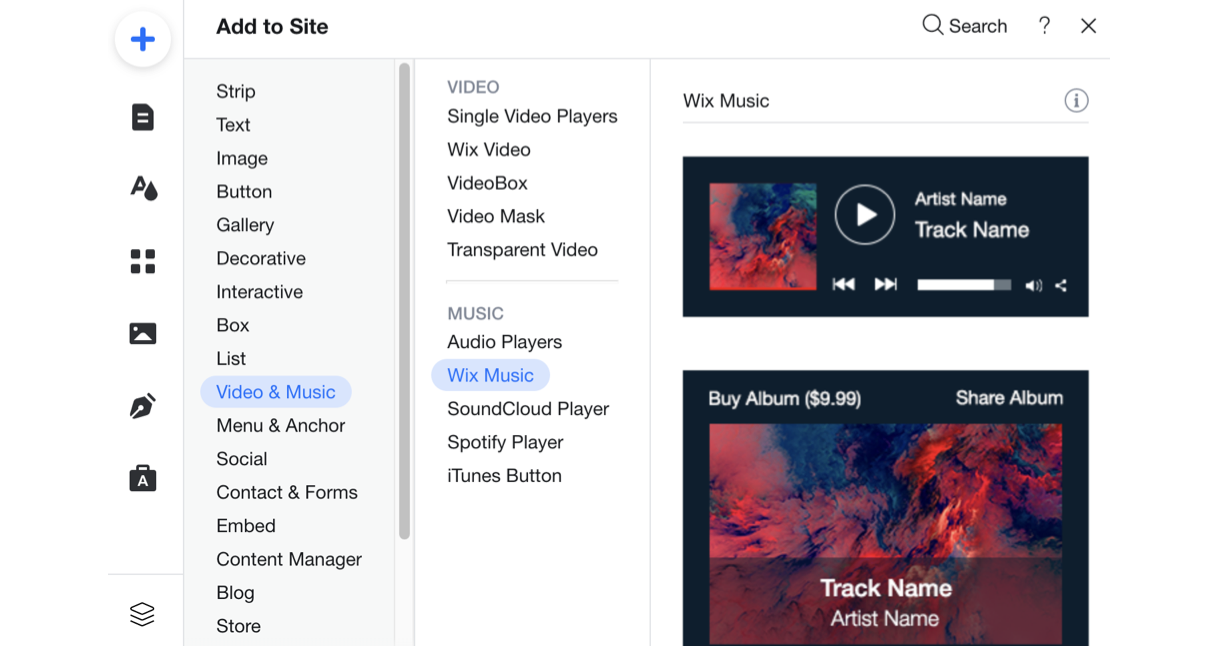
A screenshot of the player's available to add to your site in the Editor.

Step 2 | Choose music for your player

After adding the Wix Music player to your site, it's time to choose which music you want to display. You can choose from music you've already uploaded to your Music Library or add new music. Then choose whether to display an album, single, or playlist.

To choose music for your player:

  1. Click the Wix Music player in your editor.

  2. Click Settings.

  3. Click the My Music tab.

  4. Choose what music to add to the player:Existing music: Choose from music you've already uploaded to your Music Library.
    New music: Click + New Music to upload a single, album or playlist.
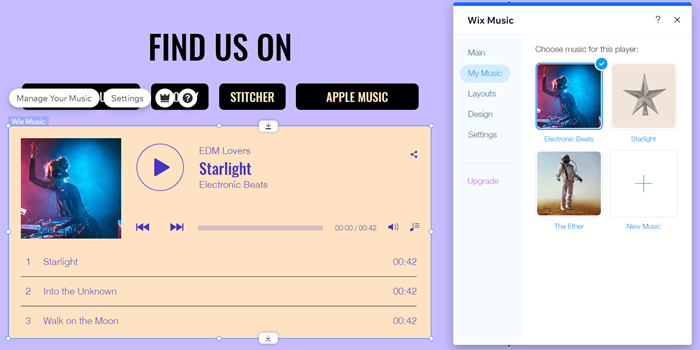
A screenshot of the My Music tab in the Editor.

Step 3 | Set up your player

Lastly, set up your player to work just how you want. Adjust your player's settings to allow your visitors to share your music and enable autoplay. Learn more about setting up your Wix Music player.
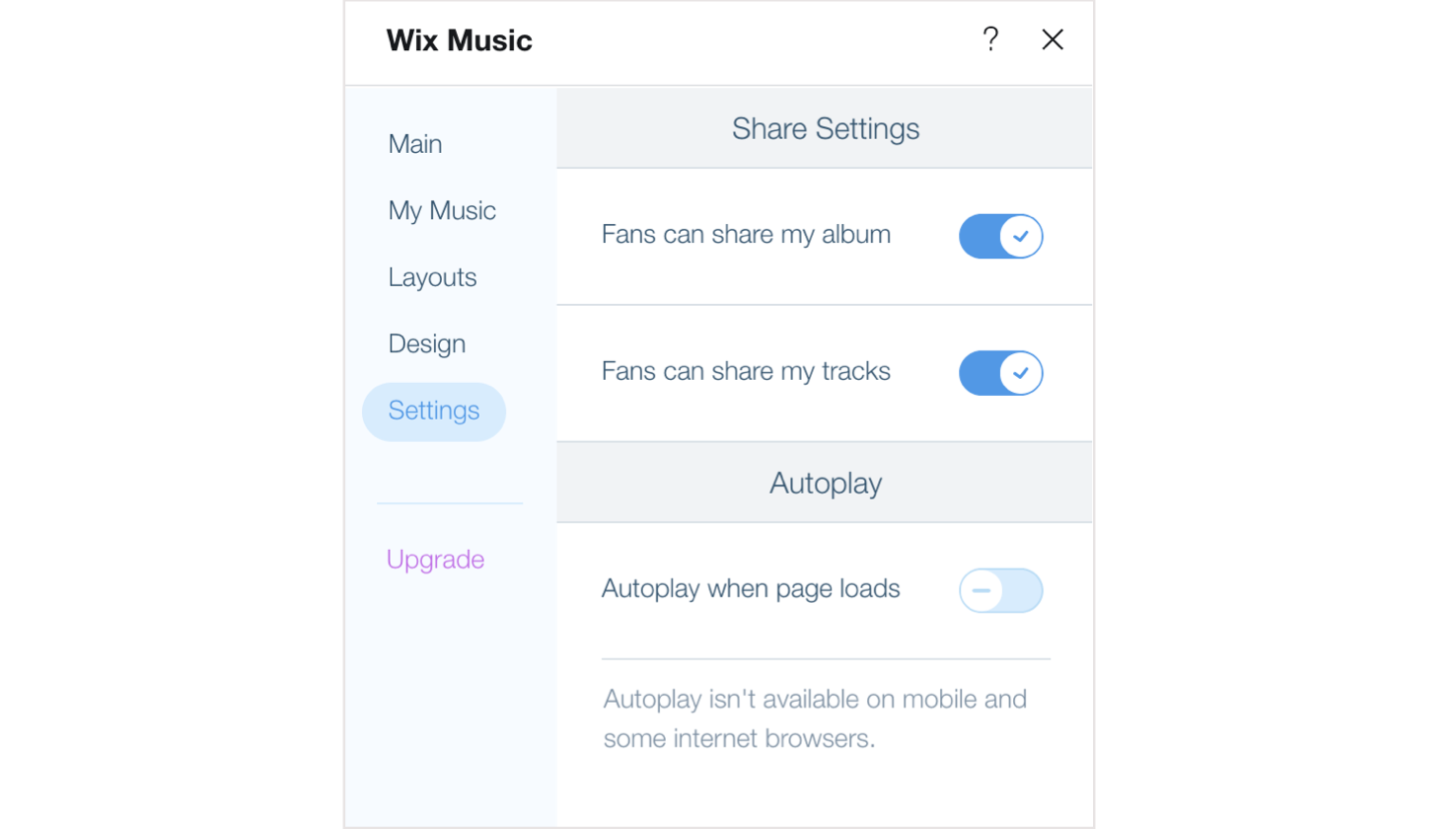
A screenshot of the Settings options available in the Wix Music player.

Need A Professional Website?
Contact Us 
Today!

Wix Music: Customizing Your Music Player

Wix Music: Working with the Wix Music Media Manager

Wix Music: General Troubleshooting

Wix Music: Understanding Wix Analytics Reports

Wix Music: Adding and Setting up Wix Music

Wix Music: Managing Tracks

Wix Music: Creating an Album, Single or Playlist

Wix Music: An Overview

Comparison of Audio Elements in Wix

Adding Audio to Your Site

Single Video Player: Customizing Your Single Video Player

Single Video Player: Adding a Video from Twitch

Single Video Player: Uploading Media from Your Video Library

Single Video Player: Adding a Video from Facebook

Single Video Player: Adding a Video from Vimeo

Single Video Player: Retrieving a YouTube URL

Single Video Player: Adding a Video from YouTube

Single Video Player: Settings Per Video Source

Single Video Player: Adding and Setting Up the Single Video Player

Wix Video: Upgrading Your Video Storage

Wix Video: Using Wix Video for Free

Wix Video: Troubleshooting Live Streaming Issues

Wix Video: Live Stream Settings, Resolution, Bitrates and Codecs

Wix Video: Downloading a Live Stream Encoder

Wix Video: Scheduling a Live Stream

Wix Video: Live Streaming from Your Desktop

Wix Video: About Live Streaming

Wix Video: Viewing and Managing Your Subscribers' Information

Wix Video: Connecting a Pricing Plan to a Video Channel

Wix Video: Renting Your Videos

wix experts
Graphic2Traffic web design
©
bottom of page