


Selling & renting your videos
Wix Video: Connecting a Pricing Plan to a Video Channel
Monetize your video channel by connecting it to a pricing plan. This means that your viewers can subscribe and pay for access to your channel videos on a weekly, monthly or yearly basis - you decide.

Before you begin:
Make sure you've added Wix Video and set up at least one channel.
Step 1 | Add and set up Wix Pricing Plans
Once you've added Wix Video and created your channel, you can add Wix Pricing Plans to your site and create your plans.
Note:
To add a paywall to your site, you must connect a payment provider. Wix offers a variety of providers for you to choose from.
To add Wix Pricing Plans:
Go to Pricing Plans in the Wix App Market.
Click Add to Site.
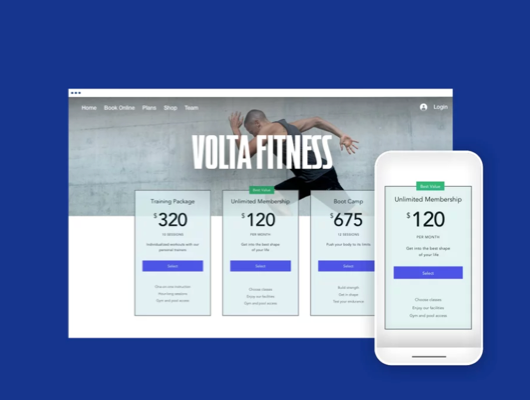
Set up and create your plans.
Tip:
Wix Pricing Plans also integrates with other apps including Wix Bookings, Wix Blog, and Wix Events. A monetization plan can cover multiple products, for example, if you have a yoga site, a plan can include yoga classes with Wix Bookings, and yoga videos from Wix Video.
Step 2 | Connect a pricing plan to your video channel
Next, it's time to connect a pricing plan to your video channel. During this process you can either create a new pricing plan, or connect an existing pricing plan.
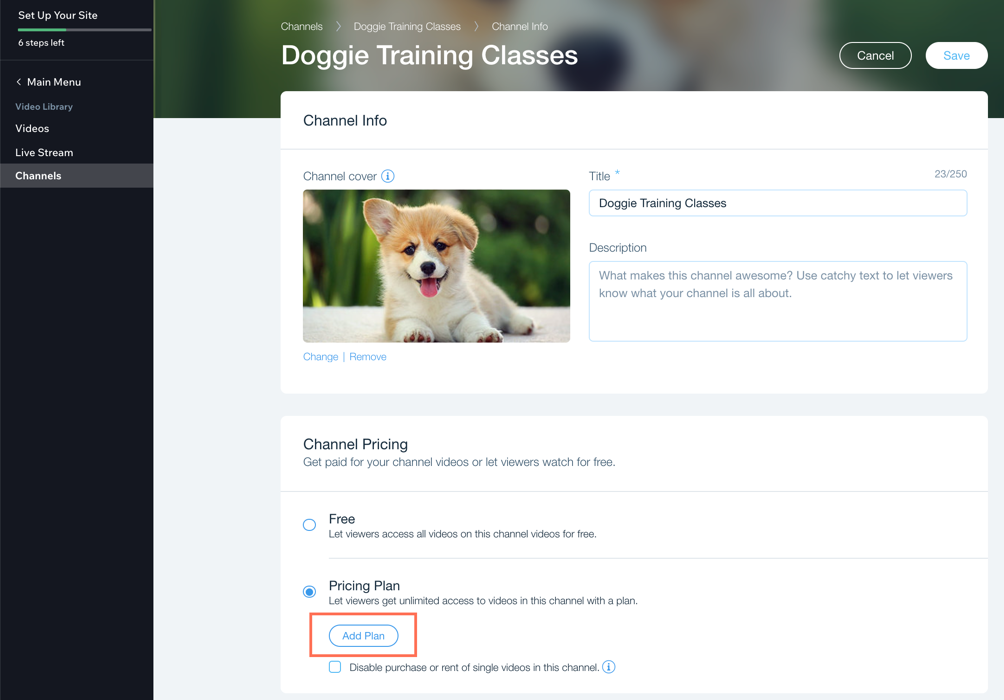
To connect a plan to your channel:
Go to Video Library in your site's dashboard.
Click the Channels tab on the left.
Click the channel you want to monetize.
Click Edit next to Channel Info.
Scroll down to Pricing Plan.
Click Add Plan.
Choose what you want to do:Connect an existing plan: Click Connect next to the relevant plan.
Create a new plan: Click + Create New Plan and set up your plan.
Click Save.
Note:
If you connect an existing plan that already has subscribers, those subscribers will automatically be added to the video channel.
FAQs
Click a question below to learn more about pricing plans and video channels.
What will my visitors see if they try to watch a channel that requires them to purchase a pricing plan?
When your visitors access your channel on your live site, they will be asked to subscribe. They can then choose a plan from the connected pricing plans on that channel.

Your site visitors need to sign up and become a site member in order to purchase videos, subscriptions, and also rent videos.
Note: You can also manually subscribe visitors to your pricing plans.
Can I connect multiple pricing plans to a video channel?
Yes, you can connect more than one pricing plan to a channel.
How do I make changes to my pricing plans?
You can make changes to your plans from Pricing Plans in your site's dashboard at any time.
How do I disconnect a channel from a pricing plan?
Go to Video Library in your site’s dashboard and click the Channels tab on the left. From there you can connect or disconnect your plans and channels, and also edit your channels.
Can I use pricing plans for embedded external videos (YouTube, Vimeo and Facebook)?
No, YouTube, Vimeo and Facebook videos cannot be sold. If you connect a pricing plan to a channel that contains embedded videos, the embedded videos will still be visible to all visitors