top of page

Wix Bookings

Wix Bookings: Offering Rewards and Incentives

Attracting new clients is important for your business to grow. But it's also important to reward your existing clients to ensure repeat business. Offering rewards and incentives is a great way to both win new clients, and keep existing clients coming back again and again.

Create a loyalty program

Create a loyalty program to boost bookings, increase client retention, and reward existing clients. Choose a program name, a name for your points, and an icon that represents your brand.

Clients get points every time they perform set actions, such as making a certain number of bookings. They can then redeem their points using coupons. You decide which actions clients take to earn points, how many points they get per action, and what the rewards are.
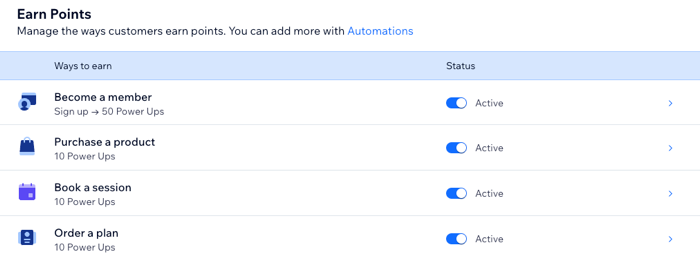
A screenshot showing how a loyalty program for a bookings business looks in the site dashboard.

Get started:

Learn how to create your own loyalty program.

Offer gift cards

Attract new clients and keep existing clients coming back by offering digital gift cards.

A screenshot showing an example of a gift card on a livesite.

Customers purchase cards on the Gift Card page of your site. You can let customers purchase gift cards for themselves or for others. You can choose the gift card amounts or let customers decide on their own. Later, customers can redeem the cards when making a booking online.
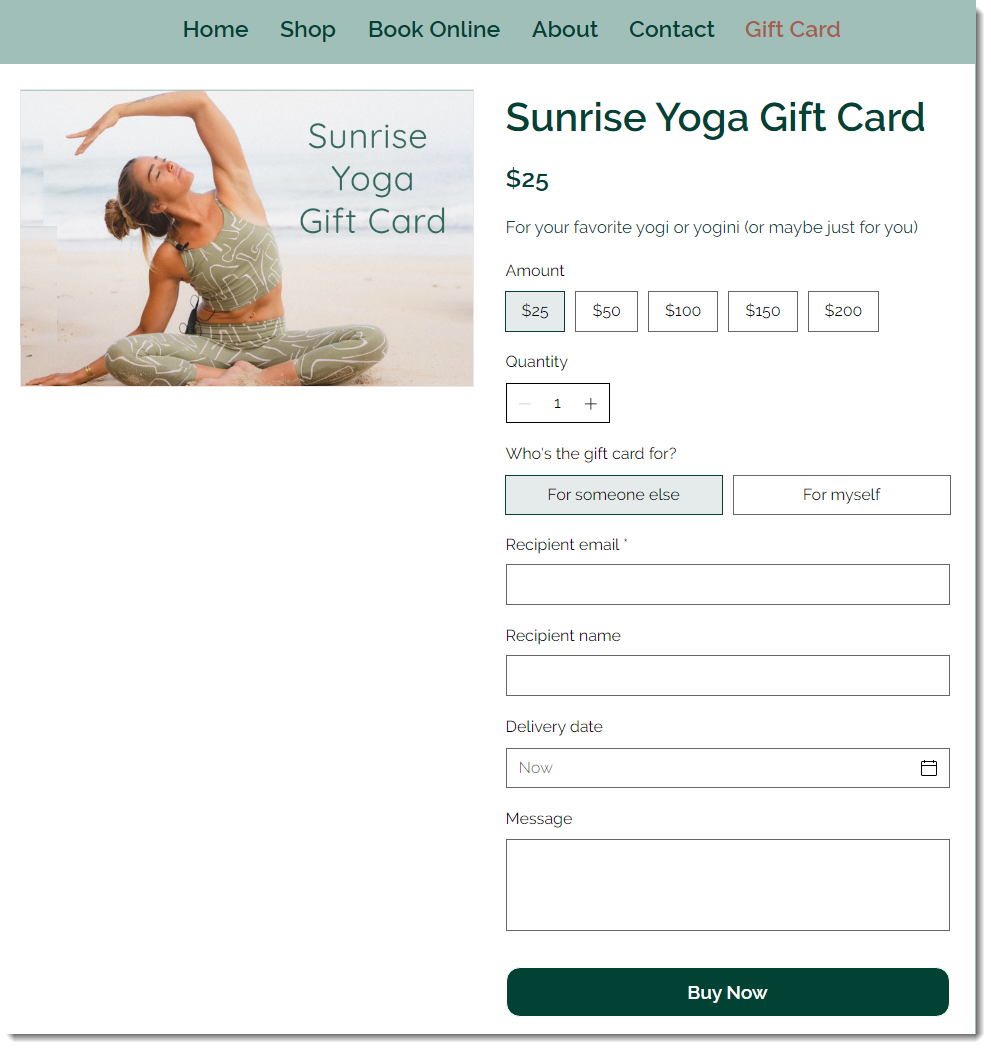
A screenshot showing how a client might purchase a gift card on a live site.

Get started:

Learn how to create gift cards for your booking business.

Launch a referral program

With the Wix Referral Program, your site members can refer friends by sharing referral URLs. You have the option to reward both the existing client sharing the referral, and their friend being referred.

A screenshot showing an example of a referral program on a live site.

Need A Professional Website?
Contact Us 
Today!

Wix Stores: Setting Up Affiliate Marketing with the Goaffpro App

Wix Contacts: About Your Contact Panel

Wix Contacts: Using Pinned Actions in Your Contact Panel

Wix Contacts: Creating a Test Contact

Wix Contacts: Changing a Contact's Subscription Status

Wix Contacts: Adding and Managing Custom Contact Fields

Wix Contacts: Creating and Using Contact Labels

Wix Contacts: Creating a Segment

Wix Contacts: About Segments

Wix Contacts: Exporting Your Contacts

Wix Contacts: Troubleshooting Contact Importing Issues

Wix Contacts: Importing Contacts by Uploading a CSV File

Wix Contacts: Importing Contacts from a Gmail Account

Wix Contacts: Managing Your Contact List

Wix Contacts: Manually Adding a Contact

Wix Contacts: An Overview

Wix Forms: Creating a Coupon

Wix Forms: Setting Up Tax on Your Form

Wix Forms: The Difference between the New and Old Wix Forms

Wix Forms: Viewing Form Submissions from Your Dynamic Pages

Wix Forms: Managing Your Forms from the Dashboard

Wix Forms: Choosing an Address Field

Wix Forms: Adding and Setting Up a Donation Form

Wix Forms: Adding Submission Limits to Your Forms

Wix Forms: Adding and Managing Rules

Wix Forms: Upgrading Wix Forms

Wix Forms: Adding and Setting Up a Multi-Step Form

Wix Forms: Adding Payments to a Site Form

Wix Forms: Enabling Double Opt-In for Subscribers

Wix Forms: Adding and Setting Up a Subscribe Form

wix experts
Graphic2Traffic web design
©
bottom of page