top of page

Additional Wix Apps

Adding Pinterest Content to Your Site

The Wix Pinterest Feed app has been removed from the Wix App Market. However you can still add content from Pinterest to your site in 2 ways; you can embed a Pinterest widget, or add the Social Media Feed app to your site and set it to display your Pinterest content.

In this article, learn how to:

Embedding a Pinterest widget

Pinterest offers a few different widgets which you can embed onto your site. You'll need to generate the code directly from Pinterest and then come back to Wix and embed the code using our HTML element.

Before you begin:

Click the links below to find out how to generate code for the widget you want to add:

Note: You need to copy both sets of code. The last piece of code needs to be added to the end of the first piece of code before the closing tag.

Once you have the code ready, embed it as described below.

Wix Editor

Studio Editor

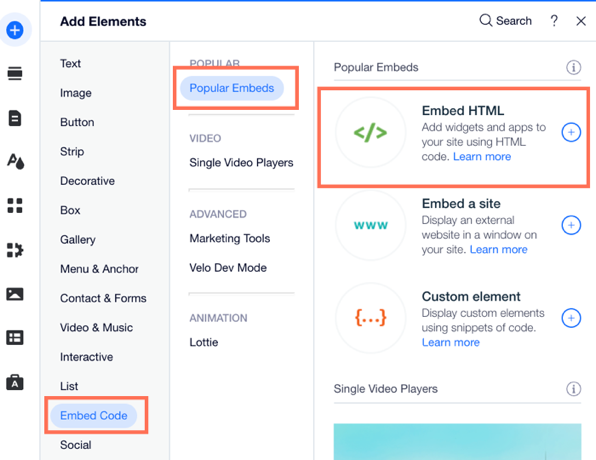
  1. Click Add Elements  on the left side of the Editor.

  2. Click Embed Code.

  3. Click Embed HTML.

A screenshot of the the Add Elements panel showing the option to Embed HTML.

  1. Click Enter Code.

  2. Make sure Code is selected under What do you want to add?.

  3. Paste the code you copied from step 1 into the Add your code here (HTTPS only) field.

  4. Click Apply.

  5. (Optional) Enter alt text that describes what you're embedding in the What's in the embed? Tell Google field.

  6. When ready, publish your site.

Adding the Social Media Feed app

The Social Media Feed app is a third-party app which allows you to add your Pinterest URL and display a live feed of all your Pinterest content. You can add the Social Media Feed app directly from the Wix App Market.
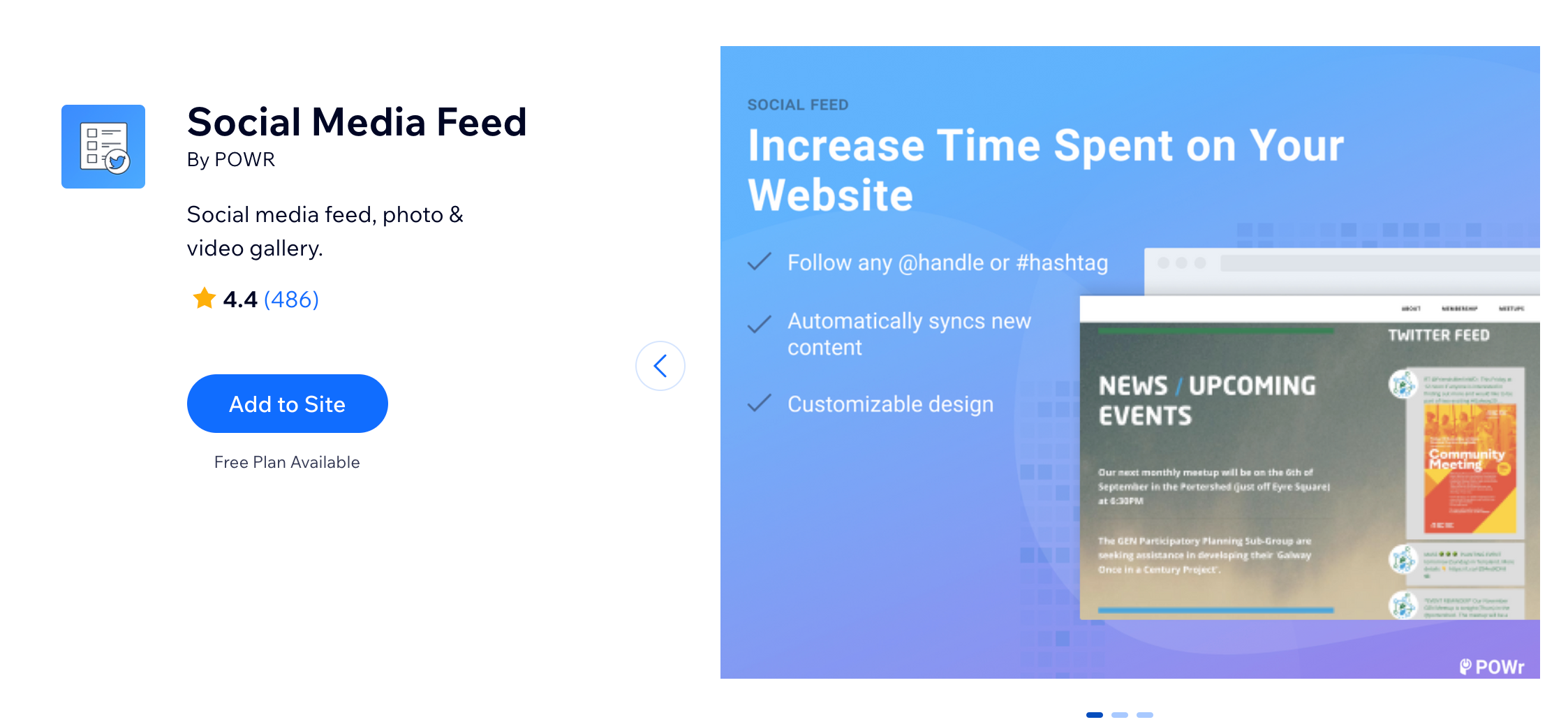
A screenshot showing the option to add the Social Media Feed app in the Wix App Market.

Need A Professional Website?
Contact Us 
Today!

Wix Stores: Setting Up Affiliate Marketing with the Goaffpro App

Wix Contacts: About Your Contact Panel

Wix Contacts: Using Pinned Actions in Your Contact Panel

Wix Contacts: Creating a Test Contact

Wix Contacts: Changing a Contact's Subscription Status

Wix Contacts: Adding and Managing Custom Contact Fields

Wix Contacts: Creating and Using Contact Labels

Wix Contacts: Creating a Segment

Wix Contacts: About Segments

Wix Contacts: Exporting Your Contacts

Wix Contacts: Troubleshooting Contact Importing Issues

Wix Contacts: Importing Contacts by Uploading a CSV File

Wix Contacts: Importing Contacts from a Gmail Account

Wix Contacts: Managing Your Contact List

Wix Contacts: Manually Adding a Contact

Wix Contacts: An Overview

Wix Forms: Creating a Coupon

Wix Forms: Setting Up Tax on Your Form

Wix Forms: The Difference between the New and Old Wix Forms

Wix Forms: Viewing Form Submissions from Your Dynamic Pages

Wix Forms: Managing Your Forms from the Dashboard

Wix Forms: Choosing an Address Field

Wix Forms: Adding and Setting Up a Donation Form

Wix Forms: Adding Submission Limits to Your Forms

Wix Forms: Adding and Managing Rules

Wix Forms: Upgrading Wix Forms

Wix Forms: Adding and Setting Up a Multi-Step Form

Wix Forms: Adding Payments to a Site Form

Wix Forms: Enabling Double Opt-In for Subscribers

Wix Forms: Adding and Setting Up a Subscribe Form

wix experts
Graphic2Traffic web design
©
bottom of page