Wix Site Search
About Wix Site Search
With the Wix Site Search app, you can let visitors search your site using a search bar. The results of the search display clearly in a list, so your visitors can easily find what they're looking for.
Ready to get started?
Add Wix Site Search to your site from the App Market or the Add panel in your Editor.
How Wix Site Search works
The Wix Site Search app is made up of two elements: the search bar and the results page. These two elements are automatically added to your site when you install the app.
The search bar lets your visitors enter the word or phrase that they want to search for. You can customize the parts of your site that are searchable, how many results are displayed, the layout and design of your search bar, and the placeholder text that's displayed in the bar. Learn more about customizing your search bar
The results page displays a list of results that are related to the term your visitor is searching for. The results page is hidden by default, meaning that it isn't displayed on your site menu. Your visitors can only see this page when they search for a term in your search bar. Learn more about the results page

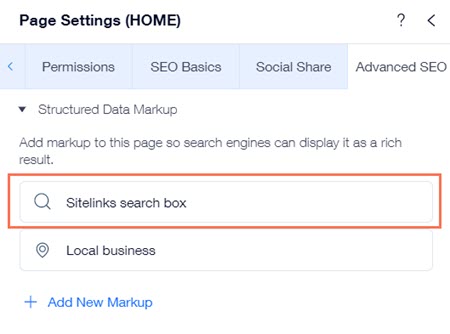
Wix also automatically adds Sitelinks search box structured data markup to your site's pages when you add the Wix Site Search app to your site. Google uses this markup to add a search box when your pages appear as search results. People can search your site directly using this search box without having to visit your site. Learn more about structured data markup
Visitors can search for the content they need
The search bar can help your site visitors search for a variety of content on your site. However, there are limitations and some parts of your site can't be searched.
Important:
For Wix Site Search to work, you need to let search engines index your site.
Click an option below to learn more about what the search bar can and can't search for.
What can Wix Site Search search for?
Static pages
Pages hidden from your site menu. Learn about hiding pages from your menu in the Wix Editor and Studio Editor.
Pages with dynamic content
Wix Stores products
Wix Bookings pages
Wix Events
Wix Forum
Wix Blog posts
What can Wix Site Search not search for?
Pages hidden from search engines. Learn more about hiding pages from search engines in the Wix Editor and Studio Editor.
Embedded iFrames (HTML widgets and embedded sites)
Content from the Wix Art Store app
Dataset content set to "fetch after load"
Elements connected to the Document field (e.g. data elements bound to PDFs)
Private Member pages.
Track your visitor search activity
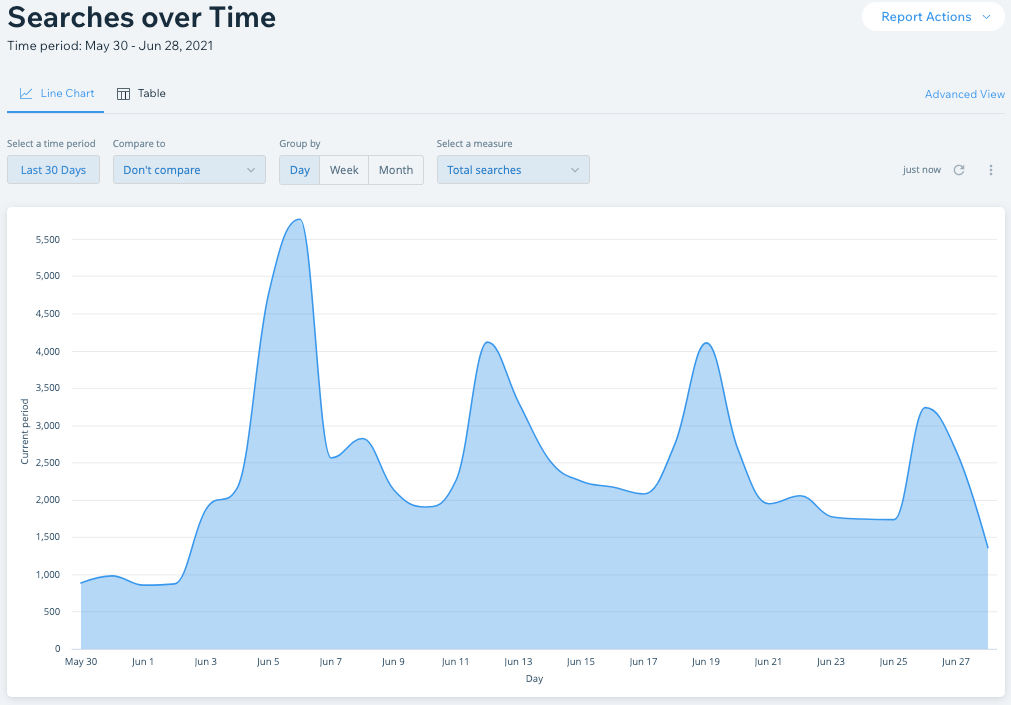
Your site reports provide tons of valuable information about your visitor activity, where they go on the site, what part of the site they spend the most time in, and what they search for.
You can use this information to improve your site and grow your business.