top of page

Managing products and categories

Wix Stores: Product Gallery Images Appear Cropped on Mobile Devices

You can choose from two resizing options for images:

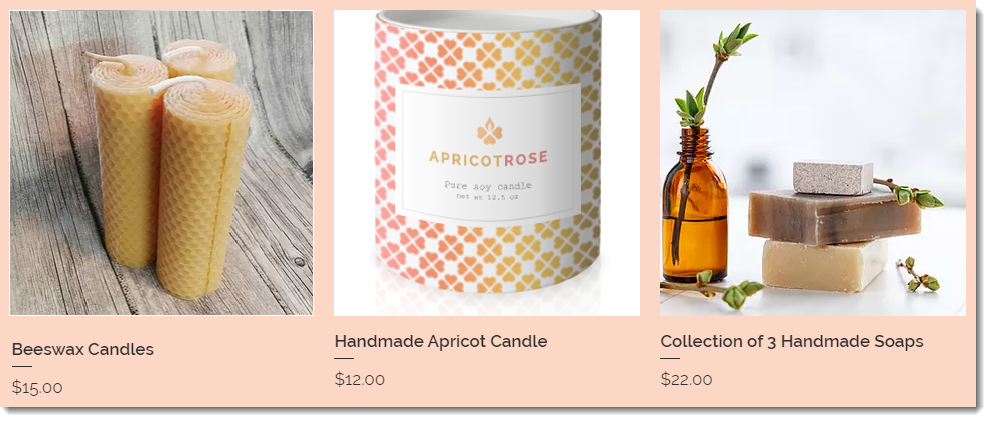
Crop

Images are cropped so that they are all the same size. If you upload images in different sizes and with different aspect ratios, part of the image may be cut off.
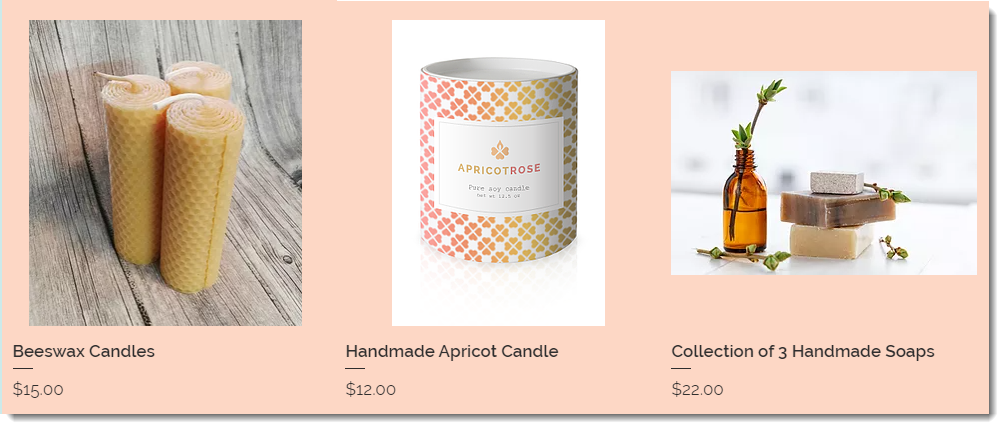
Fit

If you select the fit option, the entire image is displayed and keeps it's original aspect ratio. Images in your gallery will not have the same aspect ratio unless the original images had them.
Notes:

  • The recommended minimum size for product images is 3000 x 3000 pixels.

  • You can crop and edit product images in the Products tab. Learn More

To select how images are resized:

  1. Go to the relevant page In the Editor.
    Note: Make sure you are in desktop editing mode.

  2. Click the Product Gallery.

  3. Click the Settings icon .

  4. Click the Layout tab.

  5. Select a resizing option:Crop
    Fit

  6. Select an image ratio.

Need A Professional Website?
Contact Us 
Today!

Wix Automations: Adding and Sending a Coupon

Wix Automations: Sending Automated Emails to Contacts After Form Submissions

Wix Automations: Customizing Automated Emails

Wix Automations: Creating a New Automation

Wix Automations: An Overview

The New Automation Builder: Understanding Email Types

The New Automation Builder: Creating a Multi-Action Automation

The New Automation Builder: Sending Data via Webhook

The New Automation Builder: Adding and Sending a Coupon

The New Automation Builder: Troubleshooting Wix Automations

The New Automation Builder: Understanding Conditions Operators

The New Automation Builder: Setting Up a 'Scheduled Time' Trigger

The New Automation Builder: Sending Data to Google Sheets

The New Automation Builder: Using the Property Picker

The New Automation Builder: Viewing and Managing Automations Installed for You

The New Automation Builder: Customizing Automated Emails

The New Automation Builder: Managing Your Automations

The New Automation Builder: Creating an Automation

The New Automation Builder: Overview

Microsoft Office 365 Mailbox Limits

Resetting the Password for Additional Office 365 Mailboxes

Resetting Your Admin Password for Your Office 365 Mailbox

Accessing Your Microsoft Office 365 Mailbox Through Your Wix Account

Accessing Your Microsoft Office 365 Mailbox Through Your Wix Account

Accessing the Microsoft Office 365 Admin Center

Activating Your Microsoft Office 365 Mailbox Purchased from Wix

Google Workspace: Troubleshooting Login Issues

Google Workspace: FAQs

Google Workspace: Contacting Google Support

Google Workspace Error Message: "You do not have access to Email"

wix experts
Graphic2Traffic web design
©
bottom of page