New Automation Builder
The New Automation Builder: Overview
The new automation builder is not yet available to all users.
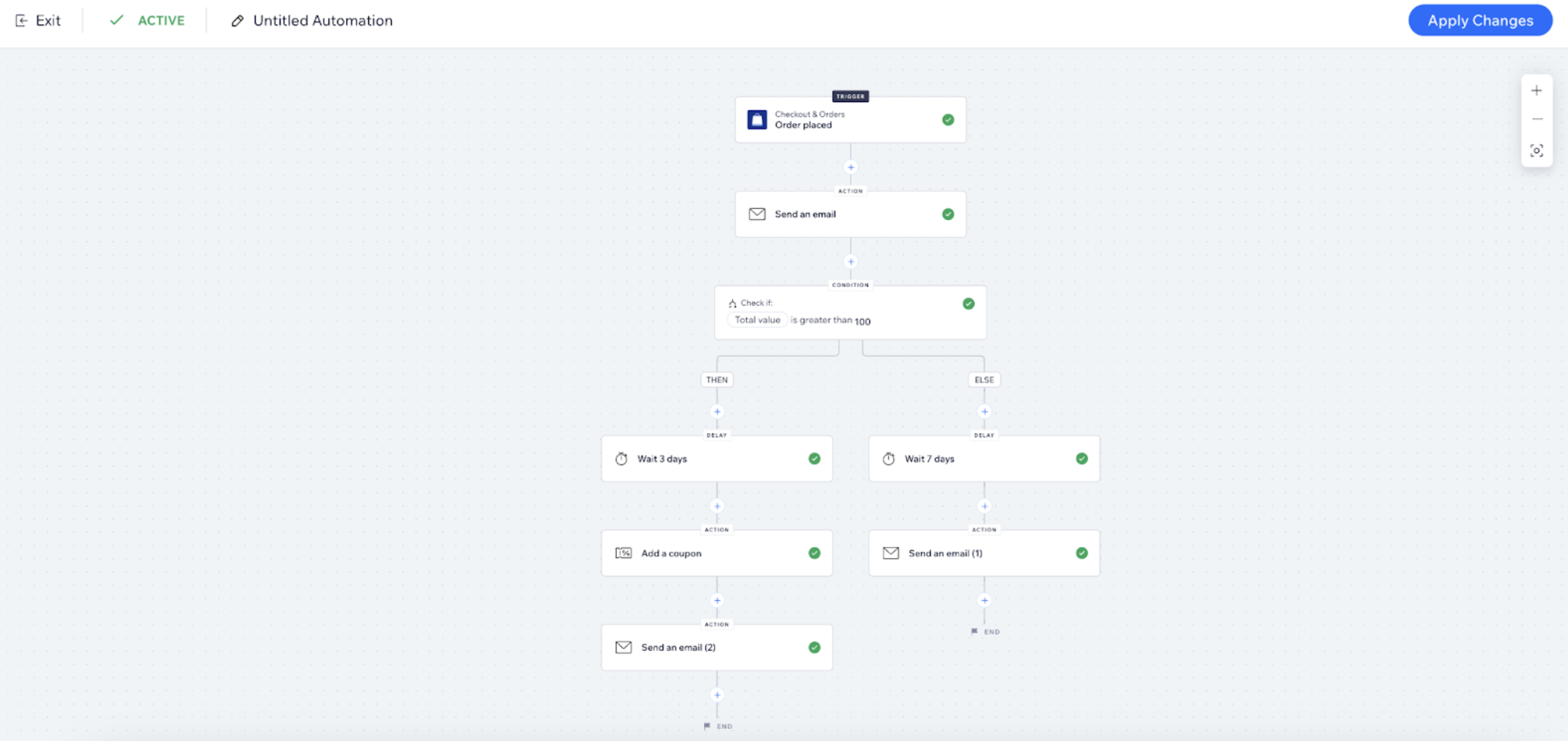
We have launched a new automation builder to replace the previous automation creation flow. The new builder streamlines complex workflows with an intuitive and flexible editor. You can use it to create automations from scratch or customize suggested automations.
The automation builder is available from your site's dashboard, with no pre-requirements.
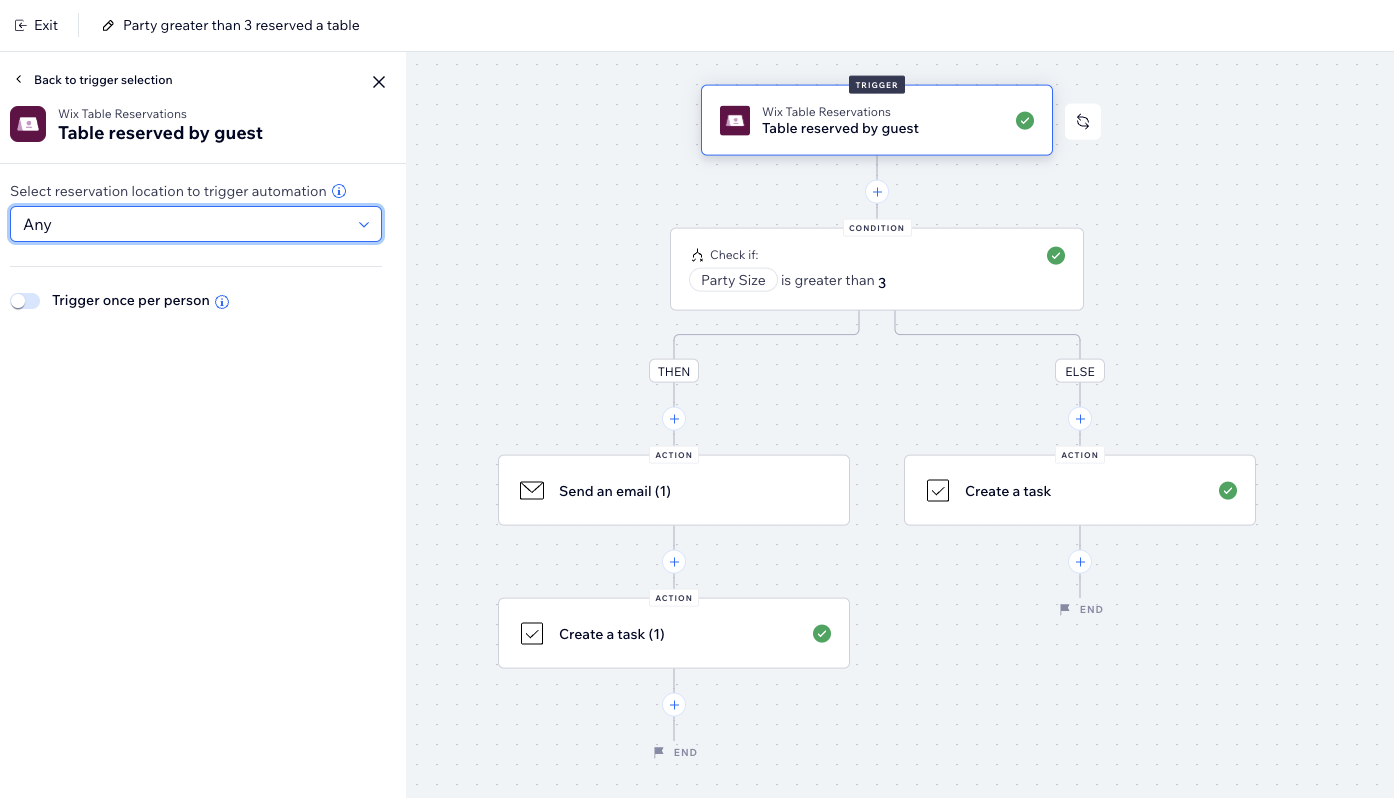
Better visual experience
The new builder features a canvas view designed for a clearer, more user-friendly experience with intuitive interactions. It allows you to easily add actions, delays, and conditions at any point in the flow. As you select each step, a visual representation is seamlessly created.
The canvas lets you visualize your automation as it’s built, even when it has multiple branches. It also highlights errors, notifying you if any required fields are missing, that will prevent the automation from being executed properly.

Discover triggers and actions easily
As you start to build your automation, a panel appears to guide you. This panel helps you understand what is possible when setting up your automation. It also visually explains what needs to be configured at each step of the process.
The panel includes a new search function that allows you to find the trigger or action you need. You can search for an app with all its triggers, or search for a specific trigger. You can also use the filter drop-down menu to discover more triggers or apps.

Create larger and more complex flows
The new builder supports larger and more complex flows with IF/ELSE conditions that align with your business logic. As you build your automation flow, you can see exactly how each step impacts the others. It also gives you the ability and flexibility to easily define what happens when a condition isn't met.