top of page

Promoting stores sales

Wix Stores: Offering Rewards and Incentives

While it's important to attract new customers to your store, it's even more important to keep existing customers coming back again and again - along with their friends and families. Offering rewards and incentives can help make that happen.

Create a loyalty program

Create a loyalty program to boost sales, increase retention, and keep customers happy. You can customize it to reflect your store's personality. Choose a program name, a name for your points, and an icon that represents your brand.

Customer get points every time they perform set actions, such as buying $50 worth of items. When they've accumulated enough points, they can redeem them using coupons. You decide which actions they take to earn points, how many points they get per action, and what the rewards are.

Screenshot of a loyalty program page in a Wix store

Get started:

Learn how to create your own loyalty program.

Offer gift cards

Attract new customers and keep existing customers coming back by offering digital gift cards.

Screenshot of a sample gift card

Customers purchase cards on the Gift Card page of your site. You can let customers purchase gift cards for themselves or for others on your site's Gift Card page. You choose the gift card amounts, or even let customers choose their own.
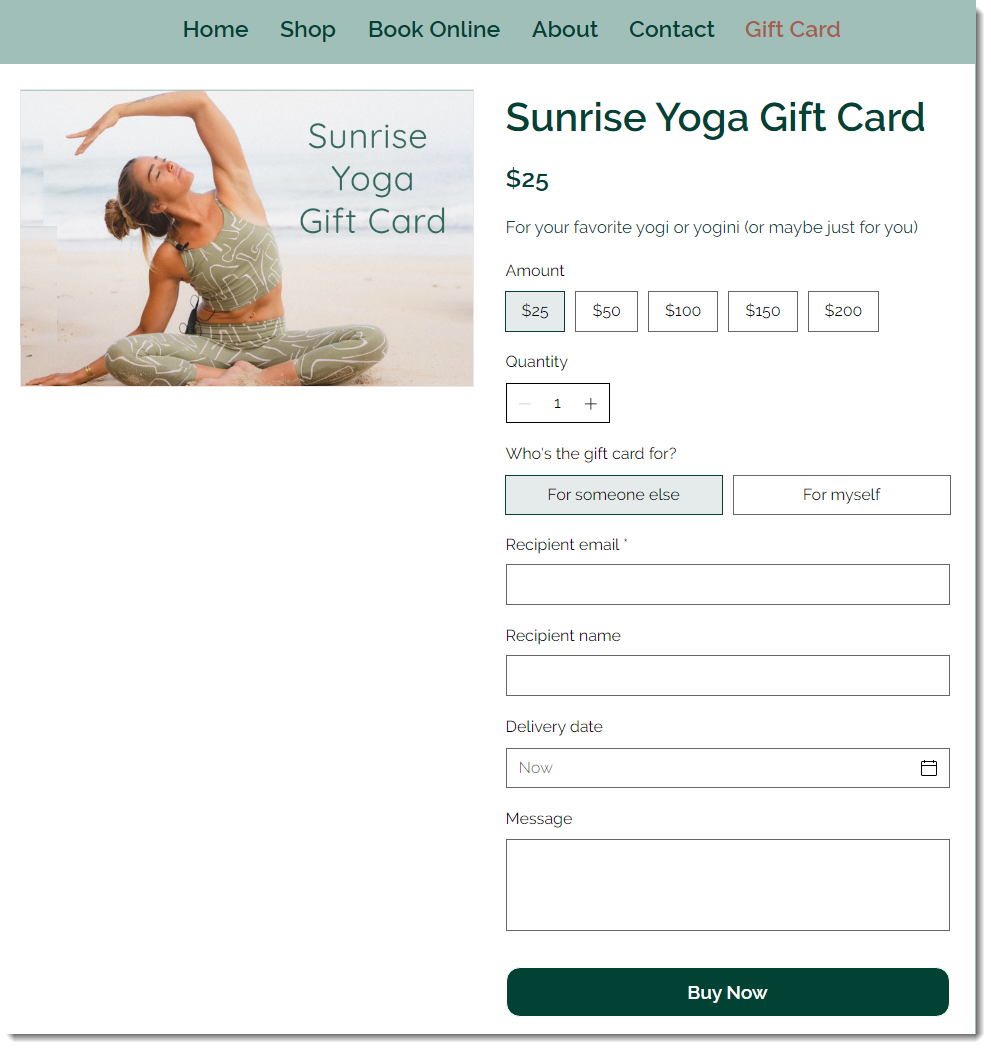
Screenshot of the site page in a Wix site where customers can purchase a gift card

Later, customers can redeem the cards when making a purchase online.

Get started:

Learn how to create gift cards for your store.

Launch a referral program

Give existing customers an incentive to refer their friends to your store.

With the Wix Referral Program, site members can refer friends by sharing referral URLs. You have the option to reward both the customer doing the referring and the friend being referred.

Screenshot of a Wix Loyalty page in a Wix site

Need A Professional Website?
Contact Us 
Today!

Wix Automations: Adding and Sending a Coupon

Wix Automations: Sending Automated Emails to Contacts After Form Submissions

Wix Automations: Customizing Automated Emails

Wix Automations: Creating a New Automation

Wix Automations: An Overview

The New Automation Builder: Understanding Email Types

The New Automation Builder: Creating a Multi-Action Automation

The New Automation Builder: Sending Data via Webhook

The New Automation Builder: Adding and Sending a Coupon

The New Automation Builder: Troubleshooting Wix Automations

The New Automation Builder: Understanding Conditions Operators

The New Automation Builder: Setting Up a 'Scheduled Time' Trigger

The New Automation Builder: Sending Data to Google Sheets

The New Automation Builder: Using the Property Picker

The New Automation Builder: Viewing and Managing Automations Installed for You

The New Automation Builder: Customizing Automated Emails

The New Automation Builder: Managing Your Automations

The New Automation Builder: Creating an Automation

The New Automation Builder: Overview

Microsoft Office 365 Mailbox Limits

Resetting the Password for Additional Office 365 Mailboxes

Resetting Your Admin Password for Your Office 365 Mailbox

Accessing Your Microsoft Office 365 Mailbox Through Your Wix Account

Accessing Your Microsoft Office 365 Mailbox Through Your Wix Account

Accessing the Microsoft Office 365 Admin Center

Activating Your Microsoft Office 365 Mailbox Purchased from Wix

Google Workspace: Troubleshooting Login Issues

Google Workspace: FAQs

Google Workspace: Contacting Google Support

Google Workspace Error Message: "You do not have access to Email"

wix experts
Graphic2Traffic web design
©
bottom of page