top of page

Managing your orders

Wix Stores: Delivering Digital Products

Digital products are downloadable files such as music files, illustrations, images, or ebooks.

Screenshot of a sample digital product in a Wix stores

Important:

Taxation regulations for digital goods vary by location. Check with your local tax authority to see what taxes apply.

In this article, learn more about:

Delivering digital files

When you sell a digital product, the file is delivered to your customer as soon as the payment is received.

  • Immediate payment received: As soon as you receive online payment (e.g. credit card, PayPal, etc.), a confirmation email is sent to the customer with a download link. The link also appears on the Thank You page.

  • Delayed payment: When payment does not arrive immediately (e.g. manual payment or echeck), a download link is not included in the confirmation email. After you receive payment and manually mark the order as Paid, a second email is sent to your customer with the download link.
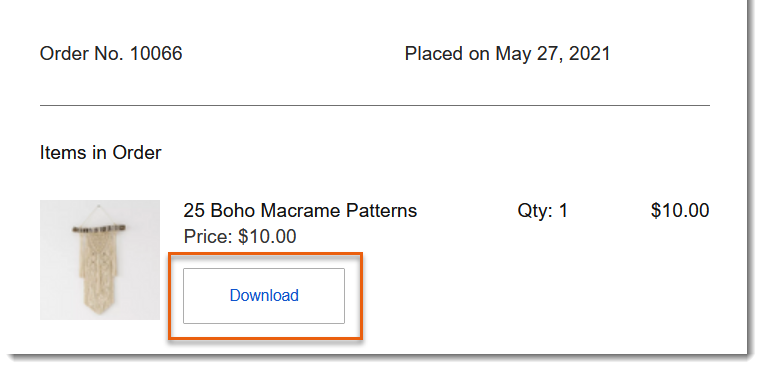
Screenshot of part of an order confirmation email for a digital order from a Wix store with the download button outlined

Sales with both digital and physical products:

A sale that includes digital and physical products is marked as fulfilled only after the physical products are shipped.

Resending digital files

The download link sent to customers is active for 30 days. After that, it no longer works. You can resend a file to your customer at any time.

To resend a digital file:

  1. Go to Orders in your site's dashboard.

  2. Click to select the relevant order.

  3. Click the More Actions icon .

  4. Click Resend Download Link.

Screenshot of part of a store order of a digital product  in the Wix dashboard showing the Resend download link

Need A Professional Website?
Contact Us 
Today!

Wix Chat: Automatically Sending Chat Messages or Responding to Chat Messages

Wix Chat: About Notifications

Wix Chat: Deleting Wix Chat

Wix Chat: Adding the WhatsApp Channel to Your Chatbox

Wix Chat: Viewing and Chatting with Live Site Visitors

Wix Chat: Customizing the Chat Icon on Your Mobile Site

Wix Chat: Translating Wix Chat

Wix Chat: Allowing Members to Chat with Each Other Using Members Chat

Wix Chat: Customizing Your Chat Settings

Wix Chat: Designing Your Chatbox

Wix Chat: Adding Wix Chat to Your Site

Wix Chat: An Overview

Your AI Site-Chat Conversations Quota

Designing and Customizing Wix AI Site-Chat

Training Your AI Site-Chat

Testing Your Wix AI Site-Chat

Adding and Setting Up Wix AI Site-Chat

About Wix AI Site-Chat

Wix Inbox: Sending a Broadcast Message to Your Contacts in the Wix App

Wix Inbox: Working with Site Collaborators

Wix Inbox: Connecting WhatsApp Business to Inbox

Wix Inbox: Connecting Your Facebook Page

Wix Inbox: Connecting Instagram to Inbox

Wix Inbox: About Wix Inbox Channels

Wix Inbox: Connecting Your Gmail Account

Wix Inbox: Managing Your Notification Settings

Wix Inbox: Managing Your Inbox

Wix Inbox: Setting Up Your Inbox Profile and Outgoing Emails

Wix Inbox: Sending Messages and Attaching Items

Wix Inbox: An Overview

wix experts
Graphic2Traffic web design
©
bottom of page