top of page

Setting up shipping & fulfillment

Wix Stores: About Delivery to Pickup Points

Offer customers the convenience of collecting their orders from pickup points nearby.

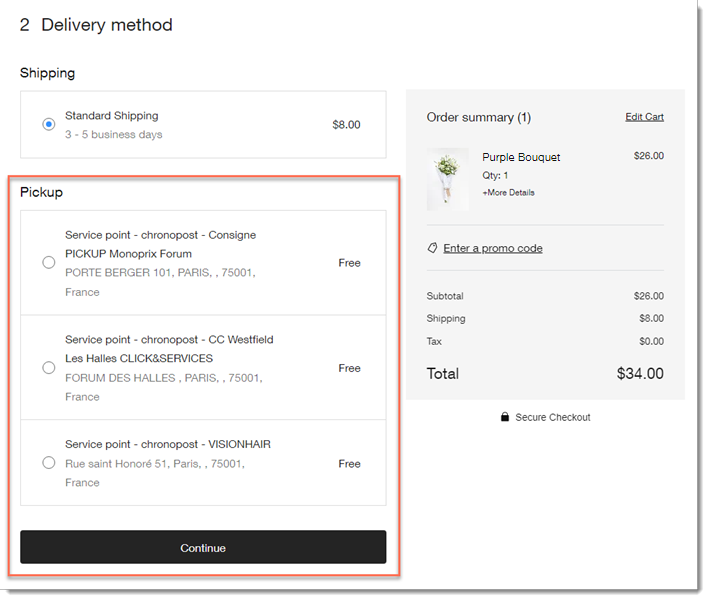
During checkout, the customer enters their address. Then, when they select how they want their order shipped, they can see nearby pickup points.
Setting up delivery to pickup points

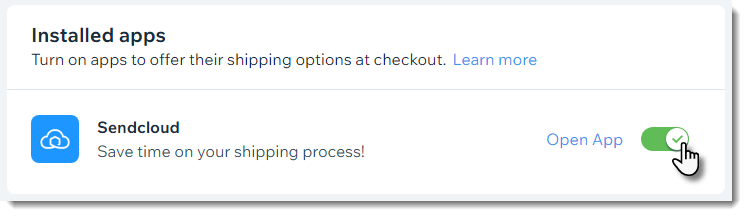
Shipping to pickup points is offered through 3rd-party apps - Boxtal or Sendcloud. After adding one of these apps and integrating it with your store, you can configure and enable it in relevant locations.
Then, when you receive an order, you send it to one of the relevant carriers' pickup points and they'll make sure it gets to the location your customer selected.

Available pickup point apps

You can integrate your store with any of the following third-party shipping apps to offer delivery to pickup points:

  • Pickup Points via BoxtalAvailable to merchants in France

    Delivers to pickup points in the following regions:Belgium
    France
    Italy
    Germany
    Luxembourg
    Netherlands
    Portugal
    Spain
    Sweden
    United Kingdom

  • Pickup Points via Sendcloud -
    Sendcloud is available to merchants located in the following countries:Andorra
    Austria
    Belgium
    Denmark
    France
    Germany
    Great Britain
    Italy
    Luxembourg
    Monaco
    Netherlands
    Portugal
    Spain

    Pickup Point via ColissimoFrance

Need A Professional Website?
Contact Us 
Today!

Wix Automations: Adding and Sending a Coupon

Wix Automations: Sending Automated Emails to Contacts After Form Submissions

Wix Automations: Customizing Automated Emails

Wix Automations: Creating a New Automation

Wix Automations: An Overview

The New Automation Builder: Understanding Email Types

The New Automation Builder: Creating a Multi-Action Automation

The New Automation Builder: Sending Data via Webhook

The New Automation Builder: Adding and Sending a Coupon

The New Automation Builder: Troubleshooting Wix Automations

The New Automation Builder: Understanding Conditions Operators

The New Automation Builder: Setting Up a 'Scheduled Time' Trigger

The New Automation Builder: Sending Data to Google Sheets

The New Automation Builder: Using the Property Picker

The New Automation Builder: Viewing and Managing Automations Installed for You

The New Automation Builder: Customizing Automated Emails

The New Automation Builder: Managing Your Automations

The New Automation Builder: Creating an Automation

The New Automation Builder: Overview

Microsoft Office 365 Mailbox Limits

Resetting the Password for Additional Office 365 Mailboxes

Resetting Your Admin Password for Your Office 365 Mailbox

Accessing Your Microsoft Office 365 Mailbox Through Your Wix Account

Accessing Your Microsoft Office 365 Mailbox Through Your Wix Account

Accessing the Microsoft Office 365 Admin Center

Activating Your Microsoft Office 365 Mailbox Purchased from Wix

Google Workspace: Troubleshooting Login Issues

Google Workspace: FAQs

Google Workspace: Contacting Google Support

Google Workspace Error Message: "You do not have access to Email"

wix experts
Graphic2Traffic web design
©
bottom of page