top of page

Setting up Retail POS hardware

Wix Retail POS: Troubleshooting Your Tablet

Important:

  • This article is about Wix Retail POS tablet for brick & mortar bussinesses.

  • For info on using POS on a mobile device, click here.

There are a number of error messages that may appear while using your POS tablet.

Check the table below to learn how to resolve the specific error you see.

To troubleshoot the POS tablet:

Error

Solution

Sync failures: Products, Sales,

Customers and Catalog

Solutions:

* Tap Refresh to try again.

* If the Refresh button is missing, pull the screen downwards to refresh.

If tablet is still not working:

1. Tap Settings.

2. Tap App and Tablet settings.

3. Clear catalog cache.

Internet issues

Solution:

To verify that your store's WiFi network is working tap Open Internet Settings in the POS pop-up and check that the tablet is connected to the internet.

Fetching Your Data...

Solution:

Wait a few minutes for the app to load your store's information.

POS App Crashed

Solutions:

* Tap Restart POS App button.

* Check for updates. Install if available.

* Restart the tablet manually.

Tip:

You can also access troubleshooting help and information in the tablet. Tap the Menu icon at the bottom left and then Settings. Scroll down to App & Tablet and select Troubleshooting.
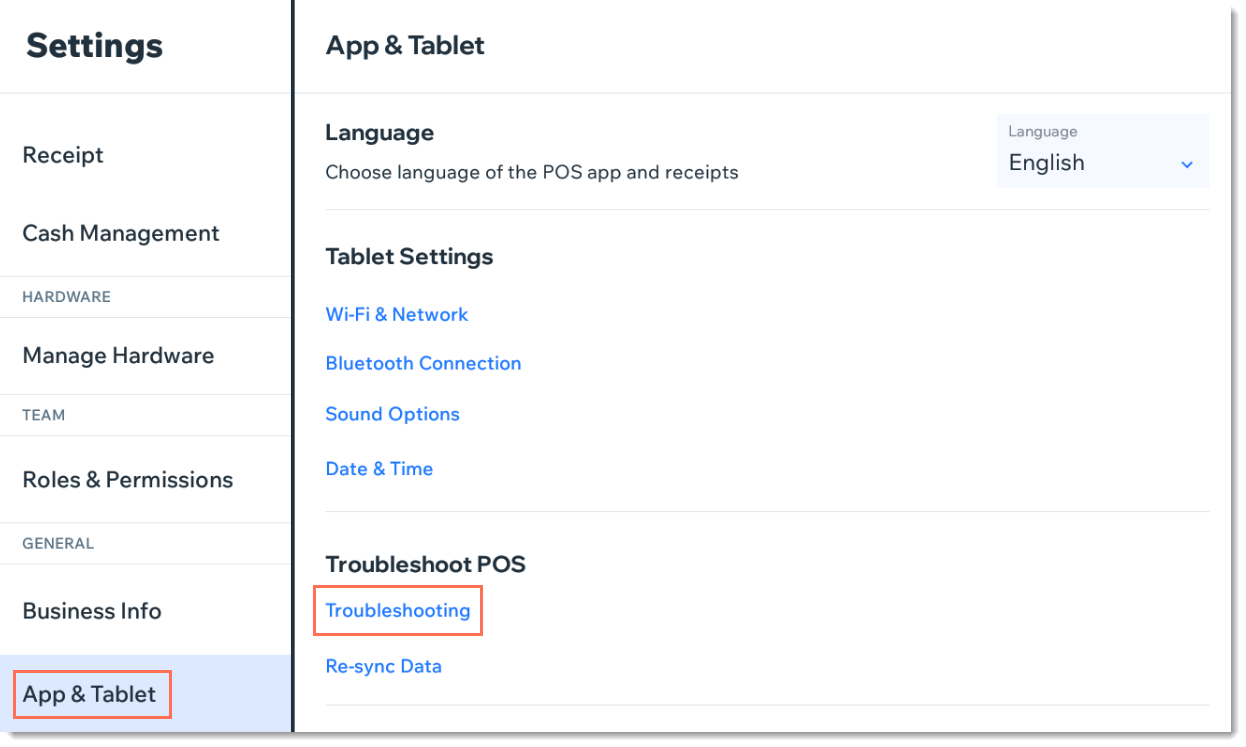
Screenshot of the App & Tablet tab in Wix Retail POS

Need A Professional Website?
Contact Us 
Today!

Wix Chat: Automatically Sending Chat Messages or Responding to Chat Messages

Wix Chat: About Notifications

Wix Chat: Deleting Wix Chat

Wix Chat: Adding the WhatsApp Channel to Your Chatbox

Wix Chat: Viewing and Chatting with Live Site Visitors

Wix Chat: Customizing the Chat Icon on Your Mobile Site

Wix Chat: Translating Wix Chat

Wix Chat: Allowing Members to Chat with Each Other Using Members Chat

Wix Chat: Customizing Your Chat Settings

Wix Chat: Designing Your Chatbox

Wix Chat: Adding Wix Chat to Your Site

Wix Chat: An Overview

Your AI Site-Chat Conversations Quota

Designing and Customizing Wix AI Site-Chat

Training Your AI Site-Chat

Testing Your Wix AI Site-Chat

Adding and Setting Up Wix AI Site-Chat

About Wix AI Site-Chat

Wix Inbox: Sending a Broadcast Message to Your Contacts in the Wix App

Wix Inbox: Working with Site Collaborators

Wix Inbox: Connecting WhatsApp Business to Inbox

Wix Inbox: Connecting Your Facebook Page

Wix Inbox: Connecting Instagram to Inbox

Wix Inbox: About Wix Inbox Channels

Wix Inbox: Connecting Your Gmail Account

Wix Inbox: Managing Your Notification Settings

Wix Inbox: Managing Your Inbox

Wix Inbox: Setting Up Your Inbox Profile and Outgoing Emails

Wix Inbox: Sending Messages and Attaching Items

Wix Inbox: An Overview

wix experts
Graphic2Traffic web design
©
bottom of page