Taking online orders (NEW)
Wix Restaurants: Printing Online Orders from Your Dashboard
Important:
This article is about the new Restaurants Orders app.
Print your restaurant's orders right from your dashboard. You can print current orders from the Online Orders tab, or any past order from the Orders tab. You also have the option to bulk print from the Orders tab for added convenience.
In this article, learn how to:
Important:
Printing from the dashboard is available for:
Manual printing (not auto printing).
A4 format in regular printers (not thermal printers).
Printing from the Online Orders tab
Print your restaurant orders directly from the Online Orders tab in your site's dashboard. On a busy night with multiple orders – this feature streamlines the process, allowing you to easily access and print orders for efficient order fulfillment.
Go to Online Orders (new) in your site's dashboard.
Select your view: Calendar view or Status view.
Click the relevant order.
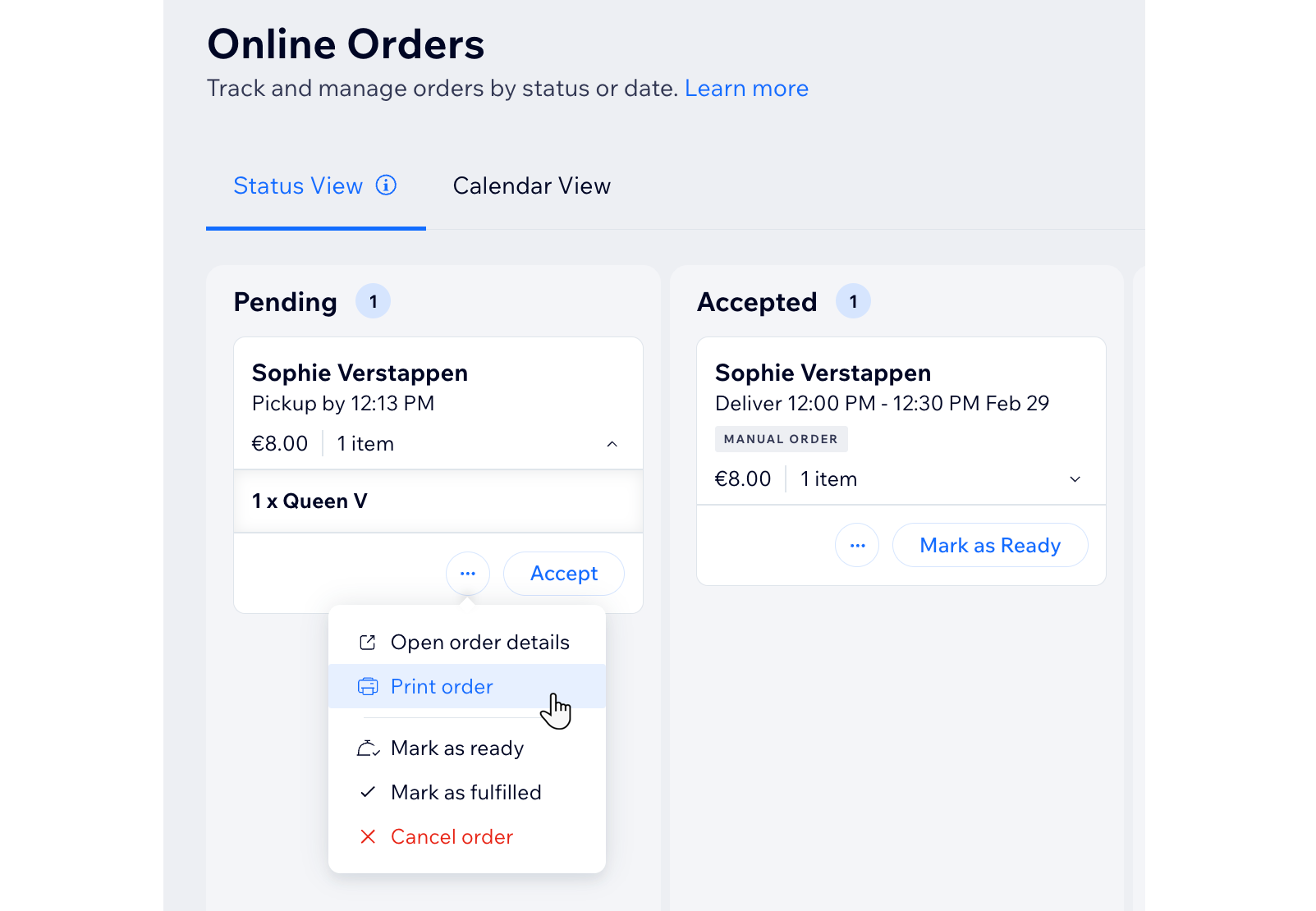
Click the More Actions icon
 .
.Click Print Order.
Printing from the Orders tab
Simplify order management with the ability to print your orders directly from the Orders tab in your site's dashboard. When receiving numerous orders – this feature enhances efficiency, allowing you to print individual or multiple orders for a smoother workflow.
To print orders from the Orders tab:
Go to Orders in your site's dashboard.
Select the relevant order.
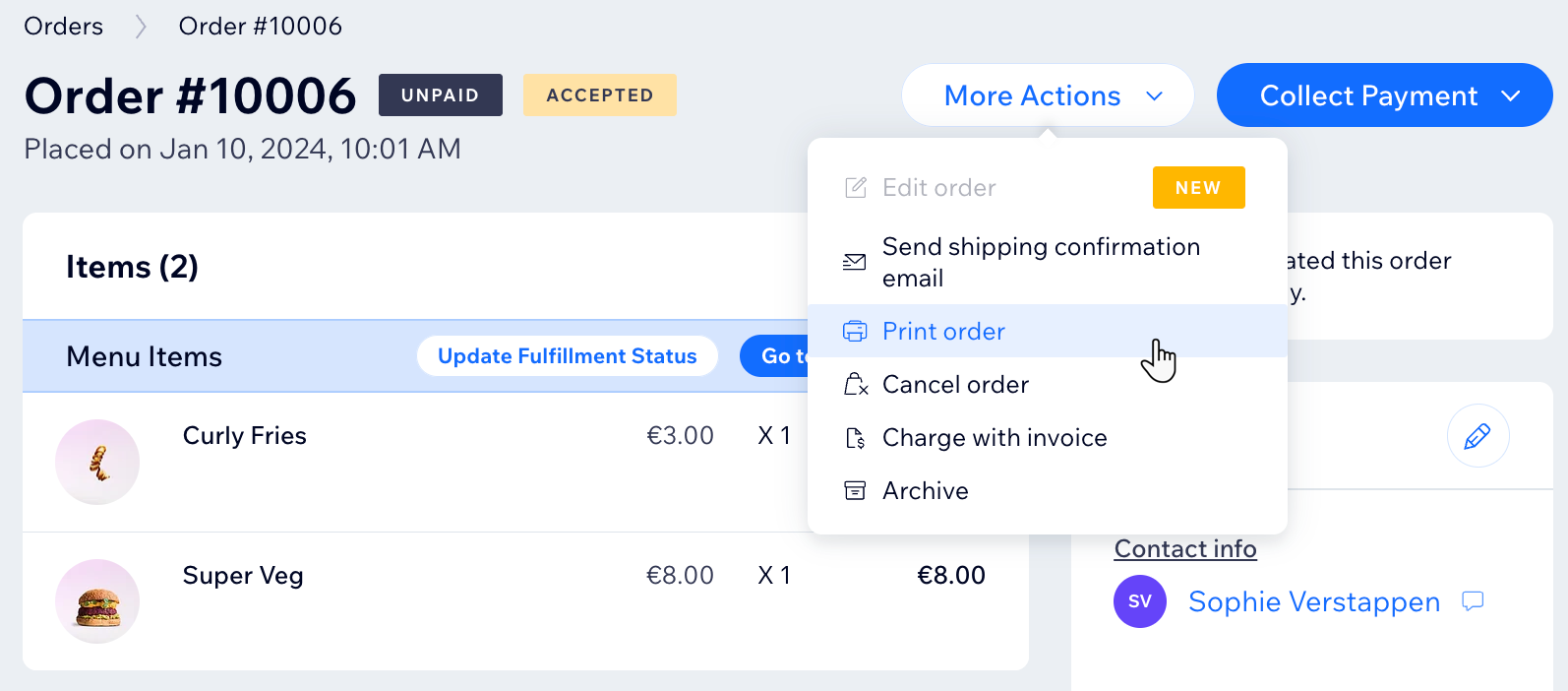
Click More Actions at the top right.
Click Print order.
Tip:
You can print multiple orders at once. Select the checkbox  next to the relevant orders and click the printer icon
  .
.