


Setting up Photo Albums
Wix Photo Albums: Duplicating Your Photo Album
Easily create a new album by duplicating an existing one. You can choose whether to duplicate just the settings and template, or the media items as well.
Learn more about:
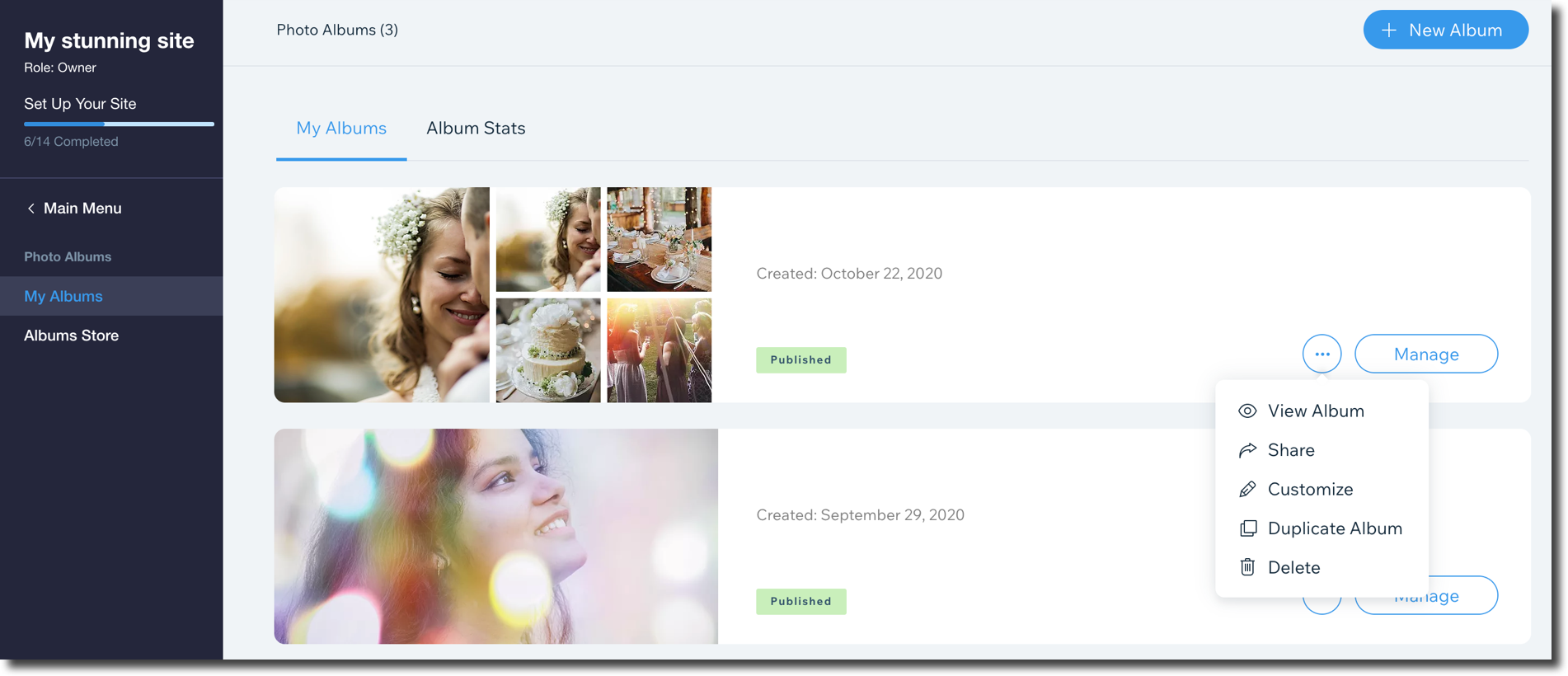
Duplicating the Entire Photo Album
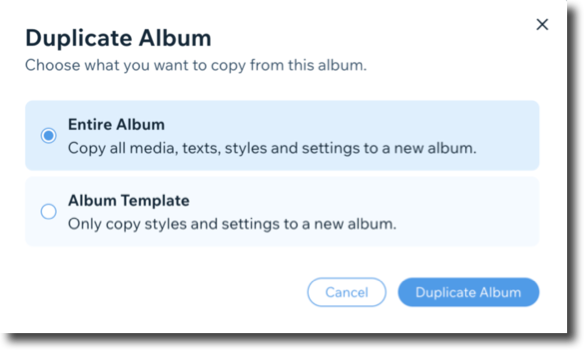
Duplicate an entire album to create a copy with all of your media, texts, styles and settings.
To duplicate the entire photo album:
Go to your Photo Albums in your site's dashboard.
Click the My Albums tab.
Click the Show more icon
 next to the album you'd like to duplicate.
Click Duplicate Album.
Select Entire Album.
Click Duplicate Album.
Tip:
You can also find the option to duplicate when you click Manage beside the relevant album and then clicking the Show more icon  .
.
Duplicating the Album Template
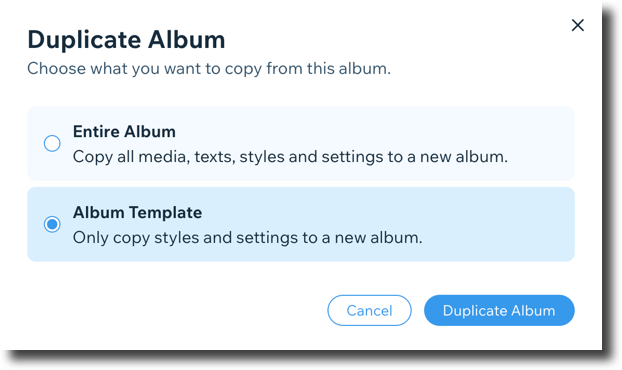
Duplicate an album template to create a copy with the same styles and settings.
To duplicate the album template:
Go to your Photo Albums in your site's dashboard.
Click the My Albums tab.
Click the Show more icon
 next to the album you'd like to duplicate.
Click Duplicate Album.
Select Album Template.
Click Duplicate Album.
Enter the name and date of the album.
Click Next.
Click Upload Media to add images.
When you're ready, click done to save your album.
Tip:
You can also find the option to duplicate when you click Manage beside the relevant album and then clicking the Show more icon  .
.