top of page

Setting up Photo Albums

Wix Photo Albums: Changing the Focal Point of Images in Your Photo Album

Change the focal point of the images inside your Photo Album, so your visitors see the most important part from the main gallery view.
Note:

Changing the focal point of an image does not resize it; it changes which part is visible on the gallery. When your site visitor clicks the image, they see the whole image in expand mode (if you selected the expand mode option in the settings).

To change the focal point of an image:

  1. Go to Photo Albums in your site's dashboard.

  2. Click Manage next to the relevant album.

  3. Click Customize at the top right.

  4. Hover over your gallery in the panel on the left and click Manage Media.

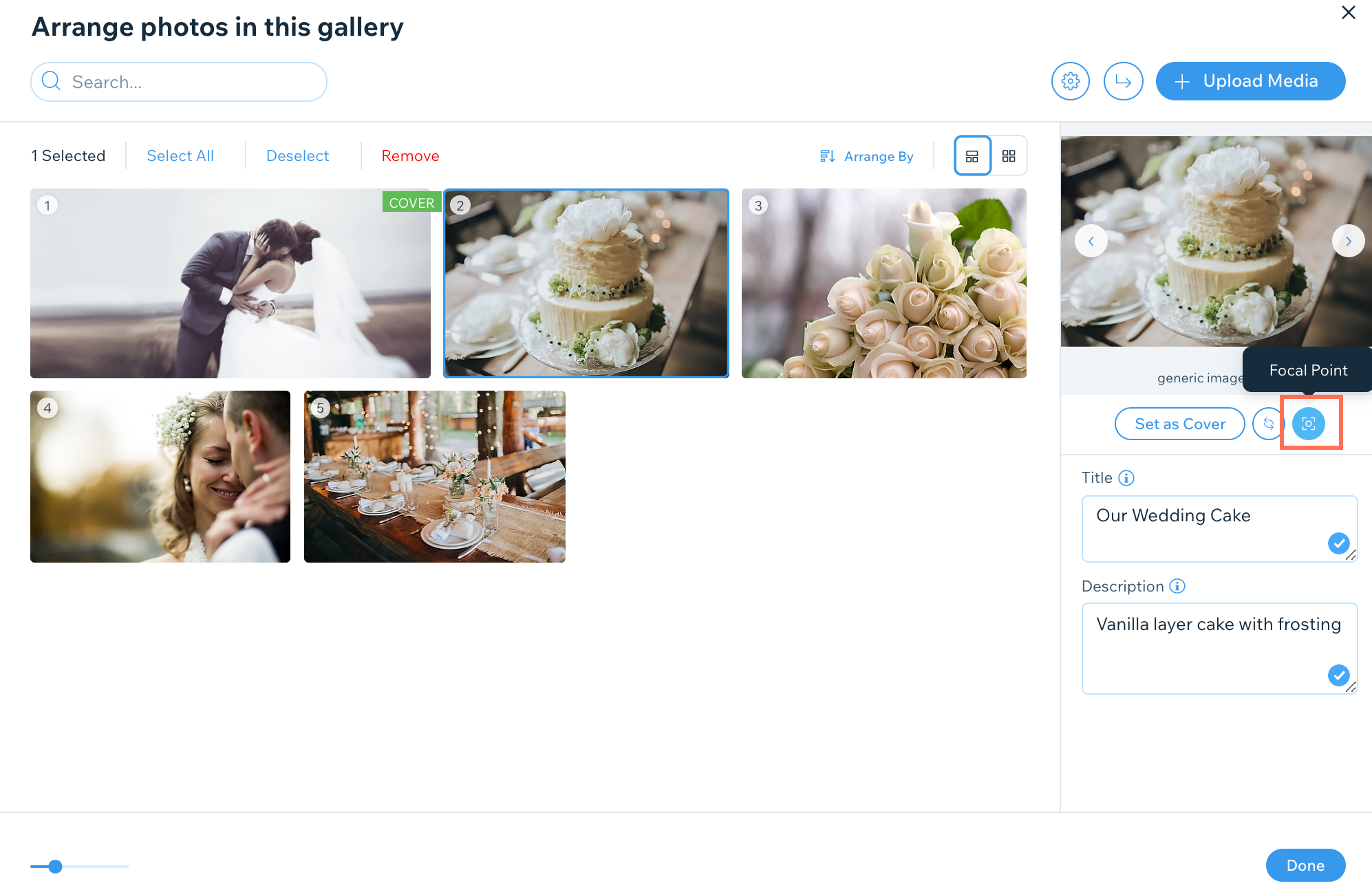
  5. Select an image and click the Focal point icon under the selected image.

  6. Click the position on the thumbnail image where you want the focal point to be. The focal point is displayed as a white circle.
    Tip: You can also the click and drag the circle over the image to select a focal point.

  7. Click Done.

Need A Professional Website?
Contact Us 
Today!

Wix Chat: Automatically Sending Chat Messages or Responding to Chat Messages

Wix Chat: About Notifications

Wix Chat: Deleting Wix Chat

Wix Chat: Adding the WhatsApp Channel to Your Chatbox

Wix Chat: Viewing and Chatting with Live Site Visitors

Wix Chat: Customizing the Chat Icon on Your Mobile Site

Wix Chat: Translating Wix Chat

Wix Chat: Allowing Members to Chat with Each Other Using Members Chat

Wix Chat: Customizing Your Chat Settings

Wix Chat: Designing Your Chatbox

Wix Chat: Adding Wix Chat to Your Site

Wix Chat: An Overview

Your AI Site-Chat Conversations Quota

Designing and Customizing Wix AI Site-Chat

Training Your AI Site-Chat

Testing Your Wix AI Site-Chat

Adding and Setting Up Wix AI Site-Chat

About Wix AI Site-Chat

Wix Inbox: Sending a Broadcast Message to Your Contacts in the Wix App

Wix Inbox: Working with Site Collaborators

Wix Inbox: Connecting WhatsApp Business to Inbox

Wix Inbox: Connecting Your Facebook Page

Wix Inbox: Connecting Instagram to Inbox

Wix Inbox: About Wix Inbox Channels

Wix Inbox: Connecting Your Gmail Account

Wix Inbox: Managing Your Notification Settings

Wix Inbox: Managing Your Inbox

Wix Inbox: Setting Up Your Inbox Profile and Outgoing Emails

Wix Inbox: Sending Messages and Attaching Items

Wix Inbox: An Overview

wix experts
Graphic2Traffic web design
©
bottom of page