top of page

Using the Wix app for Wix Events

Wix Events: Checking-In Guests Using the Wix App

Use the Wix app to check guests in as they arrive at your event. For ticketed events, you can use the app to scan the QR code found on event tickets.
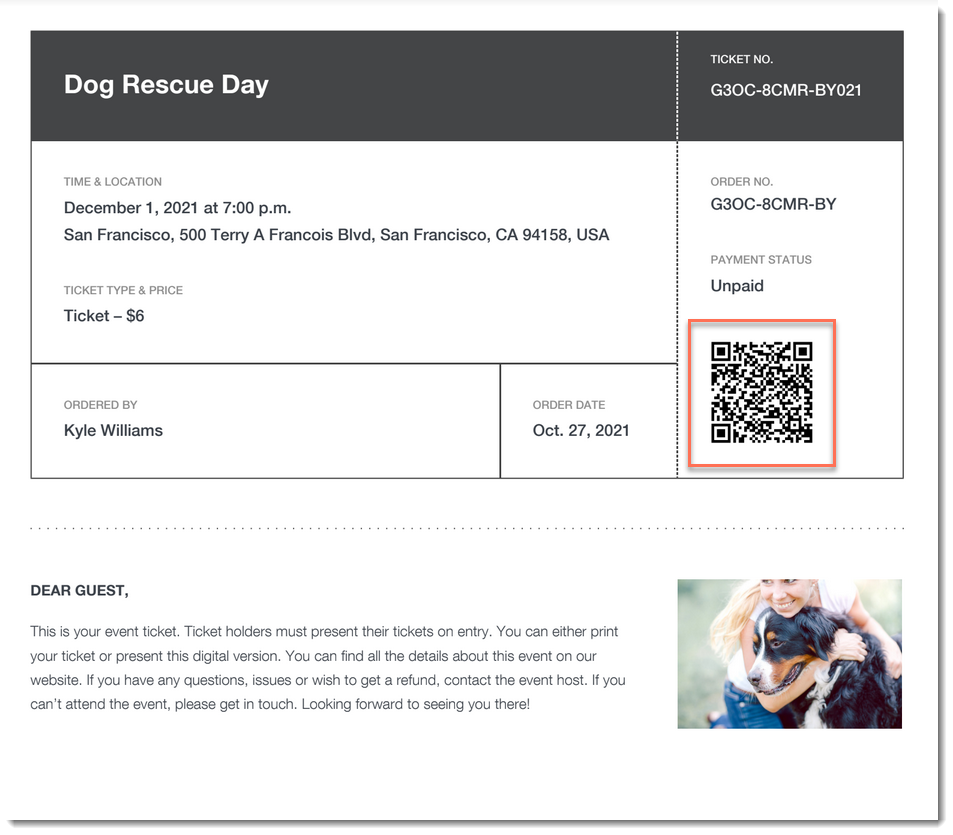
A screenshot of an event ticket PDF highlighting a QR code.

Important:

Go to your guest list in the Wix app shortly before you leave for the event, while you’re connected to the Internet. This ensures that you’ll be able to access the list and check guests in - even if you're offline during the event itself.

To check a guest in to an event:

  1. Go to your site in the Wix app.

  2. Tap Manage  at the bottom.

  3. Tap Events.

  4. Tap Published Events.

  5. Tap the event you want to view.

  6. Choose what you want to do:

Change a guest's status to "Checked In"

  1. Tap Guest List.

  2. (Optional) Filter your guest list:Tap the Filter  icon.

    Do any of the following:Select a status (e.g. Not checked in)
    Select one a payment status (ticketed events only).
    Select one or more a ticket types (ticketed events only).
    Select a sort option.
    Tap Save.

  3. Tap the checkmark next to a guest's name.
    A screenshot of a tapping a checkmark icon next to a guest's name in the Wix Owner app.

Scan a guest's ticket

  1. Tap Guest List.

  2. (Optional) Filter your guest list:Tap the Filter icon.

    Do any of the following:Select a status (e.g. Not checked in)
    Select one a payment status (ticketed events only).
    Select one or more a ticket types (ticketed events only).
    Select a sort option.
    Tap Save.

  3. Tap the QR icon at the top right.
    A screenshot of the QR icon in the Wix Owner app.

  4. Use your mobile device to scan the QR code that appears on the guest's ticket.
    A screenshot of an event ticket highlighting a QR code.

Tip:

You can also check in guests on desktop and on the Check-in by Wix app.

Need A Professional Website?
Contact Us 
Today!

Recommended Apps for Restaurant Owners

Recommended Apps for Photographers

Recommended Apps for Fitness Studio Owners

Recommended Scheduling Apps

Recommended eCommerce Apps

Recommended Apps to Help You Interact with Site Visitors

Deleting Apps

Updating an App from the Wix App Market

Third-Party Apps: Accessing Your Apps

Adding an App to Your Site

About the Wix App Market

Adding and Setting Up the Yelp App

Wix Apps: Adding and Setting Up the New Wix Tips

Download My App is No Longer Available

Wix Apps: Focus Timer

Wix Apps: Task List

Wix Apps: Colorblind Simulator

Wix Apps: Contrast Checker

Wix Apps: Get Image Colors

Wix Apps: Design Guides

Wix Apps: Adding and Setting Up the Wix Tips App

Displaying Your DeviantArt Content on Your Wix Site

Embedding Your Issuu Publication Code

Embedding Songkick Tour Dates on Your Wix Site

Changing the Display Options of the PDF Viewer App

Using the HubSpot App

Adding and Setting Up the HubSpot by Syncsmart.io App

Wix Apps: Adding the Download The Mobile App App to Your Site

Adding and Setting Up the Bulk Coupon Creator App

Wix Apps: Uploading 360 Images

wix experts
Graphic2Traffic web design
©
bottom of page