top of page

Memberships, packages & payments

Wix Bookings: About Memberships and Packages

Increase customer loyalty by offering your clients memberships and packages using pricing plans. Clients enjoy the reduced rates and you benefit from a more predictable income stream.
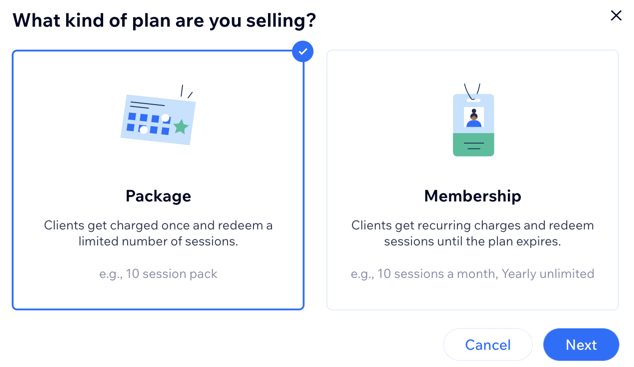
A screenshot showing how to choose between creating a package or a membership.

Note:

Memberships and packages are currently not available for courses.

In this article, learn more about:

Memberships

Memberships are a type of pricing plan that allows clients to make recurring payments to access services for a set amount of time. You choose which of your services are included and how long the subscription period lasts. For example, you can create a quarterly membership plan for your gym that offers unlimited access to TRX, pilates, and yoga, but not to other classes.

You can offer clients one membership, or give them a few to choose from (e.g. a beginner plan, pro plan, or VIP plan).

Learn how to set up a membership.
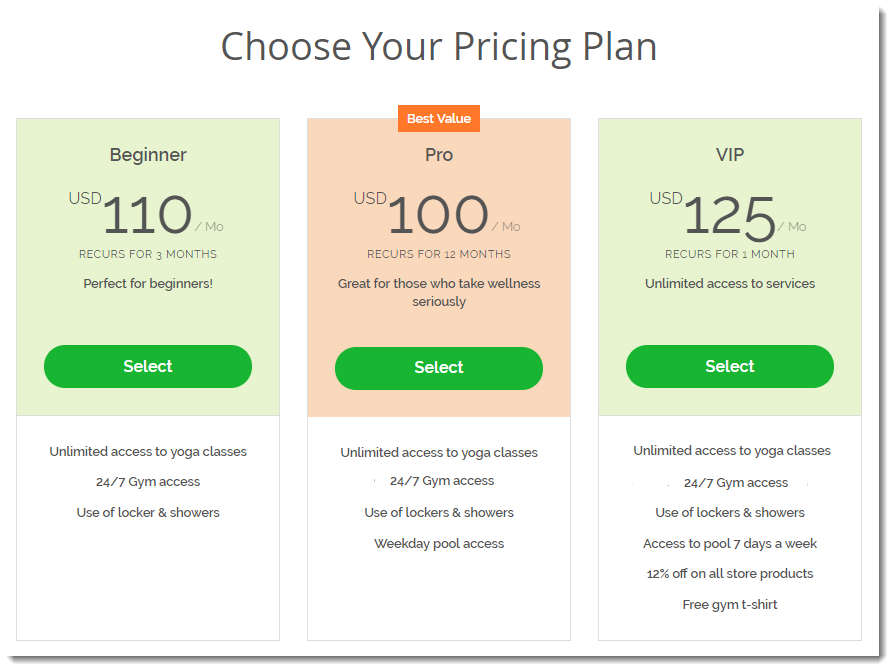
A screenshot showing how a plan picker looks on a live site.

Packages

Packages are a type of pricing plan that allows clients to pay for a set number of sessions at once. For example, if you charge $60 for a session with a personal trainer, you might want to offer clients a six-session package for $300. You decide whether your client needs to take advantage of the services within a set period of time or if it's open-ended.

Learn how to set up packages.

Tip:

You can create recurring packages, so that your client can book a set number of services per time duration (e.g. 2 consultations per month, every month).
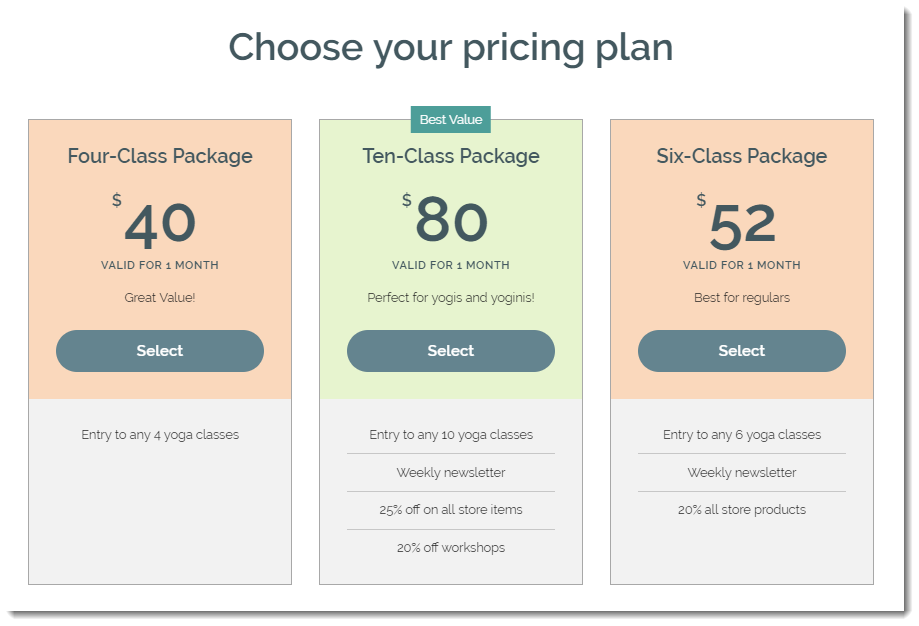
A screenshot showing another example of a plan picker on a site with different benefits.

Making the most of your members area

A well-built members area not only provides your users with a better experience, but encourages repeat visits and boosts organic traffic to your site.

Combine the members area with Wix Bookings to allow your users to quickly review, reschedule or re-book appointments without the need to enter their details each time.

Help your members view and manage their subscriptions by combining Pricing Plans with your members area for best results.

Need A Professional Website?
Contact Us 
Today!

Google Workspace: Purchasing and Setting up a Business Email

Resolving Email Issues

Changing the Priority of Your MX Records

Connecting Email Purchased Outside of Wix

Google Workspace: Adding a DKIM Record to your Business Email

Google Workspace: Adding an SPF Record to your Business Email

Adding a DKIM (TXT) Record

Adding or Updating SPF Records in Your Wix Account

Business Email: General Troubleshooting

Connecting Email Accounts from Different Email Providers for the Same Domain

Increasing Email Deliverability of Emails Sent from Your Business Email

Top Reasons for Using a Personalized Business Email

Business Email: An Overview

Wix Pay Links: Creating and Managing Pay Links in the Wix App

Wix Pay Links: Creating and Managing Pay Links

Wix Proposals: Managing Your Proposals on the Wix App

Wix Proposals by Prospero: Saving and Managing Proposal Templates

Wix Proposals by Prospero: Adding and Setting up Proposals

Wix Price Quotes: Managing Your Price Quotes in the Wix App

Wix Invoices & Price Quotes: Adding Default Notes

Wix Invoices & Price Quotes: Managing Your Settings

Wix Invoices & Price Quotes: Searching, Filtering, and Sorting

Wix Invoices & Price Quotes: Changing Your Initial Document Number

Wix Invoices & Price Quotes: Adding Tax Types

Wix Invoices & Price Quotes: Adding Your Items and Services

Wix Invoices & Price Quotes: Changing Your Currency and Payment Terms

Wix Invoices & Price Quotes: Adding Your Business Info

Wix Invoices: Managing Your Invoices

Wix Invoices: Creating and Managing Recurring Invoices

Wix Invoices: Creating and Managing Recurring Invoices

wix experts
Graphic2Traffic web design
©
bottom of page