


Setting up Wix Hotels
Renting Multiple Properties in Different Locations
Important:
This article refers to the original Wix Hotels. If you are using the new Wix Hotels by HotelRunner, which is not yet available to all users, please read the information here. Learn how to check which version of Wix Hotels you are using.
If you have multiple rental properties (e.g. apartments in different locations), you can add them as rooms with different addresses.
Note:
It is not possible to to manage separate hotels with one Wix site. You need to create a separate site for each hotel. To vote for this feature click here.
To add an address to a room:
Go to your site's dashboard.
Click the Hotels tab on the left.
Click the Rooms tab.
Click the Edit icon
 for an existing room type or click Create New to add a new one.
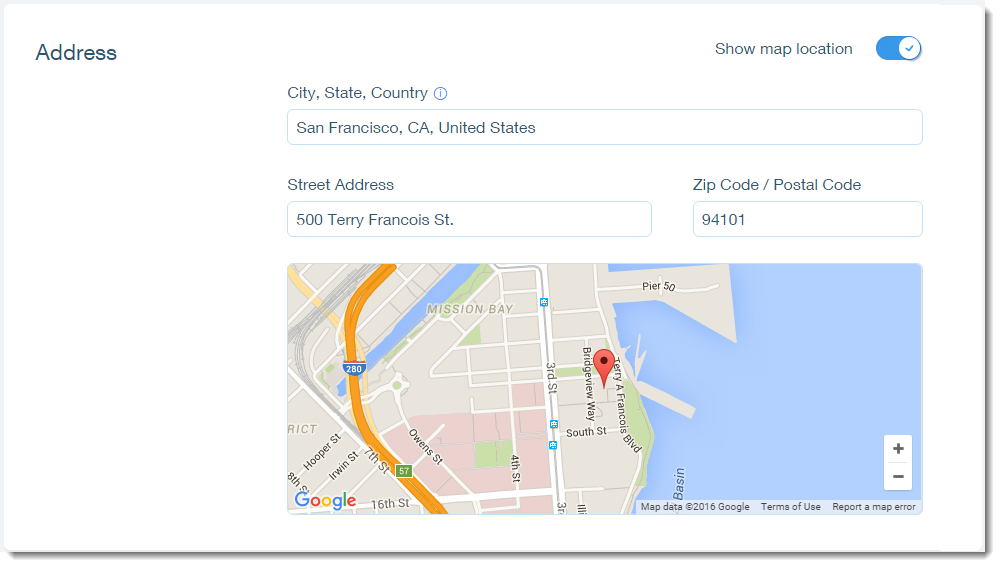
Scroll down to the Address section.
Click the Show map location toggle to enable the address option.
Enter the city, state and country of the property.
Enter the street address of the property.
Enter the zip code of the property.
Click Save at the bottom of the page.
Important:
You can only add an address to a room after you've set up your hotel. If you're trying to add an address to your first room and you're unable to find the address section, add the room without the address and come back to add the address after setting up your hotel.
Note:
You can only connect one Channel Manager to a Wix site. If you are managing your business as multiple separate properties in other services, you can only connect to one of these.