


Setting up Online Programs
Online Programs: Upgrading Your Site
Upgrade your site so people can start joining your program. You'll have access to unlimited participants and advanced features directly from your site's dashboard or the Wix app.
Before you begin:
If you have not already done so, add Online Programs to your site for free. Some Wix templates already include Online Programs, making it easier for you to get started.
In this article, learn more about:
Upgrading your site
When you upgrade your site, you can invite participants to your programs. Additionally, people can join your program and become participants, connecting with others who share similar goals.
Important:
Make sure to choose a plan that accepts payments.
Dashboard
Wix app
Go to your site's dashboard.
Click Upgrade at the top.
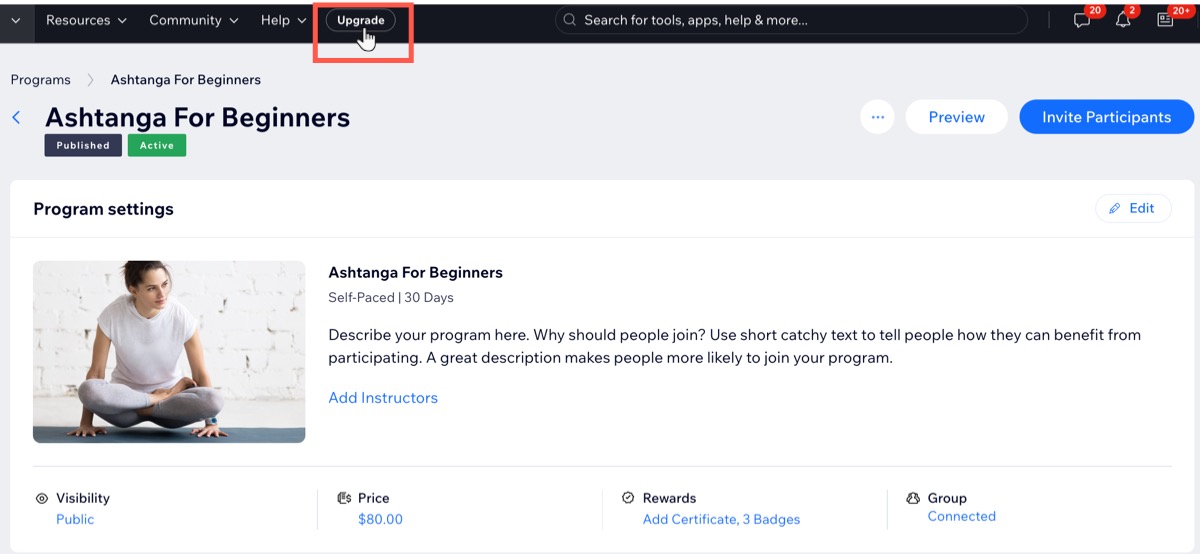
Click Select under the plan that suits your needs.
Select the relevant billing cycle then click Continue to Checkout.
Enter your payment details.
Click Submit Purchase.
Important:
After submitting your purchase, your bank may require you to verify your identity. If you're experiencing any issues with the authentication process, contact your bank directly.
FAQs
Click a question below to learn more about upgrading your site.
What are the benefits to upgrade?
Upgrading your site allows you to invite as many participants as you like to your program, which can include features like quizzes to enhance participant engagement. You can also send out certificates and create a discussion group to keep them motivated throughout their journey.
I already have a plan, but I am unable to invite participants. Why?
You might have purchased a plan that does not include accepting payments, which is necessary to invite unlimited participants to your program. You need to upgrade to any plan that accepts payments.