top of page

Working with Google Workspace Business Emails from Wix

Google Workspace Error Message: "Your subscription has been suspended by your reseller"

If you see the below error message while trying to access your Google Workspace business email purchased from Wix, either the email subscription has expired, or there is an issue with your payment.

A screenshot showing a suspended Google Workspace error.

To continue with your Google Workspace service, you need to check the status of your business email. If it has expired, you can renew your Google Workspace subscription. If it is still active, you need to update your payment information.

Renewing your business email subscription

  1. Go to your Business Email page to check the status of your business email.

  2. Click Renew Subscription if prompted to renew subscription.
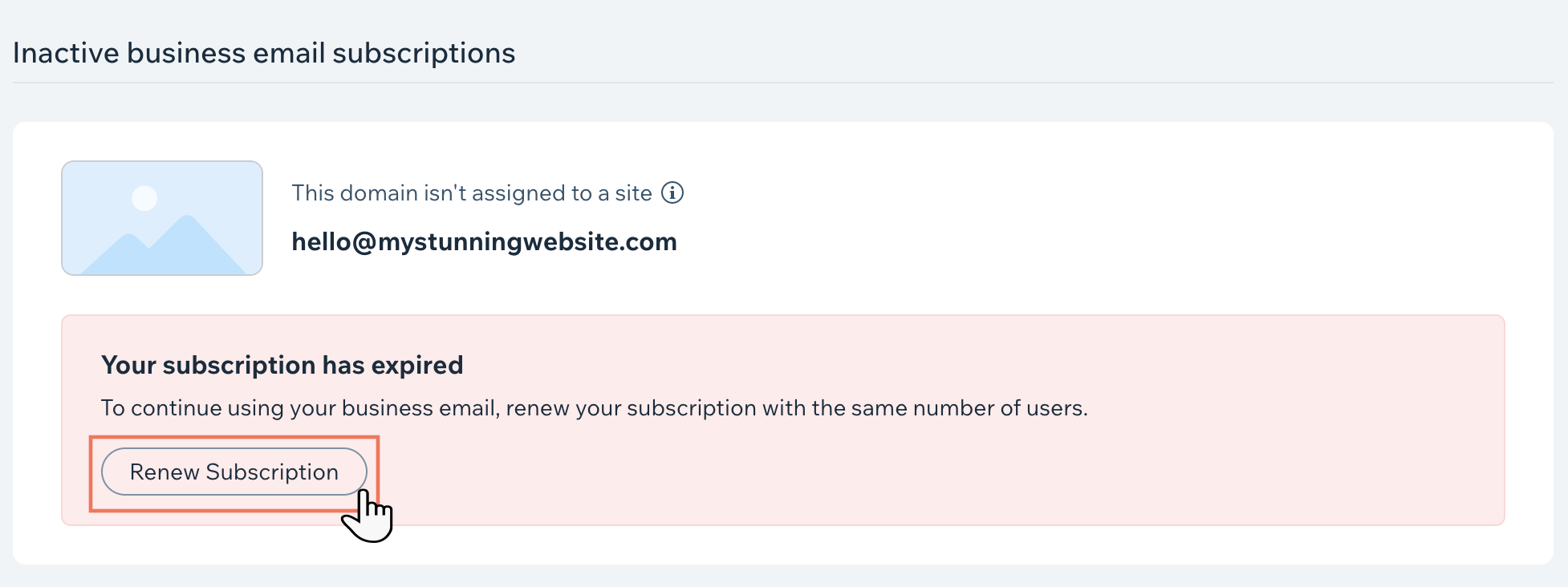
A screenshot showing the Renew Subscription button for a Google Workspace subscription purchased from Wix.

Updating your payment information

  1. Go to your Business Email page to check the status of your business email.

  2. Go to Payment Methods if prompted to update your payment method.

A screenshot showing the Update Payment Method for a subscription in a Wix account.

3.  Click Actions.

4.  Click Update.

5.  Click Next.

6.  Update your card details.

7.  Click Update.

Need A Professional Website?
Contact Us 
Today!

Wix Chat: Automatically Sending Chat Messages or Responding to Chat Messages

Wix Chat: About Notifications

Wix Chat: Deleting Wix Chat

Wix Chat: Adding the WhatsApp Channel to Your Chatbox

Wix Chat: Viewing and Chatting with Live Site Visitors

Wix Chat: Customizing the Chat Icon on Your Mobile Site

Wix Chat: Translating Wix Chat

Wix Chat: Allowing Members to Chat with Each Other Using Members Chat

Wix Chat: Customizing Your Chat Settings

Wix Chat: Designing Your Chatbox

Wix Chat: Adding Wix Chat to Your Site

Wix Chat: An Overview

Your AI Site-Chat Conversations Quota

Designing and Customizing Wix AI Site-Chat

Training Your AI Site-Chat

Testing Your Wix AI Site-Chat

Adding and Setting Up Wix AI Site-Chat

About Wix AI Site-Chat

Wix Inbox: Sending a Broadcast Message to Your Contacts in the Wix App

Wix Inbox: Working with Site Collaborators

Wix Inbox: Connecting WhatsApp Business to Inbox

Wix Inbox: Connecting Your Facebook Page

Wix Inbox: Connecting Instagram to Inbox

Wix Inbox: About Wix Inbox Channels

Wix Inbox: Connecting Your Gmail Account

Wix Inbox: Managing Your Notification Settings

Wix Inbox: Managing Your Inbox

Wix Inbox: Setting Up Your Inbox Profile and Outgoing Emails

Wix Inbox: Sending Messages and Attaching Items

Wix Inbox: An Overview

wix experts
Graphic2Traffic web design
©
bottom of page