top of page

Additional Wix Apps

Embedding Your Issuu Publication Code

Important:

The Issuu Publication app has been retired from the Wix App Market. As an alternative, you can choose to embed the Issuu Publication code on your Wix site, or use the PDF Viewer app from the Wix App Market.

Add digital content, such as magazines, newsletters, and catalogs from your Issuu Publication account to your Wix site. You can choose to embed the content using code or the Wix PDF Viewer app.

In this article, learn more about:

Embedding the code

If you have an account with Issuu Publications and used the old app, you can still add your content from Issuu to your Wix site. You just need to copy a piece of code and paste it using the Embed Code feature in your Wix Editor.

Wix Editor

Studio Editor

  1. Log in to Issuu Publications.

  2. Click Publications in the side panel.

  3. Select the publication you want to embed and click Embed on website.

  4. Customize the relevant settings.

  5. Click Get embed code.

  6. Go to your editor.

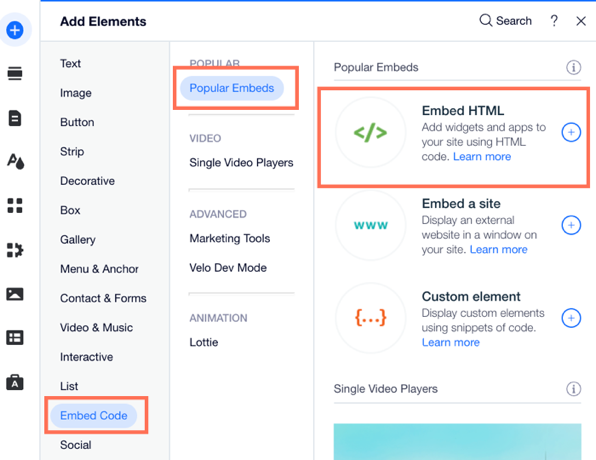
  7. Click Add Elements  on the left side of the editor.

  8. Click Embed Code.

  9. Click Embed HTML.

A screenshot of the the Add Elements panel showing the option to Embed HTML.

  1. Copy and paste the code from Issuu Publication into the Add your code here (HTTPS only) field.

  2. Click Update.

  3. (Optional) Enter alt text that describes what you're embedding in the What's in the embed? Tell Google field.

  4. When you are ready, publish your site.

Adding the PDF Viewer app

You can use the PDF Viewer app to upload and display your digital publications.

Wix Editor

Studio Editor

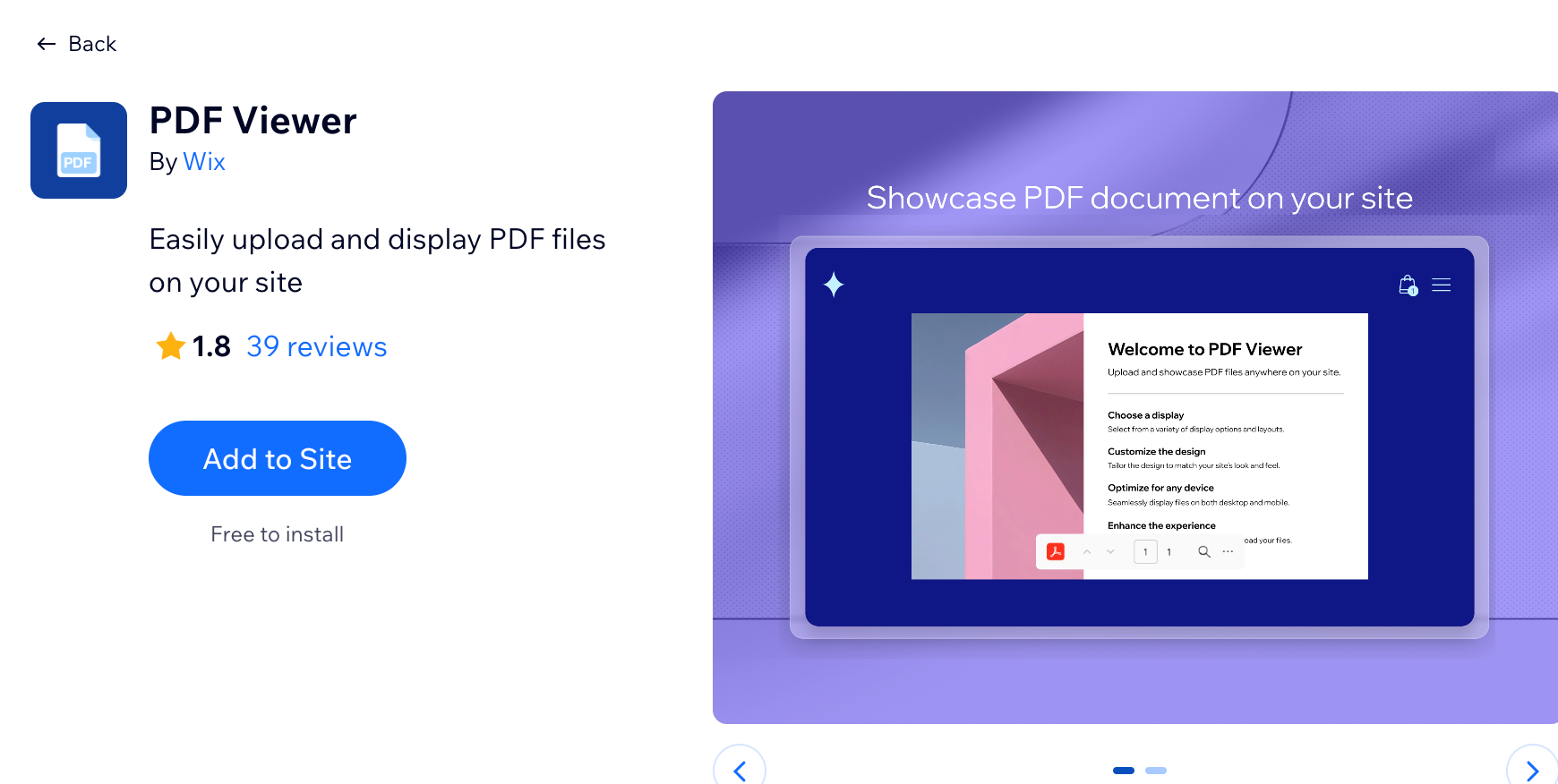
  1. Go to your editor.

  2. Click Add Apps  on the left side of the editor.

  3. Search for the PDF Viewer app in the search bar.

  4. Click Add to Site.

A screenshot showing the option to add the PDF viewer app to your site.

Need A Professional Website?
Contact Us 
Today!

Wix Automations: Adding and Sending a Coupon

Wix Automations: Sending Automated Emails to Contacts After Form Submissions

Wix Automations: Customizing Automated Emails

Wix Automations: Creating a New Automation

Wix Automations: An Overview

The New Automation Builder: Understanding Email Types

The New Automation Builder: Creating a Multi-Action Automation

The New Automation Builder: Sending Data via Webhook

The New Automation Builder: Adding and Sending a Coupon

The New Automation Builder: Troubleshooting Wix Automations

The New Automation Builder: Understanding Conditions Operators

The New Automation Builder: Setting Up a 'Scheduled Time' Trigger

The New Automation Builder: Sending Data to Google Sheets

The New Automation Builder: Using the Property Picker

The New Automation Builder: Viewing and Managing Automations Installed for You

The New Automation Builder: Customizing Automated Emails

The New Automation Builder: Managing Your Automations

The New Automation Builder: Creating an Automation

The New Automation Builder: Overview

Microsoft Office 365 Mailbox Limits

Resetting the Password for Additional Office 365 Mailboxes

Resetting Your Admin Password for Your Office 365 Mailbox

Accessing Your Microsoft Office 365 Mailbox Through Your Wix Account

Accessing Your Microsoft Office 365 Mailbox Through Your Wix Account

Accessing the Microsoft Office 365 Admin Center

Activating Your Microsoft Office 365 Mailbox Purchased from Wix

Google Workspace: Troubleshooting Login Issues

Google Workspace: FAQs

Google Workspace: Contacting Google Support

Google Workspace Error Message: "You do not have access to Email"

wix experts
Graphic2Traffic web design
©
bottom of page