top of page

Dayful by Wix

Dayful by Wix: Customizing Your Booking Page

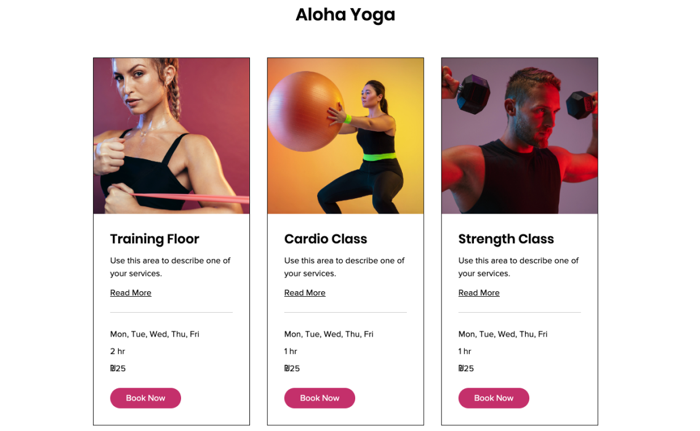
After setting up your services on Dayful by Wix, customize the page your clients use to book them. This is what they see when you share a link to the service or embed the widget on your website, so make sure it fits your brand.

Important:

To customize the design of your Booking Page, upgrade your Dayful plan.
Need help with Dayful?

Send a message to our Experts and they will get back to you as soon as possible.

To customize your Booking page:

  1. Go to the Channels tab in your Dayful dashboard.

  2. Click Booking Page.

  3. Click Edit Design.

  4. Choose what version of your Booking Page to edit, using the arrows next to Preview:Service List: What your clients see when you display your service page. This can include any of your services.
    Calendar: Show clients the full weekly timetable for specific appointments or classes.
    Memberships and packages: Show clients your pricing plans or membership packages.

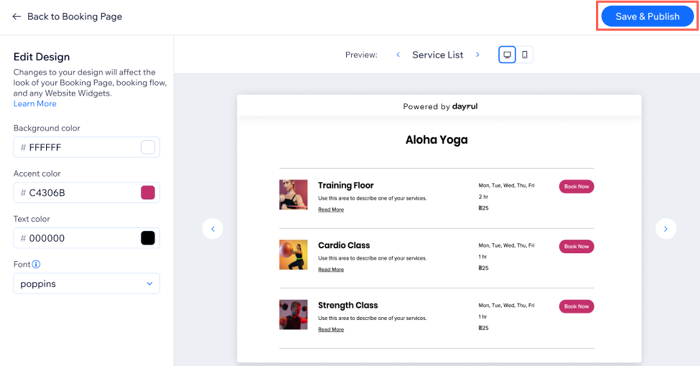
  5. Set the colors of your Booking Page on the left:Background color: Choose an appropriate background for your services.
    Accent color: Choose the color for your Booking Page buttons.
    Text color: Choose the color for your font, make sure it stands out from the background color and easy to read.
    Font: Choose the font for the text on your Booking Page.

  6. Click Save & Publish.

Note:

The design settings you choose for the Booking Page apply to all links you share and all website widgets you embed.
Tip:

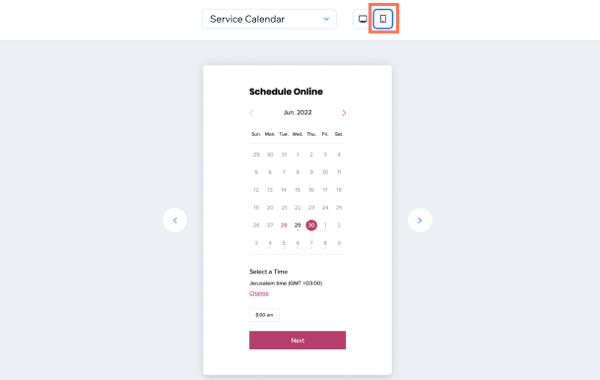
Click the Mobile Preview button to make sure your Booking Page design is optimized for mobile as well. 
Need A Professional Website?
Contact Us 
Today!

Google Workspace: Purchasing and Setting up a Business Email

Resolving Email Issues

Changing the Priority of Your MX Records

Connecting Email Purchased Outside of Wix

Google Workspace: Adding a DKIM Record to your Business Email

Google Workspace: Adding an SPF Record to your Business Email

Adding a DKIM (TXT) Record

Adding or Updating SPF Records in Your Wix Account

Business Email: General Troubleshooting

Connecting Email Accounts from Different Email Providers for the Same Domain

Increasing Email Deliverability of Emails Sent from Your Business Email

Top Reasons for Using a Personalized Business Email

Business Email: An Overview

Wix Pay Links: Creating and Managing Pay Links in the Wix App

Wix Pay Links: Creating and Managing Pay Links

Wix Proposals: Managing Your Proposals on the Wix App

Wix Proposals by Prospero: Saving and Managing Proposal Templates

Wix Proposals by Prospero: Adding and Setting up Proposals

Wix Price Quotes: Managing Your Price Quotes in the Wix App

Wix Invoices & Price Quotes: Adding Default Notes

Wix Invoices & Price Quotes: Managing Your Settings

Wix Invoices & Price Quotes: Searching, Filtering, and Sorting

Wix Invoices & Price Quotes: Changing Your Initial Document Number

Wix Invoices & Price Quotes: Adding Tax Types

Wix Invoices & Price Quotes: Adding Your Items and Services

Wix Invoices & Price Quotes: Changing Your Currency and Payment Terms

Wix Invoices & Price Quotes: Adding Your Business Info

Wix Invoices: Managing Your Invoices

Wix Invoices: Creating and Managing Recurring Invoices

Wix Invoices: Creating and Managing Recurring Invoices

wix experts
Graphic2Traffic web design
©
bottom of page