top of page

Setting rates & payments

Adding Seasonal Rates in Wix Hotels

Important:

This article refers to the original Wix Hotels. If you are using the new Wix Hotels by HotelRunner, which is not yet available to all users, please read the information here. Learn how to check which version of Wix Hotels you are using.

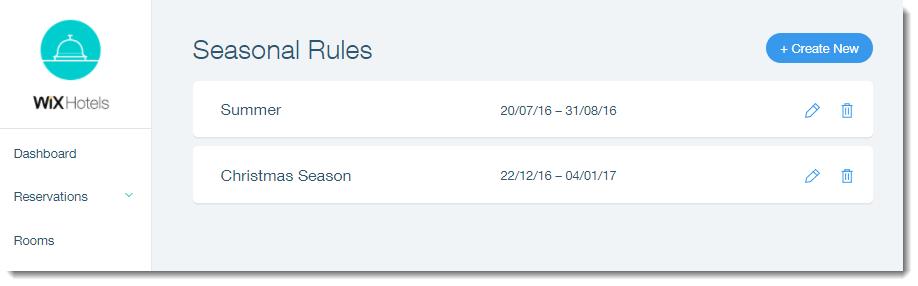
Set seasonal rates to charge different rates for your rooms according to season.
Important:

Creating a Seasonal Rule overrides the length of stay as well as regular unit rates.

To add seasonal rules to your hotel:

  1. Go to your dashboard.

  2. Click the Hotels tab.

  3. Click the Price Options tab.

  4. Click Seasonal Rules.

  5. Click Create New.

  6. Set up your seasonal rate:Enter the name of the season.
    Select the start date of the season under Season starts.
    Select the end date of the season under Season ends.
    (Optional) Enter the minimum number of nights.
    (Optional) Enter the maximum number of nights.

    Enter the relevant prices for each hotel room:Weekday: The price per night during the week.
    Weekend: The price per night during the weekend.
    Weekly: The price per week.
    Monthly: The price per month.
    Extra Adult: The price per night for an extra adult.

  7. Click Save.

Need A Professional Website?
Contact Us 
Today!

Wix Chat: Automatically Sending Chat Messages or Responding to Chat Messages

Wix Chat: About Notifications

Wix Chat: Deleting Wix Chat

Wix Chat: Adding the WhatsApp Channel to Your Chatbox

Wix Chat: Viewing and Chatting with Live Site Visitors

Wix Chat: Customizing the Chat Icon on Your Mobile Site

Wix Chat: Translating Wix Chat

Wix Chat: Allowing Members to Chat with Each Other Using Members Chat

Wix Chat: Customizing Your Chat Settings

Wix Chat: Designing Your Chatbox

Wix Chat: Adding Wix Chat to Your Site

Wix Chat: An Overview

Your AI Site-Chat Conversations Quota

Designing and Customizing Wix AI Site-Chat

Training Your AI Site-Chat

Testing Your Wix AI Site-Chat

Adding and Setting Up Wix AI Site-Chat

About Wix AI Site-Chat

Wix Inbox: Sending a Broadcast Message to Your Contacts in the Wix App

Wix Inbox: Working with Site Collaborators

Wix Inbox: Connecting WhatsApp Business to Inbox

Wix Inbox: Connecting Your Facebook Page

Wix Inbox: Connecting Instagram to Inbox

Wix Inbox: About Wix Inbox Channels

Wix Inbox: Connecting Your Gmail Account

Wix Inbox: Managing Your Notification Settings

Wix Inbox: Managing Your Inbox

Wix Inbox: Setting Up Your Inbox Profile and Outgoing Emails

Wix Inbox: Sending Messages and Attaching Items

Wix Inbox: An Overview

wix experts
Graphic2Traffic web design
©
bottom of page