top of page

Wix FAQ App

Adding a New Question in the Wix FAQ App

With the Wix FAQ app, you can give your visitors quick answers to common questions about your products or services.

Add as many questions as you want and customize with images, videos, GIFs, and emojis. You can also add content from your social media accounts including Twitter posts, YouTube videos, and TikTok videos.
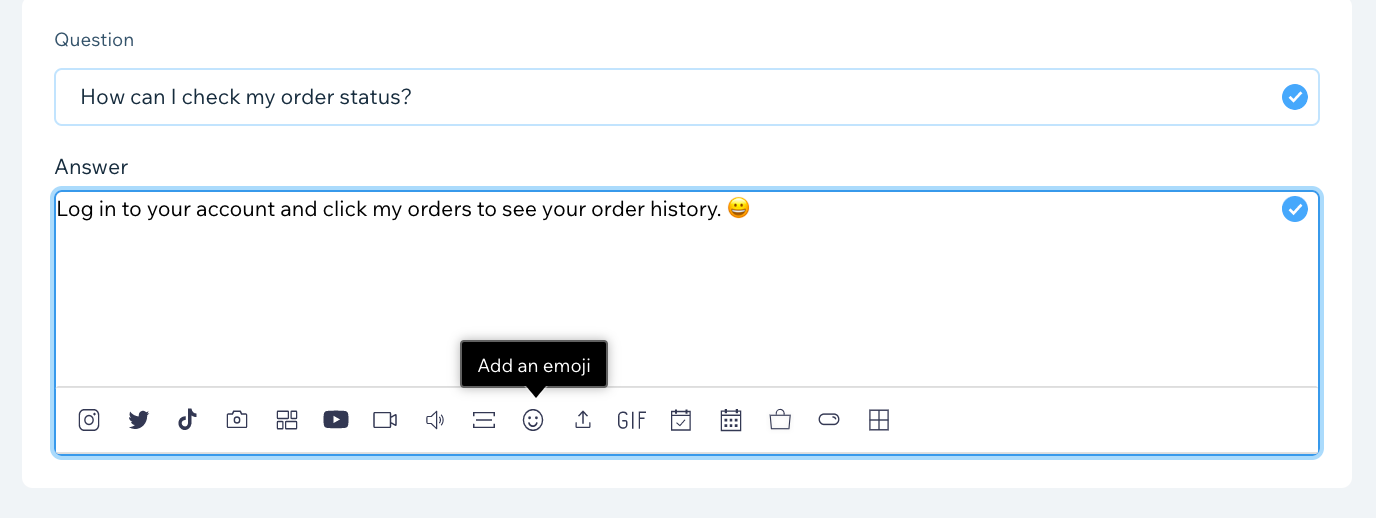
A screenshot of the toolbar showing the media options available in the FAQ app.

Tip:

If you want to copy questions and answers from another document and paste them into the FAQ app, be sure to remove all formatting first.

To add new questions and answers:

  1. Click the FAQ app in your editor.

  2. Click Manage Questions.
    Note: If a pop-up does not open, try turning off your pop-up blocker or updating your browser version.

  3. Click Add New.

  4. Select Question & Answer from the drop-down menu.

  5. Enter your new question under Question.

  6. Add an answer for your question under Answer.

  7. (Optional) Add media to your answer using the icons on the bottom of the editor. Learn More
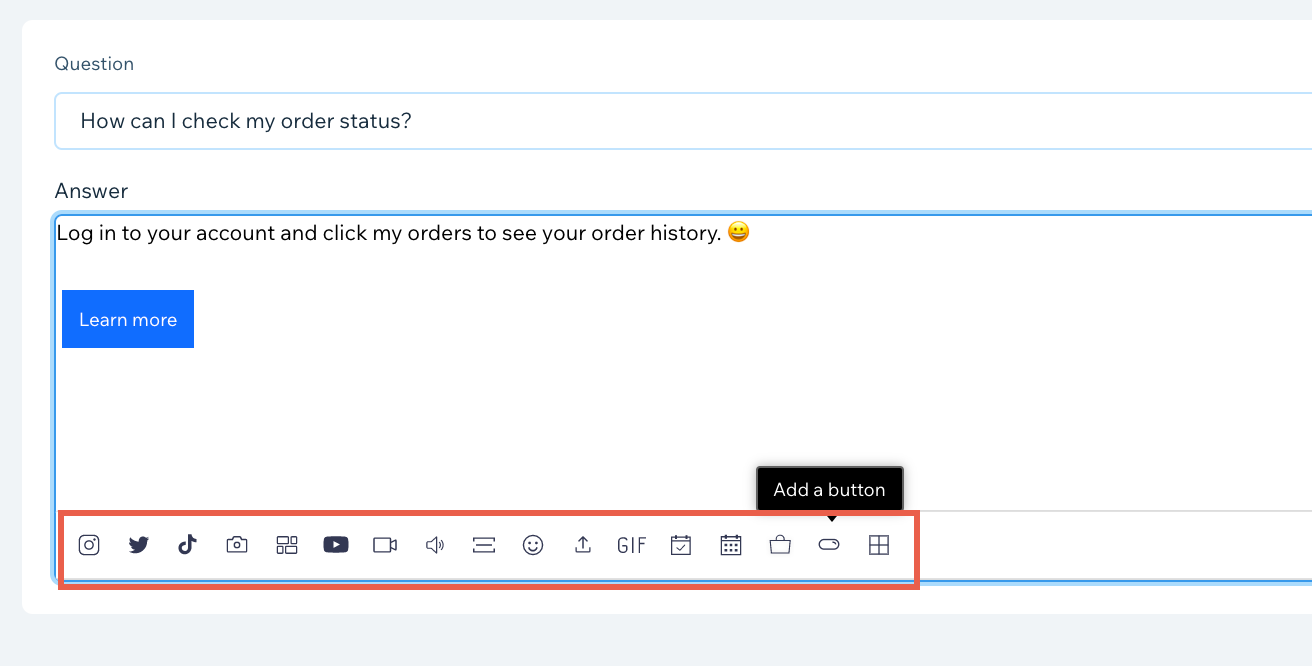
A screenshot showing the toolbar options available when creating an FAQ.

  1. Select a category for your new question under Choose a category, or add a new category.
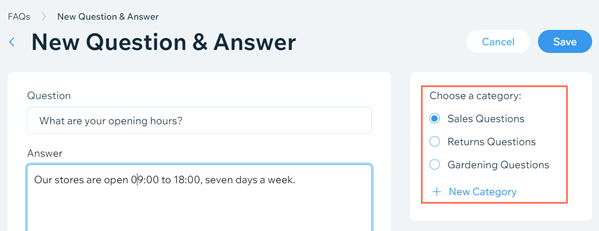
A screenshot showing the option to select a category for the FAQ.

  1. Click Save.

Need A Professional Website?
Contact Us 
Today!

Wix Chat: Automatically Sending Chat Messages or Responding to Chat Messages

Wix Chat: About Notifications

Wix Chat: Deleting Wix Chat

Wix Chat: Adding the WhatsApp Channel to Your Chatbox

Wix Chat: Viewing and Chatting with Live Site Visitors

Wix Chat: Customizing the Chat Icon on Your Mobile Site

Wix Chat: Translating Wix Chat

Wix Chat: Allowing Members to Chat with Each Other Using Members Chat

Wix Chat: Customizing Your Chat Settings

Wix Chat: Designing Your Chatbox

Wix Chat: Adding Wix Chat to Your Site

Wix Chat: An Overview

Your AI Site-Chat Conversations Quota

Designing and Customizing Wix AI Site-Chat

Training Your AI Site-Chat

Testing Your Wix AI Site-Chat

Adding and Setting Up Wix AI Site-Chat

About Wix AI Site-Chat

Wix Inbox: Sending a Broadcast Message to Your Contacts in the Wix App

Wix Inbox: Working with Site Collaborators

Wix Inbox: Connecting WhatsApp Business to Inbox

Wix Inbox: Connecting Your Facebook Page

Wix Inbox: Connecting Instagram to Inbox

Wix Inbox: About Wix Inbox Channels

Wix Inbox: Connecting Your Gmail Account

Wix Inbox: Managing Your Notification Settings

Wix Inbox: Managing Your Inbox

Wix Inbox: Setting Up Your Inbox Profile and Outgoing Emails

Wix Inbox: Sending Messages and Attaching Items

Wix Inbox: An Overview

wix experts
Graphic2Traffic web design
©
bottom of page