top of page


Adding videos & channels
Wix Video: Scheduling A Publish Time for Videos
You can set times for your videos to appear on your site whenever you need. This is a great way to ensure that videos are automatically and regularly published to your site, without having to manually publish them.
Notes:
You need to add the video first before you can schedule it.
Once you've scheduled the video, it won't appear on your site until the specified publish date and time.
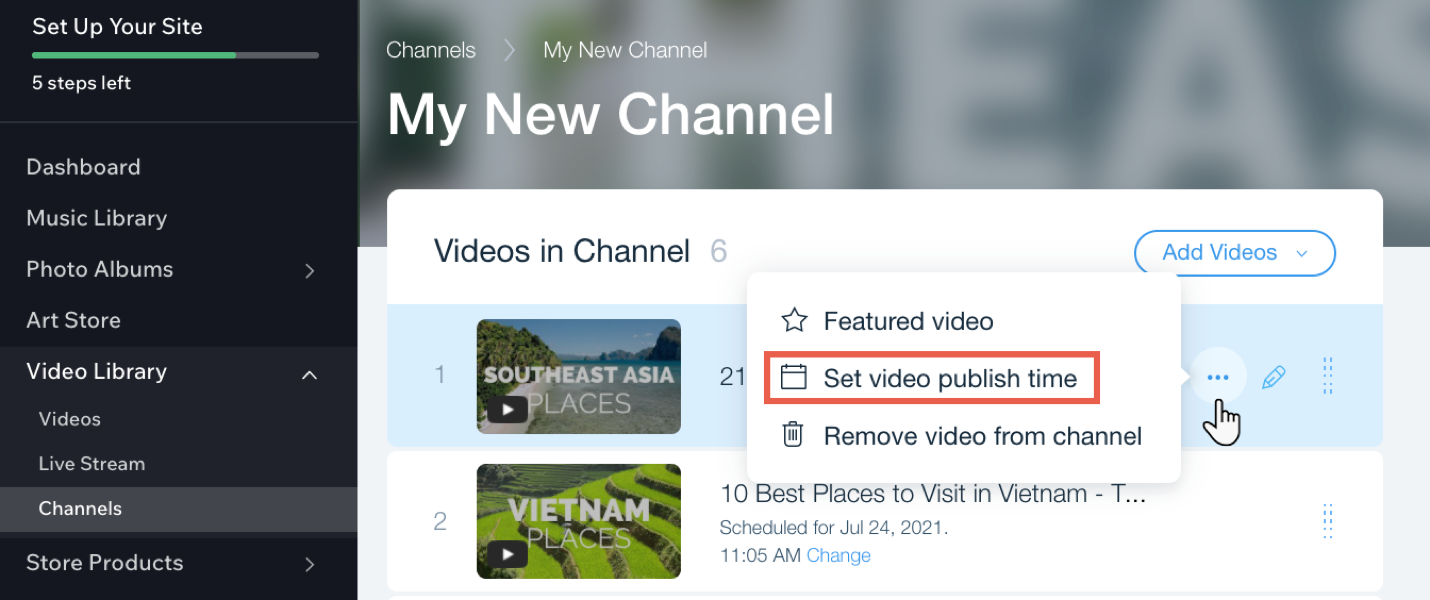
To schedule a publish time for videos in your channel:
Go to Video Library in your site's dashboard.
Click the Channels tab.
Click the relevant channel.
Hover over the relevant video and click the Show more icon
 .
.Click Set video publish time.
Select a date and time.
Click Save.
Tip:
You can change the time of a video by clicking Change next to the current scheduled time.

Need A Professional Website?
Contact Us Today!
bottom of page