top of page

Setting up Retail POS hardware

Wix Retail POS: Troubleshooting Your Tablet

Important:

  • This article is about Wix Retail POS tablet for brick & mortar bussinesses.

  • For info on using POS on a mobile device, click here.

There are a number of error messages that may appear while using your POS tablet.

Check the table below to learn how to resolve the specific error you see.

To troubleshoot the POS tablet:

Error

Solution

Sync failures: Products, Sales,

Customers and Catalog

Solutions:

* Tap Refresh to try again.

* If the Refresh button is missing, pull the screen downwards to refresh.

If tablet is still not working:

1. Tap Settings.

2. Tap App and Tablet settings.

3. Clear catalog cache.

Internet issues

Solution:

To verify that your store's WiFi network is working tap Open Internet Settings in the POS pop-up and check that the tablet is connected to the internet.

Fetching Your Data...

Solution:

Wait a few minutes for the app to load your store's information.

POS App Crashed

Solutions:

* Tap Restart POS App button.

* Check for updates. Install if available.

* Restart the tablet manually.

Tip:

You can also access troubleshooting help and information in the tablet. Tap the Menu icon at the bottom left and then Settings. Scroll down to App & Tablet and select Troubleshooting.
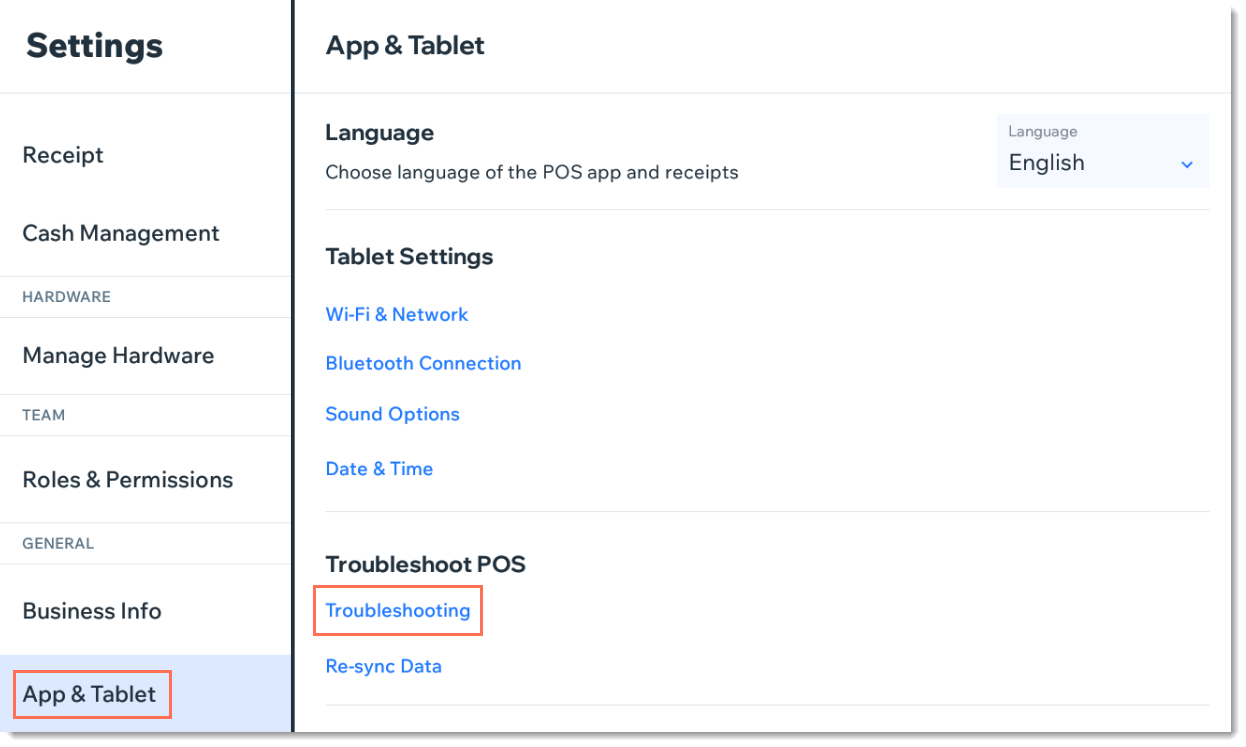
Screenshot of the App & Tablet tab in Wix Retail POS

Need A Professional Website?
Contact Us 
Today!

Wix Bookings: Managing Your Business Hours Using the Wix App

Wix Bookings: Promoting Your Services from the Wix App

Wix Bookings: Connecting Membership Plans and Packages Using the Wix App

Wix Bookings: Offering Waitlists Using the Wix App

Wix Bookings: Sending a Broadcast Message Using the Wix App

Wix Bookings: Viewing Your Upcoming Sessions in the Wix App

Wix Bookings: Managing Bookings in the Wix App

Wix Bookings: Marking Attendance for Classes and Courses Using the Wix App

Wix Bookings: Accessing the Details of a Class Session in the Wix App

Wix Bookings: Creating Classes Using the Wix Mobile Apps

Wix Bookings: Creating Appointments Using the Wix App

Wix Bookings: Marking a Session as "Paid" in the Wix App

Wix Bookings: Manually Scheduling Bookings for Clients Using the Wix App

Wix Bookings: Adding Wix Bookings from the Wix App

Wix Bookings: Creating and Managing Shareable Links

Wix Bookings: Managing Your Outbound Client Emails

Wix Bookings: Adding and Setting Up a Google 'Book' Button

Wix Bookings: Letting Clients Book Your Services With ClassPass

Wix Bookings: Adding a 'Book' Button to Instagram

Wix Bookings: Adding a 'Book' Button to Facebook

Wix Bookings: About Booking Integrations

Wix Bookings: Adding and Setting up a Loyalty Program for Your Business

Wix Bookings: Sending Custom SMS Messages with Omnisend

Wix Bookings: Creating Discount Coupons with Automations

Wix Bookings: Sending SMS Notifications to Clients

Wix Bookings Troubleshooting: Emails Not Received

Wix Bookings: Managing Email Notifications You Receive

Wix Bookings: Creating Bookings Automations

Wix Bookings: Creating Discount Coupons

Wix Bookings: Customizing Your Daily Agenda

wix experts
Graphic2Traffic web design
©
bottom of page