top of page

Setting up Retail POS sales

Wix Retail POS: Setting Up Text Receipts

Important:

  • This article is about Wix Retail POS tablet for brick & mortar businesses.

  • For info on using POS on a mobile device, click here.

Save paper by providing customers with receipts via text message (SMS). After you enable this option, you'll be able to select it at checkout.
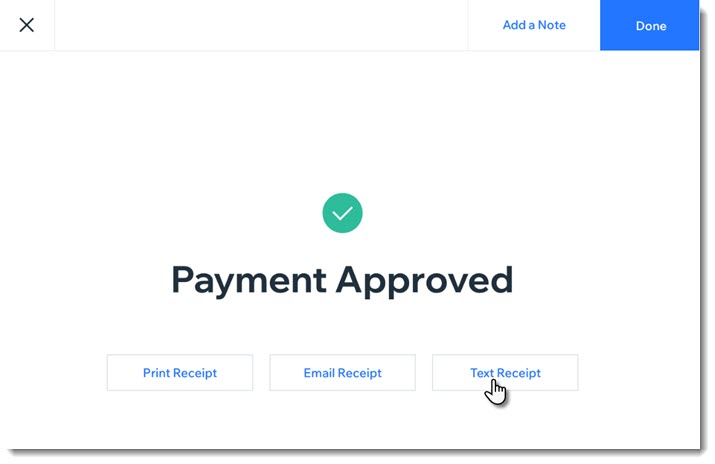
Screenshot of the screen you see after payment for a sale was approved. The screen show a text receipt option

Enabling text receipts

To display the text message receipt option at checkout, you must first enable text receipts.

To enable text receipts:

  1. Open the POS tablet.

  2. Tap the Menu icon  at the bottom left.

  3. Tap Settings.

  4. Tap Receipt on the left menu.

  5. Enable the Enable text receipts toggle.

FAQs

Click a question below to learn more about text receipts.

How do I enter phone numbers correctly?

Enter your customer's phone number, starting with the country code, then the area code, and the actual number. For US and Canadian numbers, enter 1 as the country code, as in the example below:

Screenshot of the field where you enter the phone number and the Text Receipt button

How can I send or resend a text receipt at a later date?

  1. Open the POS tablet.

  2. Tap Sales History from the bottom bar.

  3. Tap the relevant sale to select it.

  4. Tap Actions.

  5. Select Text Receipt.

  6. Enter the phone number and tap Text Receipt.

Need A Professional Website?
Contact Us 
Today!

Marking a Reservation as 'Paid' in Wix Hotels

Editing Your Confirmation Email in Wix Hotels

Receiving Notifications for Wix Hotels Reservations

Cancelling a Reservation in Wix Hotels

Marking Rooms as 'Not Available' in Wix Hotels

Manually Adding Reservations in Wix Hotels

Editing Your Reservations in Wix Hotels

Viewing Your Reservations in Wix Hotels

Upgrading Wix Hotels

Setting Up Tax in Wix Hotels

Setting Minimum and Maximum Stays for Seasonal Rules in Wix Hotels

Editing Your Property Rates Using Quick Rates

Setting Up PayPal as a Payment Method for Wix Hotels

Creating Coupons in Wix Hotels

Setting up Your Payment Method in Wix Hotels

Displaying Room Rates on Your Reservation Calendar

Adding a Deposit Fee to Reservations in Wix Hotels

Adding Extra Charges in Wix Hotels

Charging for Additional Guests in Wix Hotels

Charging Per Person in Wix Hotels

Adding Seasonal Rates in Wix Hotels

Setting a Weekly or Monthly Rate in Wix Hotels

Setting Weekend Rates for Rooms in Wix Hotels

Customizing Your Hotel Availability Calendar

Adding a Hotel Availability Calendar to Your Site

Adding a Hotel Search Bar to Your Site

About Wix Hotels Add-Ons

Customizing Your Room List in Wix Hotels

Removing the 'Kids' Option in Wix Hotels

Editing the Text in Wix Hotels

wix experts
Graphic2Traffic web design
©
bottom of page