


Setting rates & payments
Setting a Weekly or Monthly Rate in Wix Hotels
Important:
This article refers to the original Wix Hotels. If you are using the new Wix Hotels by HotelRunner, which is not yet available to all users, please read the information here. Learn how to check which version of Wix Hotels you are using.
The weekly rate is the rate a guest pays when booking for 7 nights. The monthly rate is the rate a guest pays when booking for 28 nights. Wix Hotels allows you to set the rate at which you want to charge your an individual unit.
To set weekly or monthly rates:
Click the Hotels tab.
Click the Rooms tab.
Click the Edit icon
 for an existing room or click Create New to add a new one.
Scroll down to the Price section.
Click More Pricing Options.
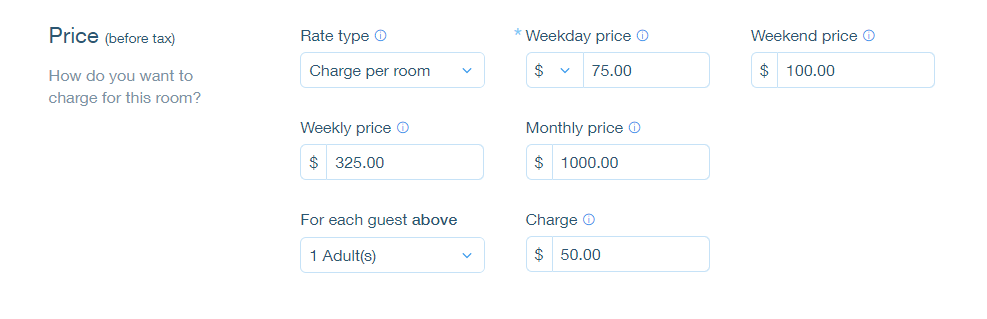
Enter the weekly and/or monthly price.
Click Save.
Tip:
If a guest books for 8 nights, the rate is calculated as the weekly rate + the daily or weekend rate.
If a guest books for 29 nights, the rate is calculated as the monthly rate + the daily or weekend rate.