top of page

Adding and managing apps

Recommended Apps for Photographers

We understand that photographers need the right tools to showcase their work and engage with their audience.

The Wix pro gallery and Wix Portfolio help you create beautiful galleries, organize your portfolio, and connect with potential clients. With these tools, you can enhance your site’s visual appeal and functionality, making it easier for visitors to explore and appreciate your work.

Wix pro gallery

With a pro gallery you can display videos, images and text all in one beautiful multimedia gallery. The gallery is fully customizable, with built-in image protection to keep your content safe. Engage your visitors with social share options, increase site traffic with SEO settings, and connect your gallery to a dataset. You can even upload content on the go directly from the Wix app.

Learn more about the Wix pro gallery.

A screenshot of an example pro gallery.

Wix Portfolio

Craft a memorable portfolio with pro-designed gallery layouts and catalogs, then tweak every little detail to make it look exactly how you want. Connect apps like Instagram and Google Photos and sync projects to your portfolio. Group your projects into collections to help visitors find what they’re looking for. You can also adjust your portfolio's SEO settings and upload content on the go directly from the Wix app.

Learn more about the Wix Portfolio.
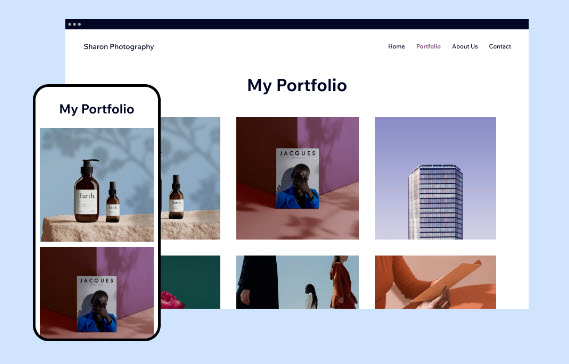
A screenshot of an example portfolio.

Need A Professional Website?
Contact Us 
Today!

Wix Bookings: Managing Your Business Hours Using the Wix App

Wix Bookings: Promoting Your Services from the Wix App

Wix Bookings: Connecting Membership Plans and Packages Using the Wix App

Wix Bookings: Offering Waitlists Using the Wix App

Wix Bookings: Sending a Broadcast Message Using the Wix App

Wix Bookings: Viewing Your Upcoming Sessions in the Wix App

Wix Bookings: Managing Bookings in the Wix App

Wix Bookings: Marking Attendance for Classes and Courses Using the Wix App

Wix Bookings: Accessing the Details of a Class Session in the Wix App

Wix Bookings: Creating Classes Using the Wix Mobile Apps

Wix Bookings: Creating Appointments Using the Wix App

Wix Bookings: Marking a Session as "Paid" in the Wix App

Wix Bookings: Manually Scheduling Bookings for Clients Using the Wix App

Wix Bookings: Adding Wix Bookings from the Wix App

Wix Bookings: Creating and Managing Shareable Links

Wix Bookings: Managing Your Outbound Client Emails

Wix Bookings: Adding and Setting Up a Google 'Book' Button

Wix Bookings: Letting Clients Book Your Services With ClassPass

Wix Bookings: Adding a 'Book' Button to Instagram

Wix Bookings: Adding a 'Book' Button to Facebook

Wix Bookings: About Booking Integrations

Wix Bookings: Adding and Setting up a Loyalty Program for Your Business

Wix Bookings: Sending Custom SMS Messages with Omnisend

Wix Bookings: Creating Discount Coupons with Automations

Wix Bookings: Sending SMS Notifications to Clients

Wix Bookings Troubleshooting: Emails Not Received

Wix Bookings: Managing Email Notifications You Receive

Wix Bookings: Creating Bookings Automations

Wix Bookings: Creating Discount Coupons

Wix Bookings: Customizing Your Daily Agenda

wix experts
Graphic2Traffic web design
©
bottom of page