top of page

Adding and managing apps

Recommended Apps for Fitness Studio Owners

Wix offers you all the tools you need to manage your fitness studio.

Wix Bookings

Use Wix Bookings to schedule and manage personal training sessions, drop-in classes, and full courses. Clients can easily book services, and you can oversee all appointments in one place. Read more about Wix Bookings.

Read more about o learn about other available scheduling apps..

A list of services with Wix Bookings.

The Wix mobile app

Edit and manage your site on the go with the Wix mobile app. Customize your business's mobile appearance and communicate directly with members from anywhere. The Wix app also allows you to run your fitness studio/business from anywhere. Read more about the Wix app.

The Wix mobile app where you can manage all your mobile apps for Wix.

Wix member apps

Customize member apps (Fit by Wix and Spaces by Wix) through your dashboard or the Wix mobile app. Members can book services, join waitlists, chat with you, and more When members arrive for a class, you or the staff giving the class can mark attendance right in the app. Read more about Fit by Wix and Spaces app.

A screenshot of your member apps, specifically Fit by Wix.

Your own native app

You can build a fully personalized native mobile app for your fitness studio and publish it in the app stores by upgrading to a Mobile App Premium plan. Design your own app to match your brand, publish it on Google Play and Apple App Store, and offer exclusive features to your members. Use this custom app to enhance your studio’s professional image and streamline member interactions. Read more about your own native mobile app.

A screenshot of your personalize own mobile app.

Wix Stores

Do you sell gym equipment, t-shirts, or other products at your gym? You can use Wix Stores to create a stunning online shop and make sales through your app. Read more about Wix Stores.

A screenshot of your stores and examples of what a site can sell.

Wix FAQ App

Answer the most frequently asked questions of your clients by adding an FAQ page to your site. Add an FAQ page to your site to address common client questions efficiently. Read more about the FAQ app.
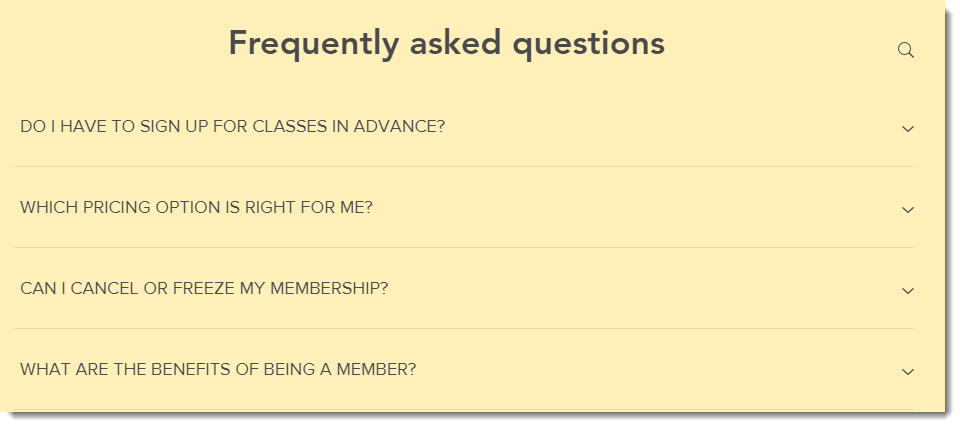
A screenshot of the FAQ app.

Need A Professional Website?
Contact Us 
Today!

Wix Restaurants: Setting Up Your Restaurant Address and Phone Number

Wix Restaurants: An Overview

Pricing Plans: Creating Coupons Using the Wix App

Pricing Plans: Customizing Your Plans on the Wix Mobile Apps

Pricing Plans: Enabling Invoices for Plan Purchases in the Wix App

Pricing Plans: Setting Up Tax in the Wix App

Pricing Plans: Connecting a Plan to Content & Services in the Wix App

Pricing Plans: Creating an Introductory Offer Using the Wix App

Pricing Plans: Selling Plans Offline Using the Wix App

Pricing Plans: Managing Purchased Plans in the Wix App

Pricing Plans: Creating Plans in the Wix App

Pricing Plans: Adding Pricing Plans in the Wix App

Pricing Plans: Updating the Payment Method on a Customer Subscription

Pricing Plans: Changing the Payment Date for Recurring Subscriptions

Pricing Plans: Understanding Wix Analytics Subscriptions Reports

Pricing Plans: Viewing and Downloading Analytics Reports

Pricing Plans: Viewing and Editing Your Client Information

Pricing Plans: Limiting Your Blog to Members Who Purchased a Pricing Plan

Pricing Plans: Viewing a Client's Subscription and Payment History

Pricing Plans: Canceling Client Plans

Pricing Plans: Checking How Many Package Sessions Were Used

Pricing Plans: Managing Your Clients' Subscriptions

Pricing Plans: Temporarily Suspending a Plan

Pricing Plans: Creating Discount Coupons

Pricing Plans: Selling Plans Offline

Pricing Plans: Displaying Different Plan Types Using Tabs

Pricing Plans: Customizing Your Thank You Page

Pricing Plans: Customizing the Mobile View of the Pricing Plans Page

Pricing Plans: Displaying Plans on Multiple Site Pages

Pricing Plans: Customizing the Look of Your Pricing Plans Page

wix experts
Graphic2Traffic web design
©
bottom of page