top of page

Setting up Pricing Plans

Pricing Plans: Upgrading Your Site to Sell Plans Online

You can add and set up the Wix Pricing Plans app on your site for free. To sell your membership plans and packages online and remove Wix branding, you need to upgrade your site. You do not need to upgrade to add plans (sell them offline) or to sell free plans.

Important:

After submitting your purchase, your bank may require you to verify your identity. If you're experiencing any issues with the authentication process, contact your bank directly.

Want to sell your plans online?

Upgrade now

Grow your revenue by accepting online payments

Accept payments directly on your website, and offer your customers a seamless and secure experience.
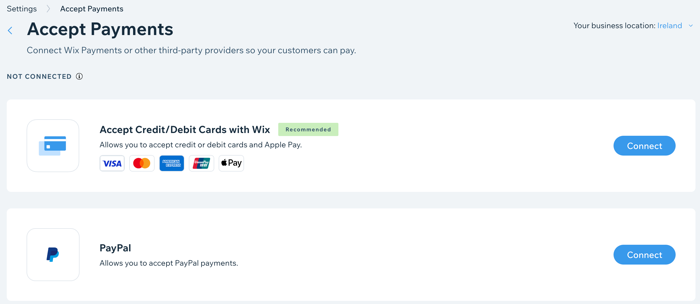
A screenshot showing how to add online payment providers to your site.

Improve your branding with a custom domain

Connect your own custom domain (e.g. www.mystunningwebsite.com), which improves your branding and gives your website a more professional look. When you upgrade to a Business and eCommerce plan, you also get your domain for free for the first year.
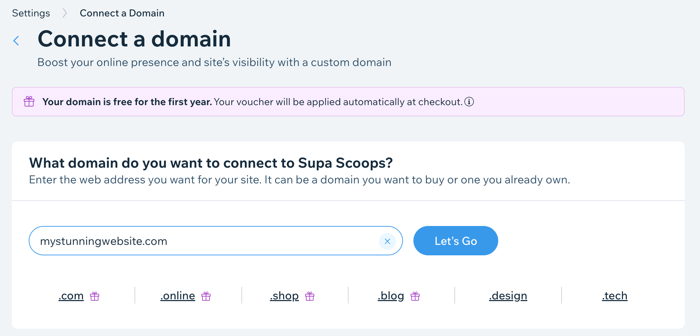
A screenshot showing how to register a domain when you upgrade your site.

Track your sales with advanced analytics

Track your subscriptions sold over time and compare different time periods. This is great for tracking the success of your marketing and the popularity of your subscriptions.
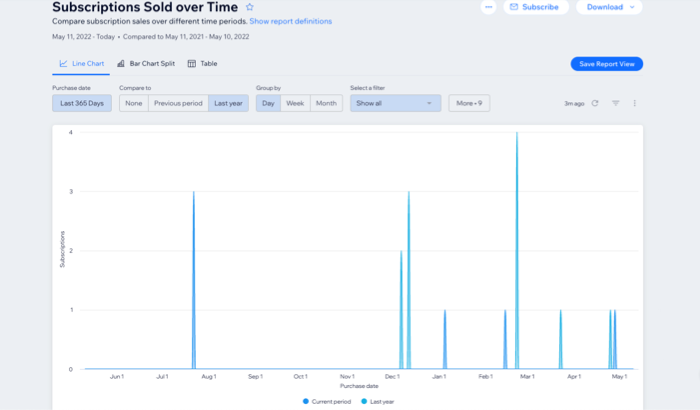
A screenshot showing Pricing Plans subscriptions analytics over time.

Need A Professional Website?
Contact Us 
Today!

Marking a Reservation as 'Paid' in Wix Hotels

Editing Your Confirmation Email in Wix Hotels

Receiving Notifications for Wix Hotels Reservations

Cancelling a Reservation in Wix Hotels

Marking Rooms as 'Not Available' in Wix Hotels

Manually Adding Reservations in Wix Hotels

Editing Your Reservations in Wix Hotels

Viewing Your Reservations in Wix Hotels

Upgrading Wix Hotels

Setting Up Tax in Wix Hotels

Setting Minimum and Maximum Stays for Seasonal Rules in Wix Hotels

Editing Your Property Rates Using Quick Rates

Setting Up PayPal as a Payment Method for Wix Hotels

Creating Coupons in Wix Hotels

Setting up Your Payment Method in Wix Hotels

Displaying Room Rates on Your Reservation Calendar

Adding a Deposit Fee to Reservations in Wix Hotels

Adding Extra Charges in Wix Hotels

Charging for Additional Guests in Wix Hotels

Charging Per Person in Wix Hotels

Adding Seasonal Rates in Wix Hotels

Setting a Weekly or Monthly Rate in Wix Hotels

Setting Weekend Rates for Rooms in Wix Hotels

Customizing Your Hotel Availability Calendar

Adding a Hotel Availability Calendar to Your Site

Adding a Hotel Search Bar to Your Site

About Wix Hotels Add-Ons

Customizing Your Room List in Wix Hotels

Removing the 'Kids' Option in Wix Hotels

Editing the Text in Wix Hotels

wix experts
Graphic2Traffic web design
©
bottom of page