top of page

Setting up Online Programs

Online Programs: About Automations for Your Program

Boost your site's success with minimal effort by creating automations to manage your program. Automations streamline repetitive tasks and help you hit your marketing targets. Think of them as a combination of triggers and actions—like sending a welcome email when someone joins your program. You can use built-in triggers and actions, or customize your own.

Ready to create automations for your program?

Go to Automations in your site's dashboard.
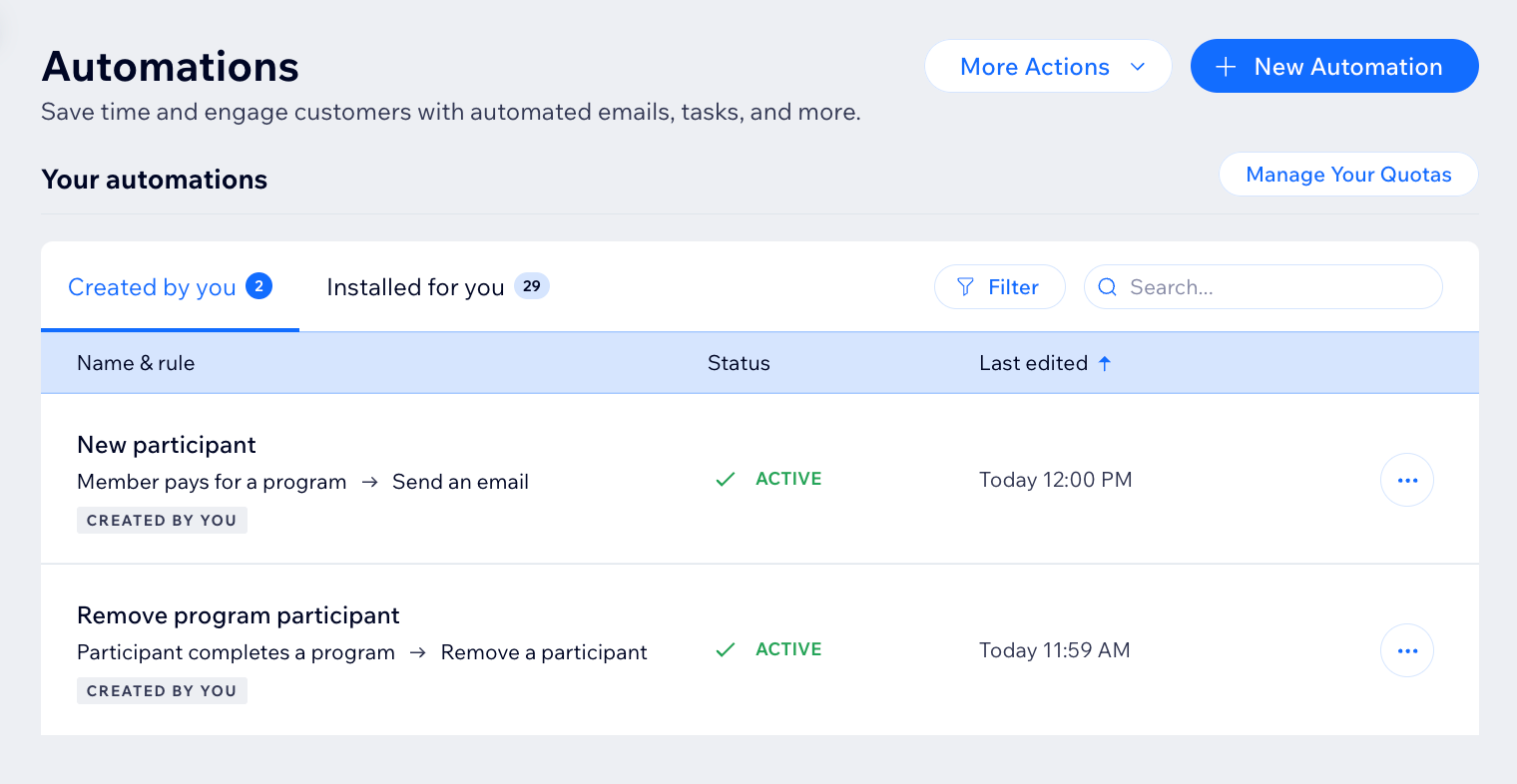
A screenshot of the Online Programs app in the automation flow

Choose a trigger

Select the Online Programs app in the automation flow to see its triggers. A trigger is an event that a member or participant does involving your program. This event initiates an automatic response. You can choose from a list of available triggers and select specific programs.

For example, you can remove a participant when they complete a self-paced program. To do so, use the trigger "Participant completes the program". Add a delay of 3 days, and the action "Remove participant", for a specific program.

The built-in triggers for Online Programs are:

  • Member pays for a program

  • Member joins a program

  • Participant completes a step

  • Participant leaves a program

  • Participant completes a program

  • Program end date has passed

A screenshot of the Online Programs app in the automation flow

Choose an action

Select actions that respond to your trigger. You can choose general actions like sending an email or updating Google Sheets. You can also use the specific Online Programs action: Remove a participant. For example: Combine "Program end date has passed" with the action "Remove participant". This will remove participants from a program when it ends.

A screenshot of the Online Programs app in the automation flow

Participants that are removed by an automation are labeled as Auto-Removed.
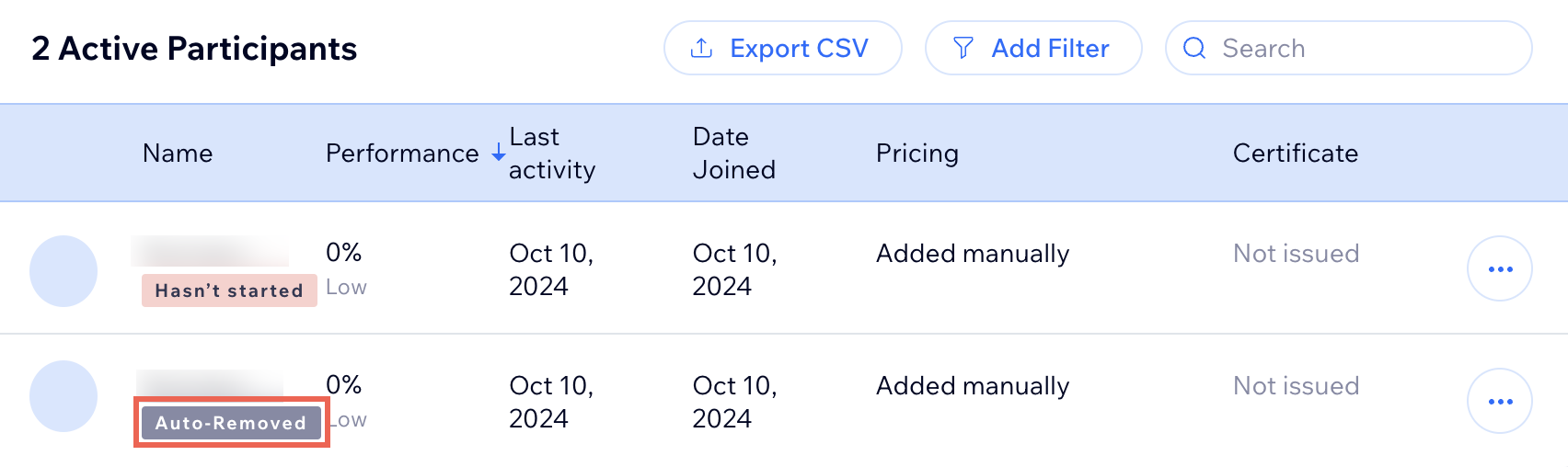
A screenshot of the Online Programs app participants list

Need A Professional Website?
Contact Us 
Today!

Wix Events: Adding Rich Media Content to an Event

Wix Events: Adding a Policy Checkbox

Wix Events: Optimizing SEO Settings

Wix Events: Setting Registration Opening & Closing Times in Advance

Wix Events: Customizing Registration Settings & Messages

Wix Events: Customizing the Registration Form for Ticketed Events

Wix Events: Customizing the Registration Form for RSVP Events

Wix Events: Troubleshooting Missing Emails

Wix Events: Managing Emails You Send and Receive

Wix Events: Creating a Hybrid Event

Wix Events: Creating a Private Event

Wix Events: Creating and Managing Event Categories

Wix Events: Creating an Event Schedule

Wix Events: Hosting a Live Streaming Event

Wix Events: Translating Your Event

Wix Events: Creating Online Events

Wix Events: Creating an Online Zoom Event

Wix Events: Hosting an Online Event With Wix Live

Wix Events: Creating a Recurring Event

Wix Events: Creating a Single Event

Wix Events: Understanding Different Types of Events

Wix Events: Understanding the Difference Between RSVP Events and Ticketed Events

Wix Events: Deleting Wix Events

Wix Events: Changing the Email Address for RSVP Notifications

Wix Events: Changing Your Currency

Wix Events: Editing the Date and Time Format

Wix Events: Upgrading Your Site

Wix Events: Adding Additional Event Pages to Your Site

Wix Events: Adding Wix Events to Your Site

Wix Events: About Wix Events

wix experts
Graphic2Traffic web design
©
bottom of page