top of page

Managing store emails

Wix Stores: Sending Automated Emails to Customers

Manage your business more efficiently with Wix Automations. Choose from a variety of automated emails to suit your needs - some of them designed especially to work with Wix Stores.

These automations are already set to go. Just select the one you want to use and click Activate, or customize the timing, images, text, and more to make it your own. Learn how to create a new automation.

In this article, learn about some Wix Stores automated email options:

Sending an email when a customer abandons a cart

A great way to boost sales among customers who are undecided is to send them an email after they leave your store with items in their carts. The email automatically displays one of the items they abandoned.  Learn more about abandoned cart emails.
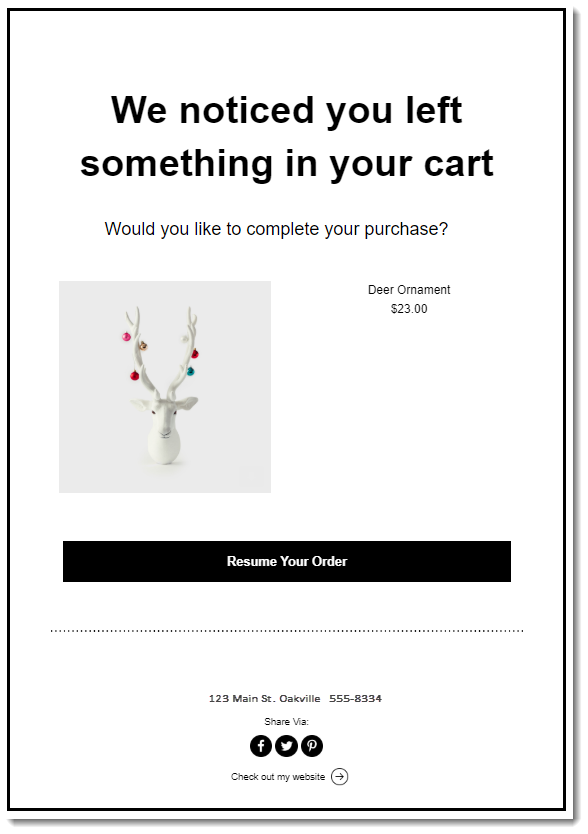
Screenshot of and abandoned cart Automation

To get started, click +New Automation and select Email visitors to recover abandoned carts.

Screenshot of New Automation selection screen

Inviting customers back after a purchase

Create a connection by sending your customers an automated message after they complete a purchase. This is a great opportunity to tell them more about your other products or deals.

Note that this email is sent in addition to the confirmation email that every customer receives after placing an order. By default, the timing is set for 30 days after the initial order was placed.

To get started, click +New Automation, select Sell more online, and then click Invite customers back via email.

Screenshot of New Automation selection screen

Asking customers for their feedback

Want to know what's working in your store and what isn't? Ask your shoppers.
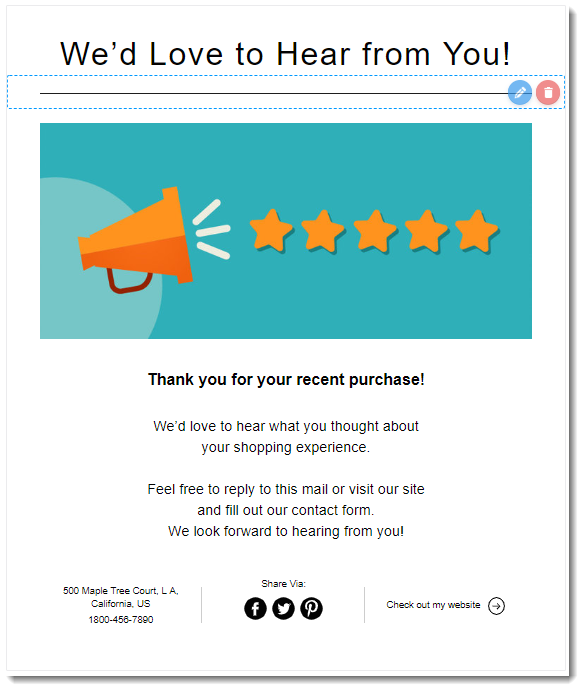
Screenshot of a Automation asking customers for feedback

To get started, click +New Automation, select Engage with clients, and then click Get feedback from customers.

Screenshot of New Automation selection screen

Need A Professional Website?
Contact Us 
Today!

Accepting Payments: An Overview

Third-Party App: Adobe Express for Wix by Adobe

Third-Party App: Image Zoom by Widgetic

Third-Party App: Calculator Builder by Lumifish LABS

Third-Party App: Blocky IP & Country Blocker by Effective Apps

Third-Party Apps: Design Elements Apps

Third-Party App: Google Reviews by Elfsight

Third-Party App: Customer Reviews by Write a Customer Review

Third-Party App: Contact Management/CRM by vcita Inc.

Third-Party App: 123 Form Builder & Payments by 123FormBuilder

Third-Party Apps: Communications Apps

Third-Party App: Cookiebot™ for Wix by Usercentrics

Recommended Apps for Musicians

Third-Party App: Weglot Translate by Weglot

Third-Party Apps: Media and Content Apps

Third-Party App: Boom Event Calendar by BoomTech

Third-Party App: Cap Rate Calculator by Allioo.com

Third-Party App: Nash: All-in-1 Local Delivery by Nash Technologies Inc

Third-Party Apps: Hotel & Airbnbs Map

Third-Party App: Events Calendar by inlight Labs

Third-Party Apps: Services and Events Apps

Third-Party App: Mailchimp by Intuit Mailchimp

Third-Party App: ReConvert Upsell and Cross Sell by ReConvert

Third-Party App: Visitor Analytics by Visitor Analytics

Third-Party App: Site Booster by AppSharp

Third-Party App: rankingCoach SEO by rankingCoach

Third-Party App: Rabbit SEO by SEO Tools

Third-Party App: Mailchimp Integration by PoCo

Third-Party App: Mailchimp Forms by MailMunch

Third-Party App: GetTraffic by Infolinks Media

wix experts
Graphic2Traffic web design
©
bottom of page