top of page

Promoting stores sales

Wix Stores: Managing Your Coupons

Manage your coupons by activating the ones you want to offer customers and deactivating or deleting coupons you don't want to make available.

Note:

If you delete or deactivate a coupon, your customers won't be able to redeem it while checkout out.

Activating or deactivating a coupon

You can save time by creating a coupon once and then reusing it when needed. For example, you can create a Summer Sale Coupon and deactivate it when the sale it over. When summer rolls around again, just click the toggle to activate it.
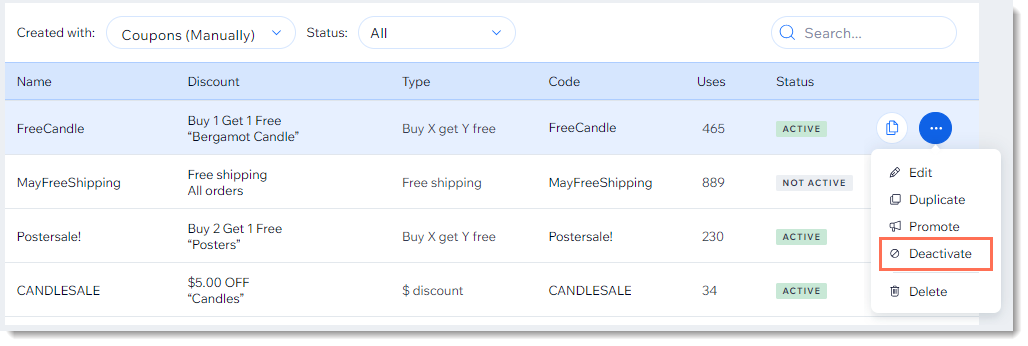
Screenshot of the coupon list in the Wix dashboard with the deactivate coupon option outlined

  1. Go to Coupons in your site's dashboard.

  2. Click the More Actions icon    next to the relevant coupon.

  3. Click Activate or Deactivate.

Deleting a coupon

Keep your Coupons page clean by deleting coupons that can no longer be used.

Note:

Once you delete a coupon, you can't undo this action. You can, however, recreate a coupon with the same details.
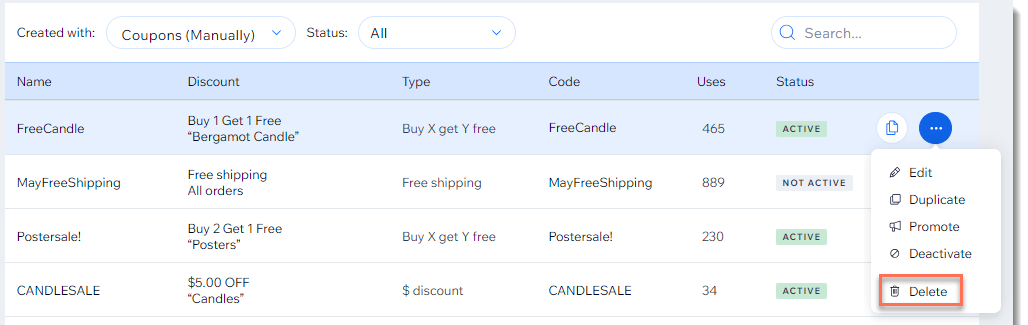
Screenshot of the coupon list in the Wix dashboard with the Delete  option outlined

To delete a coupon:

  1. Go to Coupons in your site's dashboard.

  2. Click the More Actions icon   at the top right of the coupon you want to delete.

  3. Click Delete.

  4. Click Yes, Delete to confirm.

Need A Professional Website?
Contact Us 
Today!

Receiving Your Payouts from Wix Payments

Wix Payments: Receiving Your First Payout

Wix Payments: Viewing Your Payouts

Managing Business Owners in Wix Payments

Wix Payments: Updating Your Account Settings

Wix Payments: Understanding the Status of Your Account

Wix Payments: Accessing Your Account Dashboard

Wix Payments: Troubleshooting Site Access Issues

Wix Payments: Adding Klarna as a Payment Method

Wix Payments: Adding Affirm as a Payment Method

Wix Payments: Adding Afterpay as a Payment Method

Wix Payments: Assigning Payments Roles

Wix Payments: Adding Tap to Pay on Mobile as a Payment Method

Wix Payments: Adding Google Pay as a Payment Method

Wix Payments: Enabling Point of Sale (POS)

Wix Payments: Adding Apple Pay as a Payment Method

Wix Payments Terms of Service

Wix Payments: Service Fees

Customizing Your Wix Payments Statement Descriptor

Wix Payments: Ensuring Your Business is Ready for Sales

Best Practices for Merchants Using Wix Payments

Wix Payments: Prohibited Products and Services

Wix Payments: Guidelines for Uploading Documentation

Wix Payments: Verifying Your Employer Identification Number (EIN)

Adding Business Owners to Your Wix Payments Account

Wix Payments: The Difference Between Account Types

Wix Payments Verification Process

Completing Your Wix Payments Account Setup

Switching to Wix Payments

Wix Payments: Creating an Account

wix experts
Graphic2Traffic web design
©
bottom of page