top of page

Setting up Retail POS sales

Wix Retail POS: Setting Up Text Receipts

Important:

  • This article is about Wix Retail POS tablet for brick & mortar businesses.

  • For info on using POS on a mobile device, click here.

Save paper by providing customers with receipts via text message (SMS). After you enable this option, you'll be able to select it at checkout.
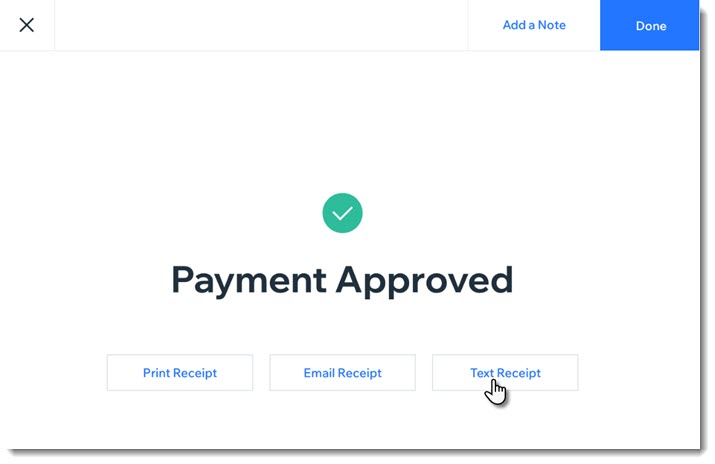
Screenshot of the screen you see after payment for a sale was approved. The screen show a text receipt option

Enabling text receipts

To display the text message receipt option at checkout, you must first enable text receipts.

To enable text receipts:

  1. Open the POS tablet.

  2. Tap the Menu icon  at the bottom left.

  3. Tap Settings.

  4. Tap Receipt on the left menu.

  5. Enable the Enable text receipts toggle.

FAQs

Click a question below to learn more about text receipts.

How do I enter phone numbers correctly?

Enter your customer's phone number, starting with the country code, then the area code, and the actual number. For US and Canadian numbers, enter 1 as the country code, as in the example below:

Screenshot of the field where you enter the phone number and the Text Receipt button

How can I send or resend a text receipt at a later date?

  1. Open the POS tablet.

  2. Tap Sales History from the bottom bar.

  3. Tap the relevant sale to select it.

  4. Tap Actions.

  5. Select Text Receipt.

  6. Enter the phone number and tap Text Receipt.

Need A Professional Website?
Contact Us 
Today!

Wix Events: Designing a Ticket PDF for Your Event

Wix Events: Creating a Seating Map

Wix Events: Creating Tickets

Wix Events: About Automated Emails for Events

Wix Events: Limiting Registration and Creating Waitlists for RSVP Events

Wix Events: Manually Adding Guests to an Event

Wix Events: Exporting Your Guest List or Order List

Wix Events: Managing Your Guest List

Wix Events: Deleting an Event

Wix Events: Setting When Registration is Open or Closed

Wix Events: Rescheduling Events

Wix Events: Canceling an Event

Wix Events: Viewing Your Events

Wix Events: Adding and Optimizing a Search Box for Events

Wix Events: Setting Up Your Event Schedule Page

Wix Events: About the Event Details and Registration Form Pages

Wix Events: Displaying a Standalone Wix Events Button

Wix Events: Displaying a Map on the Event Details Page

Wix Events: Setting Up Your Event Details Page

Wix Events: Editing Event Text

Wix Events: About the Event Details and Registration Form Pages

Wix Events: Displaying a Map on the Event Details Page

Wix Events: Setting Up Your Event Details Page

Wix Events: Editing Event Text

Wix Events: Customizing Your Registration Form Page

Wix Events: Customizing the Event List Design

Wix Events: Changing the Event List Layout

Wix Events: Showing or Hiding Event Pages

Wix Events: Adding a Members Area

Wix Events: Choosing Which Events to Display on a Site Page

wix experts
Graphic2Traffic web design
©
bottom of page