top of page

Setting up Retail POS sales

Wix Retail POS: Organizing Your Favorites Screen

Important:

  • This article is about Wix Retail POS tablet for brick & mortar stores.

  • For info on using POS on a mobile device, click here.

Make sure your most popular products, discounts, and more are easily accessible by adding them to your Favorites. Your Favorites screen can include:

  • Products

  • Product categories

  • Discounts

  • Gift cards

When you're processing a sale, you can tap the Favorites tab and then add one of these items to the sale.
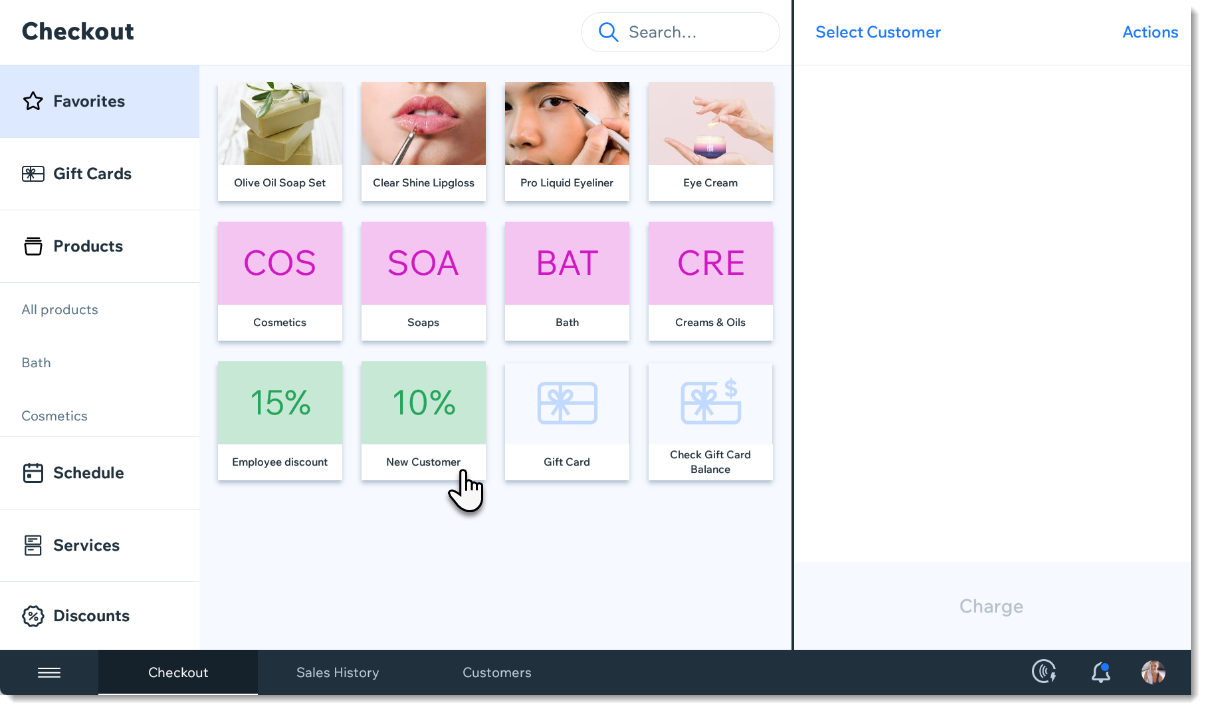
Screenshot of the Favorites tab in the checkout screen in the Wix Retail POS tablet

Adding items to your Favorites

  1. Open the POS tablet.

  2. Tap the Menu icon at the bottom left.

  3. Tap Settings.

  4. Tap Manage next to Favorites.

  5. Add an item to your Favorites.Tap the Add icon .
    Select Products, Categories, Discounts, or Gift Cards.
    Tap the item you want to add to your Favorites.

  6. (Optional) Drag items to reorder them.

  7. Tap Save.

FAQs

Click a question to learn more.

How can I remove an item from my Favorites?

To remove an item, go back to the Settings, tap Manage next to Favorites, then tap the X that appears in the top left corner of an item to delete it.

Screenshot of an item in the Favorites, in the Wix Retail POS system

Can I customize the color of the categories, discounts, and gift cards?

These colors cannot be customized.

Need A Professional Website?
Contact Us 
Today!

Wix Events: Designing a Ticket PDF for Your Event

Wix Events: Creating a Seating Map

Wix Events: Creating Tickets

Wix Events: About Automated Emails for Events

Wix Events: Limiting Registration and Creating Waitlists for RSVP Events

Wix Events: Manually Adding Guests to an Event

Wix Events: Exporting Your Guest List or Order List

Wix Events: Managing Your Guest List

Wix Events: Deleting an Event

Wix Events: Setting When Registration is Open or Closed

Wix Events: Rescheduling Events

Wix Events: Canceling an Event

Wix Events: Viewing Your Events

Wix Events: Adding and Optimizing a Search Box for Events

Wix Events: Setting Up Your Event Schedule Page

Wix Events: About the Event Details and Registration Form Pages

Wix Events: Displaying a Standalone Wix Events Button

Wix Events: Displaying a Map on the Event Details Page

Wix Events: Setting Up Your Event Details Page

Wix Events: Editing Event Text

Wix Events: About the Event Details and Registration Form Pages

Wix Events: Displaying a Map on the Event Details Page

Wix Events: Setting Up Your Event Details Page

Wix Events: Editing Event Text

Wix Events: Customizing Your Registration Form Page

Wix Events: Customizing the Event List Design

Wix Events: Changing the Event List Layout

Wix Events: Showing or Hiding Event Pages

Wix Events: Adding a Members Area

Wix Events: Choosing Which Events to Display on a Site Page

wix experts
Graphic2Traffic web design
©
bottom of page