top of page

Managing your Store in Retail POS

Wix Retail POS: Creating Product Categories

Important:

  • This article is about Wix Retail POS tablet for brick & mortar businesses.

  • For info on using POS on a mobile device, click here.

Using product categories, you can organize your store products to help you locate them more quickly at your point of sale.

Note:

Product categories were previously called product collections.

All your products are automatically added to the "All Products" category. You can also add products to other categories so that they appear in more than one category. For example, if you have a pet shop, you can create a "Dog" category and a "Cat" category, that contain dog and cat food respectively. You can also create a general "Pet Food" category that includes the same products that are in the other categories.
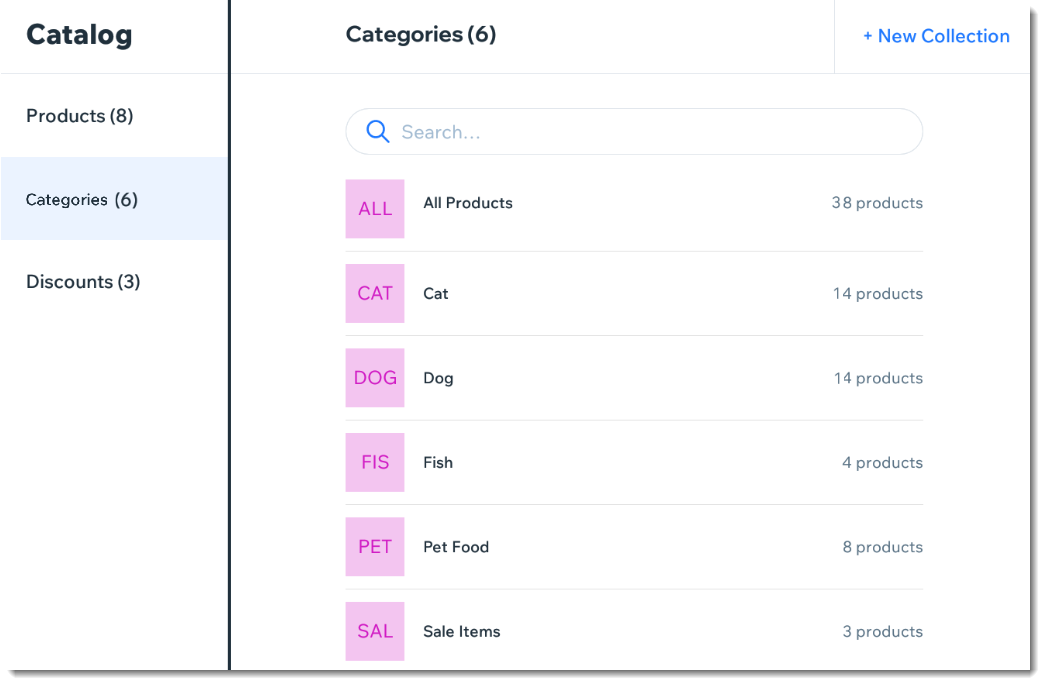
Screenshot of the Categories page in the Wix Retail POS tablet

Note:

Any product categories you create on the POS tablet also appear in your dashboard on desktop and vice versa. You can use categories in your live site to display different types of products on different pages.

To create a product category:

  1. Open the POS tablet.

  2. Tap the Menu icon  at the bottom left.

  3. Tap Catalog.

  4. Tap Categories.

  5. Tap + New Category.

  6. Enter a name for your category and tap Save.

  7. Add products to your new category:Tap Add Products.
    Select the checkboxes next to the products you want to add.
    Note: You can use the search bar to find specific products.
    Tap Add.

Notes:

  • To delete a product category, select the category and tap Delete at the top right. Deleting a category does not delete the products.

  • To remove a product from a category, tap the Remove iconnext to the product.

Need A Professional Website?
Contact Us 
Today!

Wix Video: Selling Your Videos

Wix Video: Selling and Renting Videos

Wix Video: Allowing Video Downloads

Wix Video: Setting Up Your Payment Methods

Wix Video: Selling and Renting Options

Wix Video: Setting Up Free Video Viewing

Wix Video: Linking an Element to a Video or Channel

Wix Video: Troubleshooting Site Visitors Issues

Wix Video: Autoplay for Videos

Wix Video: Adding a Custom Logo to Videos When Embedded in Other Sites

Wix Video: Allowing Comments on Your Videos

Wix Video: Adding a Custom Logo to Videos When Embedded in Other Sites

Wix Video: Allowing Comments on Your Videos

Wix Video: Allowing Others to Embed Your Video on their Site

Wix Video: Displaying a Single Video in Your Wix Video Player

Wix Video: Customizing the Design of your Video Player

Wix Video: Changing Your Player Settings

Wix Video: Changing the Layout of Your Wix Video Player

Wix Video: Displaying a Channel in Your Wix Video Player

Wix Video: Deleting a Channel from Your Video Library

Wix Video: Scheduling A Publish Time for Videos

Wix Video: Managing Video Channels in the Wix App

Wix Video: Managing Channel Subscriptions (for Visitors)

Wix Video: Troubleshooting Issues with External Videos

Wix Video: Troubleshooting Issues when Uploading Videos

Wix Video: Deleting a Video from Your Video Library

Wix Video: Unavailable Videos in Your Video Library

Wix Video: Adding and Editing Action Cards

Wix Video: Errors when Uploading from Wix Video to Facebook

Wix Video: Errors when Uploading from Wix Video to YouTube

wix experts
Graphic2Traffic web design
©
bottom of page