


Wix Portfolio
Wix Portfolio: Connecting Integrations
Connect apps and sync media to your portfolio to showcase all your work in one place. Once you connect an app, you can view its media and sync it as brand-new projects to your portfolio.
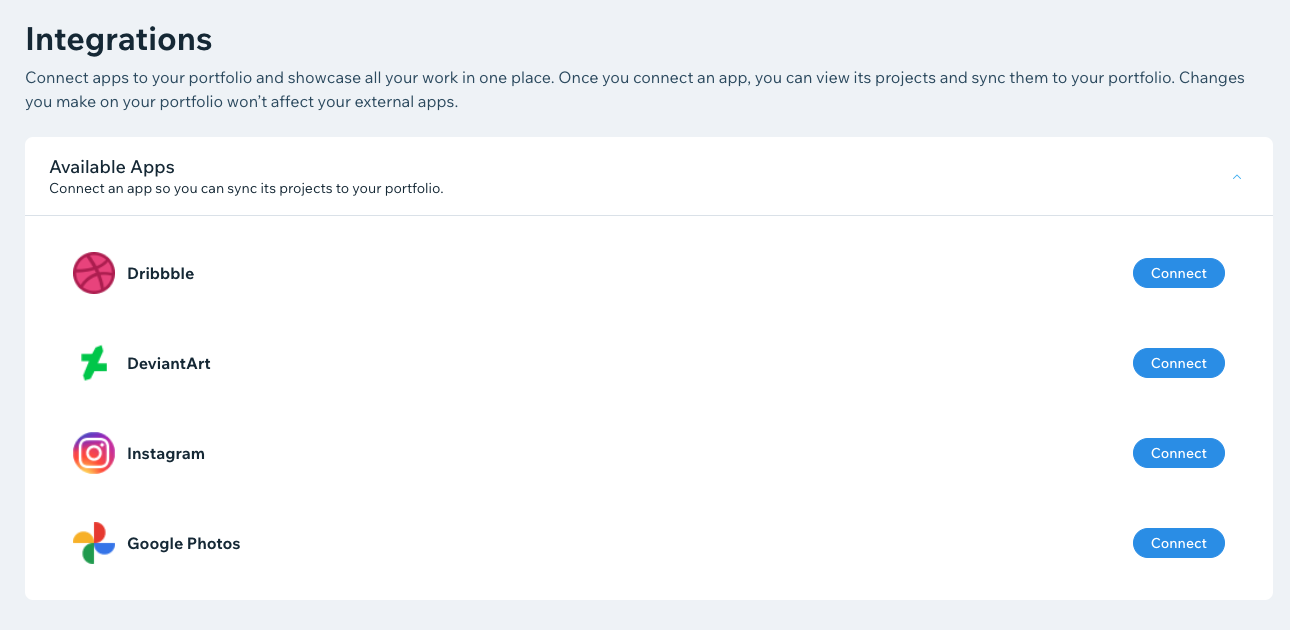
You can connect Instagram, Google Photos, Dribbble and DeviantArt to your Wix Portfolio.
In this article, learn more about connecting Wix Portfolio with:
Connecting Instagram to your portfolio
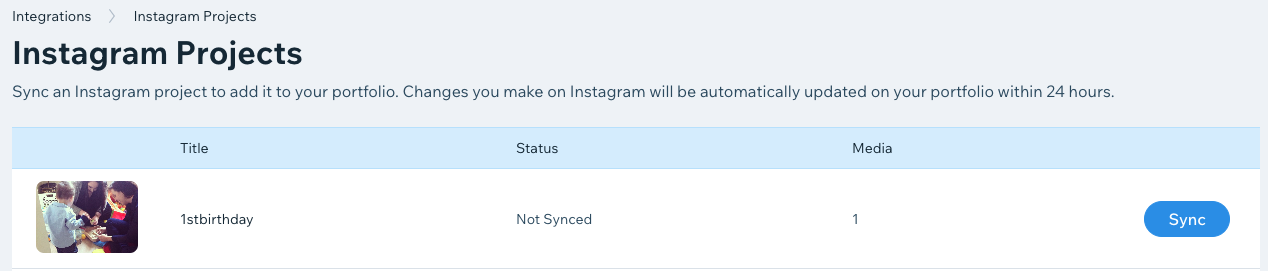
Once you log in to your Instagram account and connect to your portfolio, you can create a new portfolio project from an Instagram hashtag. All your Instagram images with that hashtag will be synced to the new project.
To connect Instagram to your portfolio:
Go to Portfolio in your site's dashboard.
Click the Integrations tab on the left.
Click Connect next to Instagram.

Click Add to Site.
Click Agree & Add to allow Wix to read basic site & business info.
Click Connect Instagram.
Log in to your Instagram account in the pop-up window if not already signed in.
Click Allow. Your Instagram account is now connected with your portfolio.
Next:
Learn more about managing your portfolio integrations.
Connecting Google Photos to your portfolio
Once you log in to your Google Photos account and connect to your portfolio, you can view your Google Photo albums and choose which ones you want to sync as new projects.
To connect Google Photos to your portfolio:
Go to Portfolio in your site's dashboard.
Click the Integrations tab on the left.
Click Connect next to Google Photos.

Click Add to Site.
Click Agree & Add to allow Wix to read basic site & business info.
Click Connect Google Photos.
Log in to your Google Photos account in the pop-up window, if not signed-in already. Your Google Photos account is now connected with your portfolio.
Connecting Dribbble to your portfolio
Once you log in and connect your Dribbble account, you can view all your Dribbble shots and choose which ones to add to your portfolio.
To connect Dribbble to your portfolio:
Go to Portfolio in your site's dashboard.
Click the Integrations tab on the left.
Click Connect next to Dribbble.

Click Add to Site.
Click Agree & Add to allow Wix to read basic site & business info.
Click Connect Dribbble.
Log in to your Dribbble account in the pop-up window, if not signed-in already. Your Dribbble account is now connected with your portfolio.
Connecting DeviantArt to your portfolio
Once you log in and connect to your DeviantArt account, you can view all your DeviantArt galleries and choose which ones you want to sync to your portfolio as new projects.
To connect DeviantArt to your portfolio:
Go to Portfolio in your site's dashboard.
Click the Integrations tab on the left.
Click Connect next to DeviantArt.

Click Add to Site.
Click Agree & Add to allow Wix to read basic site & business info.
Click Connect DeviantArt.
Log in to your DeviantArt account in the pop-up window, if not signed-in already. Your DeviantArt account is now connected with your portfolio.
FAQs
Click a question below to learn more about connecting portfolio integrations.
How can I remove a connected integration from my portfolio?
You can remove an integration by deleting the app for portfolio from your dashboard.
Go to Manage Apps in your site's dashboard.
Click the More Actions icon
 next to the relevant integration.
Click Delete.
Select an option from the Why are you deleting this app? drop-down.
Click Delete App.

How long will it take for changes in my creative apps (Instagram, Google Photos etc.) to reflect in my portfolio?
Any changes you make in your creative apps reflect in your portfolio within 24 hours.