top of page

Selling and promoting your music

Wix Music: Viewing Your Transactions

Wix Music lets you sell the music you make directly on your site. You can view all of your sales in one place, making it easy to track your earnings and stay up to date on your fans' activity.

In this article, learn about:

Viewing your transactions

The Payments page in your site's dashboard shows a list of any transaction your visitors made. Click a transaction to see information like the amount, who made the payment, and its current status.

To view transactions:

  1. Go to Payments in your site's dashboard.

  2. Click the relevant payment to see more information.
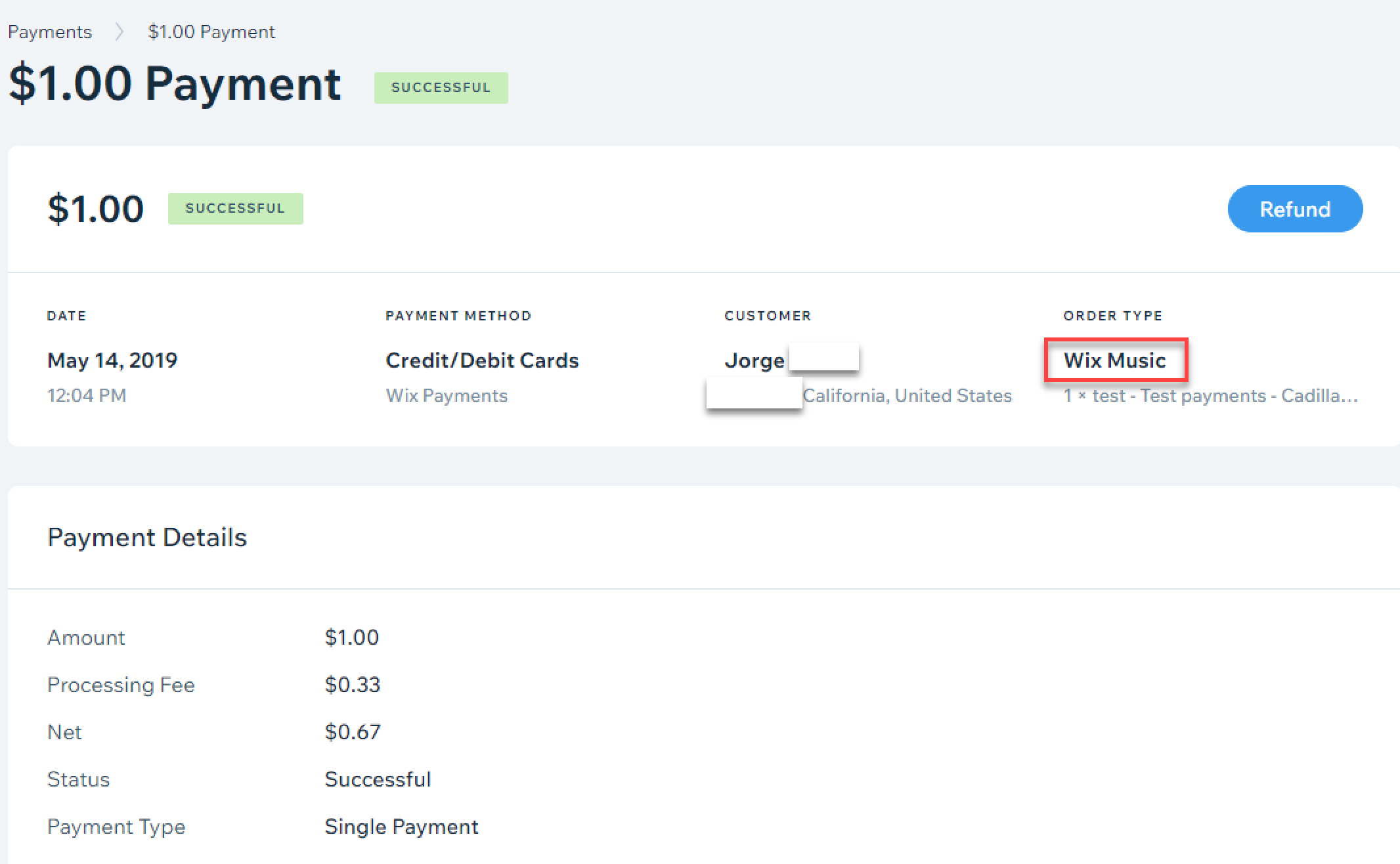
A screenshot of the payment menu with Wix Music highlighted as the order type.

Need to refund a customer?

If you're using Wix Payments, you can click Refund at the top right, when viewing a transaction, to issue a refund. For other providers, see this article about issuing refunds with third-party payment providers.

Filtering your transactions

You can filter the list on the Payments page by date, status, payment provider/method, and order type. This is a great way to find a specific transaction quickly, without having to go through each one.

To filter your transactions:

  1. Go to Payments in your site's dashboard.

  2. Click Filter.

  3. Select the checkbox next to the filter(s) you want to apply.

Tip:

Selling other products or services on your site? You can filter the list to only show Wix Music transactions. Select Wix Music as the Order Type.
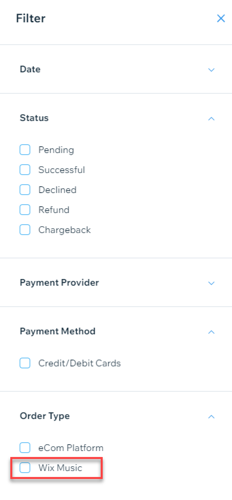
A screenshot of the available filters for transactions, with Wix Music highlighted as the order type.

Need A Professional Website?
Contact Us 
Today!

Accepting Payments: An Overview

Third-Party App: Adobe Express for Wix by Adobe

Third-Party App: Image Zoom by Widgetic

Third-Party App: Calculator Builder by Lumifish LABS

Third-Party App: Blocky IP & Country Blocker by Effective Apps

Third-Party Apps: Design Elements Apps

Third-Party App: Google Reviews by Elfsight

Third-Party App: Customer Reviews by Write a Customer Review

Third-Party App: Contact Management/CRM by vcita Inc.

Third-Party App: 123 Form Builder & Payments by 123FormBuilder

Third-Party Apps: Communications Apps

Third-Party App: Cookiebot™ for Wix by Usercentrics

Recommended Apps for Musicians

Third-Party App: Weglot Translate by Weglot

Third-Party Apps: Media and Content Apps

Third-Party App: Boom Event Calendar by BoomTech

Third-Party App: Cap Rate Calculator by Allioo.com

Third-Party App: Nash: All-in-1 Local Delivery by Nash Technologies Inc

Third-Party Apps: Hotel & Airbnbs Map

Third-Party App: Events Calendar by inlight Labs

Third-Party Apps: Services and Events Apps

Third-Party App: Mailchimp by Intuit Mailchimp

Third-Party App: ReConvert Upsell and Cross Sell by ReConvert

Third-Party App: Visitor Analytics by Visitor Analytics

Third-Party App: Site Booster by AppSharp

Third-Party App: rankingCoach SEO by rankingCoach

Third-Party App: Rabbit SEO by SEO Tools

Third-Party App: Mailchimp Integration by PoCo

Third-Party App: Mailchimp Forms by MailMunch

Third-Party App: GetTraffic by Infolinks Media

wix experts
Graphic2Traffic web design
©
bottom of page