top of page

Third Party Payment Providers

Using a Different Account with the Same Payment Provider

If you have more than one account with a third-party payment provider, you can switch to your preferred account to accept payments on your Wix site.

If you're not sure which provider account you currently have connected to your Wix site, you can check which provider you have connected and view your current credentials before you switch.

In this article, learn how to:

Viewing your provider credentials

  1. Go to Accept Payments on your site's dashboard.

  2. Click Manage next to the payment provider / method you want to check.

  3. View your current provider credentials in the Account information section.
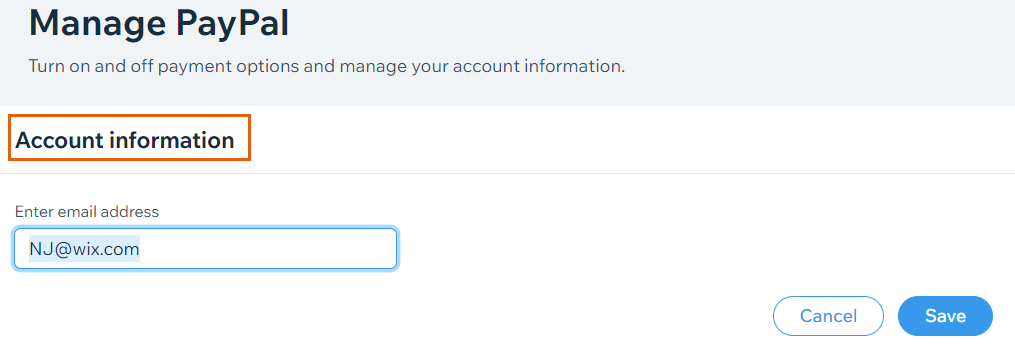
A screenshot showing where you can view your provider credentials.

Switching to a different account

  1. Go to Accept Payments on your site's dashboard.

  2. Click Manage next to the payment provider / method you want to change.

Manage PayPal button,

  1. Follow the relevant steps depending on your provider:
    PayPal:Enter the email address of your desired account in the Account information section.
    Click Save.

    Stripe:Click Change account.
    Enter your Stripe credentials and click Continue.

    Other payment providers:Enter the credentials of your desired account in the Account information section.
    Click Save.

FAQs

Click a question below to learn more about accepting payments.

How do I check which payment provider account I have connected to my site?

To check which payment provider you have connected and to view your account credentials, follow the steps to view your credentials.

I'm using Wix Hotels. How do I set up my payments?

Payments for Wix Hotels is managed through the Hotels tab. Learn how to set up payments for Wix Hotels.

Need A Professional Website?
Contact Us 
Today!

Deleting Wix Hotels

Renting Multiple Properties in Different Locations

Adding Languages in Wix Hotels

Setting the Minimum and Maximum Nights in Wix Hotels

Changing Your Notification Email Address in Wix Hotels

Adding Your Hotels Policies

Adding and Managing Room Types in Wix Hotels

Renting Apartments Using Wix Hotels

Accessing Your Wix Hotels Dashboard

Adding and Setting Up Wix Hotels

About Wix Hotels

Music Apps: Adding and Setting Up an iTunes button

Music Apps: Adding and Setting Up a SoundCloud Player

Music Apps: Adding and Setting Up Your Spotify Player

Music Apps: Adding and Setting Up the Bandsintown App

Wix Podcast Player: General Troubleshooting

Wix Podcast Player: Adding and Setting Up the Wix Podcast Player

Wix Audio Player: Adding and Setting Up the Wix Audio Player

Wix Music: Allowing Fans to Download Your Music

Wix Music: Adding Links to Other Music Platforms

Wix Music: Allowing Your Fans to Name Their Price When Purchasing Your Music

About the Wix Audio Player

Wix Music: Setting Up Sales Notifications

Wix Music: Promoting Your Music using a Subscribe Form

Wix Music: Setting Up Your Payment Methods

Wix Music: Changing Your Currency

Wix Music: Viewing Your Transactions

Wix Music: Selling Your Music

Wix Music: Promoting Your Music With Email Campaigns

Wix Music: Displaying a 30 Second Preview of a Music Track

wix experts
Graphic2Traffic web design
©
bottom of page