top of page

Working with Wix Payments

Connecting Pay Now by Klarna as a Payment Method (Through Wix Payments)

Accept EUR payments from your customers via direct bank transfers using Pay Now by Klarna, processed by Wix Payments.

General Info

Supported countries

Austria, Belgium, Germany, Switzerland.

Supported currencies

EUR, CHF

Transaction fees

Austria, Belgium, Germany: 2.5% + 0.30 EUR
Switzerland: 2.5% + 0.4 CHF

To connect Pay Now by Klarna through Wix Payments:

  1. Go to the Accept Payments tab on your dashboard.
    Tip: Check your business location at the top right. If incorrect, click the drop-down menu to change it.

  2. Click Connect next to Wix Payments.
    Note: If Klarna through Wix Payments is available in your area, you will be automatically connected.

Important:

  • If you've already connected your Wix site to Klarna through a different provider, you can change it to Wix Payments. Learn How

  • Currently, it is not possible to link an existing Klarna account to Wix Payments. Learn More

What's Next?

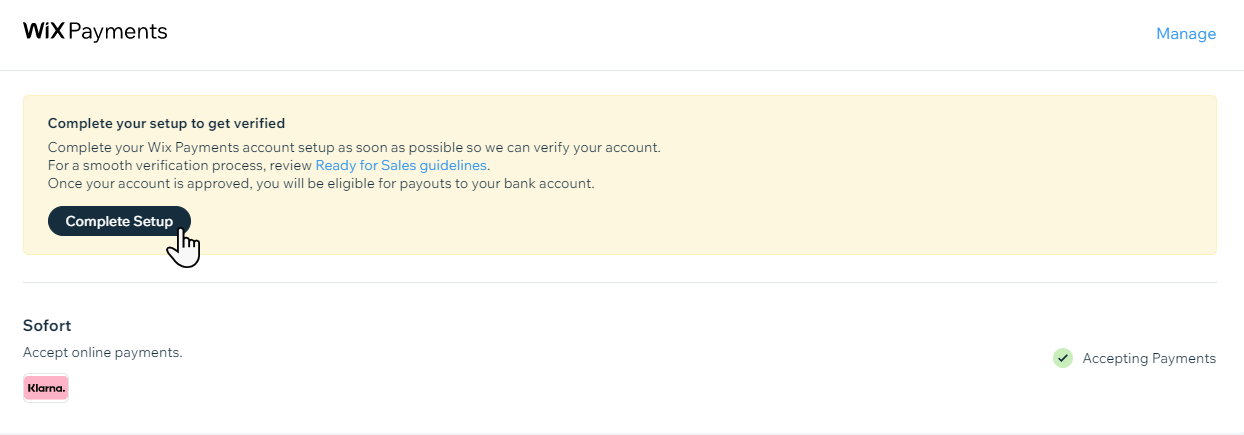
Complete setup with Wix Payments in order to get payouts to your bank account.
Need A Professional Website?
Contact Us 
Today!

Wix Stores: Customizing the New Product Page

Wix Stores: Adding and Optimizing a Search Box for Stores

Wix Stores: Displaying Available Payment Methods on Your Live Site

Wix Stores: Hiding Product Prices

Wix Stores: Setting How Store Images Are Displayed

Wix Stores: Adding and Setting Up a Wishlist

Wix Stores: Customizing Your Product Page

Wix Stores: Adding and Setting Up an 'Add to Cart' Button

Wix Stores: Adding and Setting Up the Product Widget

Wix Stores: Adding and Setting Up a Currency Converter

Wix Stores: Setting How Customers View More Products in Your Product Gallery

Wix Stores: Customizing the Quick View in the Product Gallery

Wix Stores: Adding Filters and Sorting Options to Your Product Gallery

Wix Stores: Adding a Related Products Gallery

Wix Stores: Customizing Product Galleries

Wix Stores: Adding and Setting Up Product Galleries

Wix Stores: Adding Store Elements

Wix Stores: About Your Store Pages

Wix Stores: Designing Your Storefront

Wix Stores: Adding and Setting Up the Wix Checkout Requirements App

Wix Stores: Setting Up Tax

Wix Stores Troubleshooting: Customers Unable to Checkout from Your Store

Wix Stores: Letting Customers Pay in Installments

Wix Stores: Setting a Minimum Order Amount

Wix Stores: Customer Checkout with Apple Pay or Google Pay

Wix Stores: Understanding Customer Checkout with PayPal

Wix Stores: Accessing the Payment Setup

Wix Stores: Printing Shipping Labels with the Shippo 3rd-Party-App

Wix Stores: Offering Delivery to Pickup Points with ShipStation

Wix Stores: Handling Orders with Amazon MCF

wix experts
Graphic2Traffic web design
©
bottom of page