top of page

Managing products and categories

Wix Stores: Product Import Error Messages

When importing products from another store to your Wix store, you may encounter some error messages.

Error message example

Error messages generally have two parts. Let's look at this example:

Screenshot of an error message when importing products to Wix Stores

  • The text before the colon shows which column the error occurs in - in this case, the fieldType column.

  • The text after the column explains what the problem is - here the error is that the text must be either "Product" or "Variant" and some other text was entered.
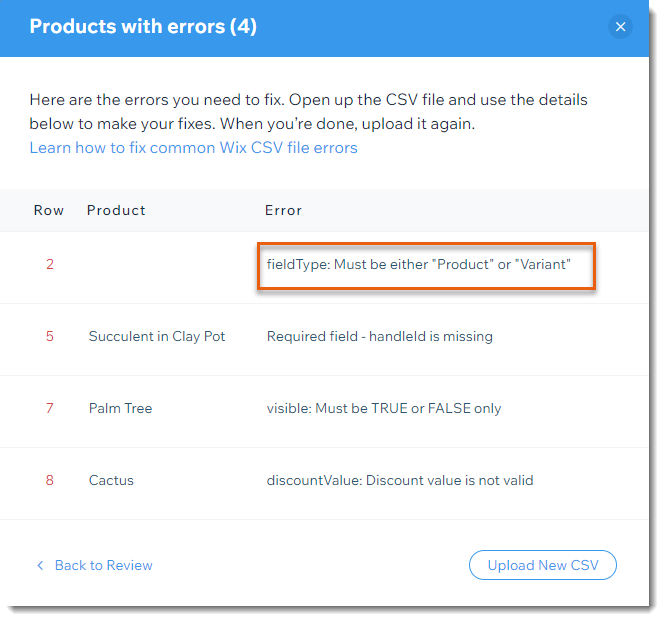
Screenshot of the error list page when importing products to Wix Stores

Error messages and solutions

Below is a list of possible error messages and how to correct them.

Tip: Row 3 in the Template file indicates which columns are required.

Variant must have same "handleid" 
as its product

Edit the handleID so that each of a product's variants has the same handleId as the product.

Must be either "in_stock", "out_of_stock", 
or a number

If you track inventory, enter the number of the product or variant you have in stock (e.g. 100).

If you do not track inventory, enter whether the item is InStock or OutOfStock.

Incorrect option choice

For product rows:
If a product has options, list all options choices. For example, "small; medium; large".
The choices must be separated by semi-colons and can be maximum 20 characters.

For variant rows:
For each variant row, you must enter the variant. This must correspond to the information entered in the product row. So for example, if you entered "small; large"  and "blue; green" in the product row, enter "small;blue", "small;green" "large;blue" and "large;green" in each of the variant rows.

For both products and variants:
If you chose "COLOR" for the productOptionType, then in the productOptionDescription column, you must enter one of the following:

1. RGB + an RGB value + text description (e.g. RGB(94,162,38):green
2. A hexadecimal value + text description (e.g. #ffffff:white)

If you chose "DROP_DOWN" for the productOptionType, then in the productOptionDescription column, you must enter a text description per option.

The text description can be no more than 20 characters per option.

What's next?

After correcting all the errors, click Upload New CSV to upload the corrected file.
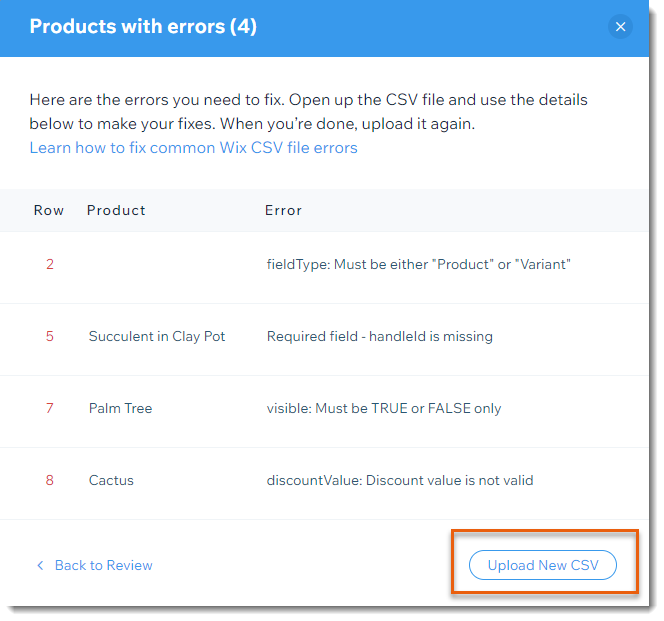
Screenshot of the error list page when importing products to Wix Stores with the Upload New CSV button outlined

Need A Professional Website?
Contact Us 
Today!

Google Workspace Error Message: "Your subscription has been suspended by your reseller"

Google Workspace Error Message: Service Is Temporarily Suspended until Your Customer Accepts the New Terms of Service

Google Workspace Error Message: "You already have a Google Workspace business email account. You can manage it from the Google Admin Console"

Google Workspace: Data Migration from an External Email to Your Google Workspace

Google Workspace: Revoking Admin Status to Delete a Workspace Account

Google Workspace: Connecting Your Business Email to a Mail Client Using IMAP and SMTP

Google Workspace: Changing the Language of Your Business Email

Google Workspace: Emails Missing from Your Business Email

Google Workspace: Allowing Access for ‘Less Secure Apps’ in Your Business Email

Google Workspace: Adding Google Workspace MX Records to Your Wix Account

Google Workspace: Setting Up a Domain Alias

Google Workspace: Manually Verifying Your Domain with Google

Google Workspace: Connecting a Business Email for a Domain Pointing to Wix

Google Workspace: Setting Up an Email Alias for an Existing Workspace User Email Address

Google Workspace: Resetting a Workspace User's Password

Google Workspace: Renaming a Workspace User

Google Workspace: Accessing Your Additional Workspace Users

Google Workspace: Purchasing Additional Business Emails from Wix

Google Workspace: Setting Up Business Email Users

Gemini for Google Workspace: An Overview

Google Workspace: Upgrading a Workspace Plan

Google Workspace: Choosing a Plan

Google Workspace: Business Email Sending Limits

Google Workspace: Forwarding Emails From Your Business Email to Another Email Address

Google Workspace: Resetting Your Admin Password

Google Workspace: Accessing Your Admin Console

Google Workspace: Identifying Your Admin Workspace User

Google Workspace: Setting Up Your Business Email on Mobile Devices

Google Workspace: Username and Password Guidelines

Google Workspace: Accessing your Business Email Through Your Wix Account

wix experts
Graphic2Traffic web design
©
bottom of page